Solutions
worksection
beta
help
How to navigate to payment and plan settings?
Permissions The section can be accessed by:
- Account owner
- Account administrator with the "Access to account payment" permission
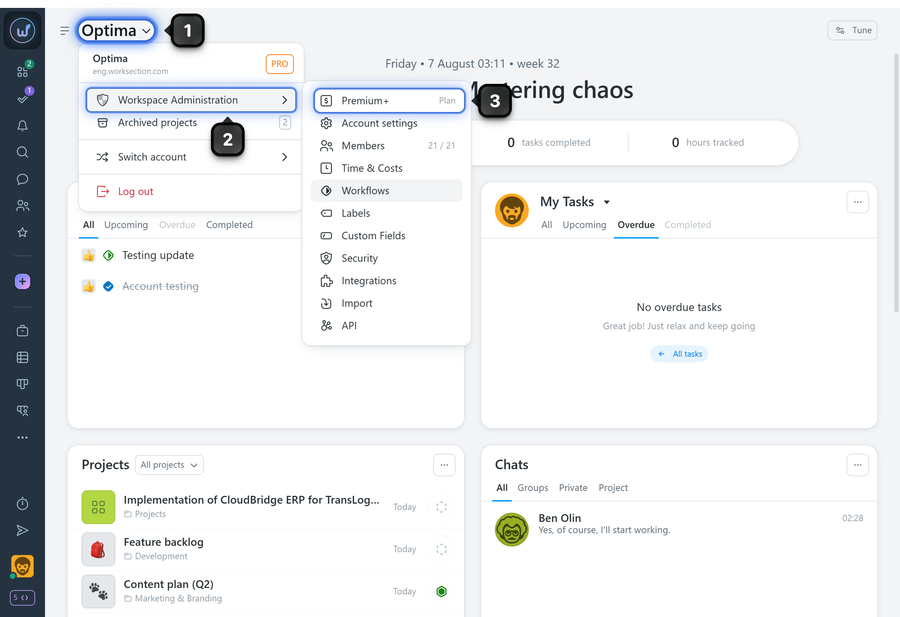
Click on the "Company name" and select "Administration", then click your plan name marked with "Plan":
Alternatively, click on the avatar1 in the bottom-left corner and go to the Administration section2 — the "Payment plan" page3 will open immediately:
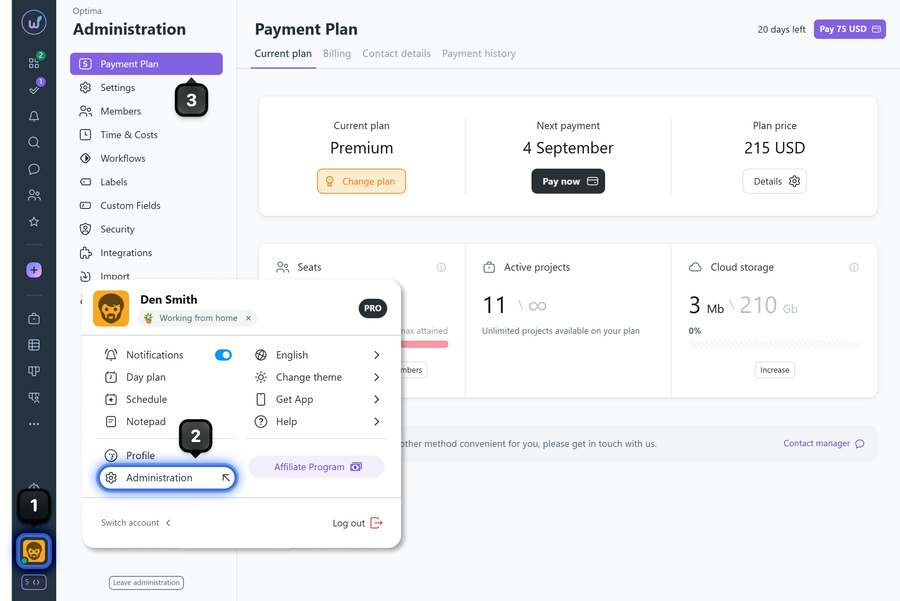
Please note! If an account administrator does not have the "Access to account settings" permission, the "Administration" item will be absent from the avatar menu, but they will still be able to access payment and plan settings via the "Company name" menu.
Leave your review
Did this article help you?
Glad we could help! What was helpful?
Sorry this didn't help. What went wrong?

