Solutions
worksection
beta
help
How to change the pricing plan?
Permissions The pricing plan can be changed by:
- Account owner
- Account administrator with the "Access to account payment" permission
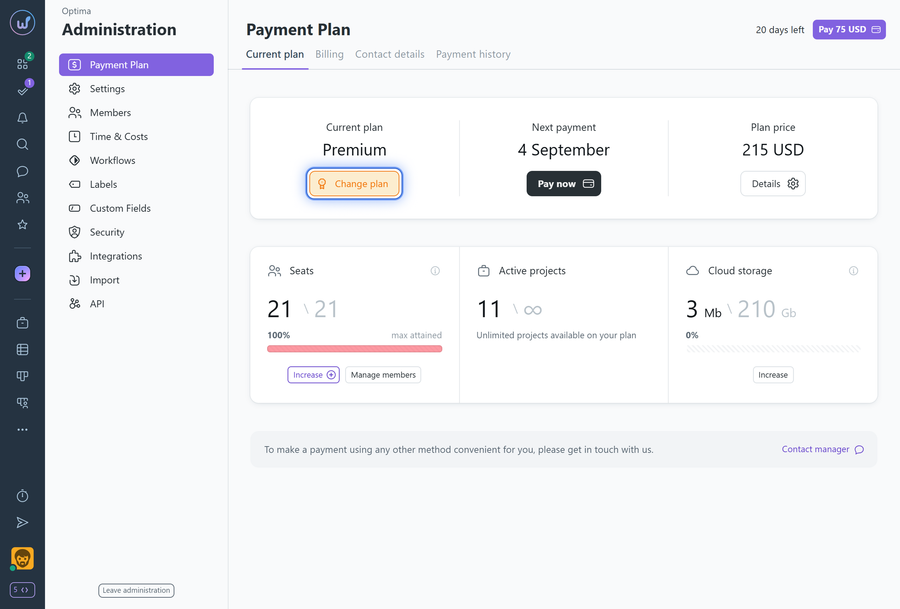
To change the pricing plan, go to Administration > Payment plan and click the "Change plan" button.
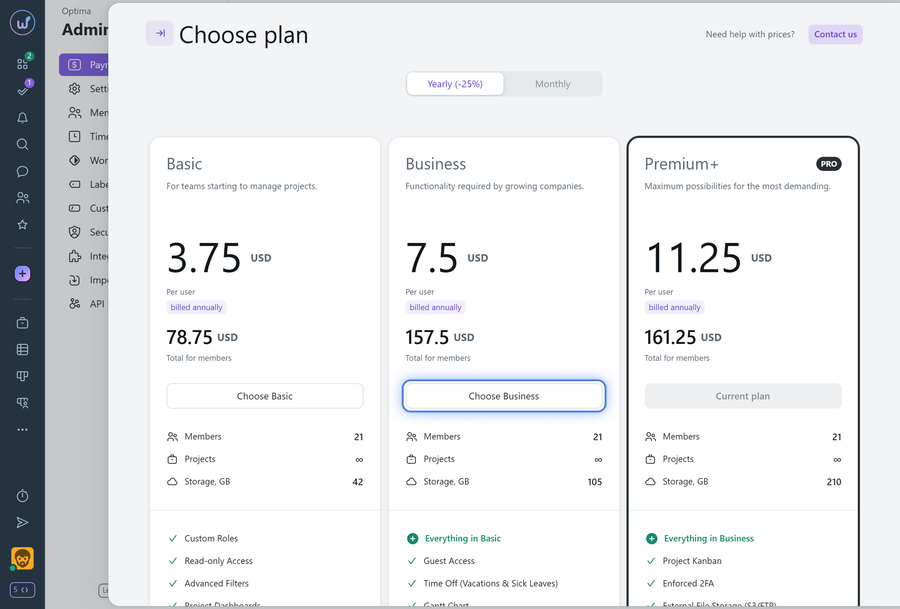
After clicking "Change plan", a window with available plans will appear where you can switch to the desired plan by clicking "Choose" on your chosen pricing plan.
Note During the service trial period (14 days from the account registration date) you can switch to any pricing plan without restrictions.
Leave your review
Did this article help you?
Glad we could help! What was helpful?
Sorry this didn't help. What went wrong?

