Solutions
worksection
beta
help
How do I access custom field settings?
Custom fields are additional non-standard properties that are not available in the system by default. They allow you to extend and customize task and project parameters to fit your company's specific business processes.
Permissions The following users can access this section:
- Account owner
- Account administrator with the "Access account settings" permission
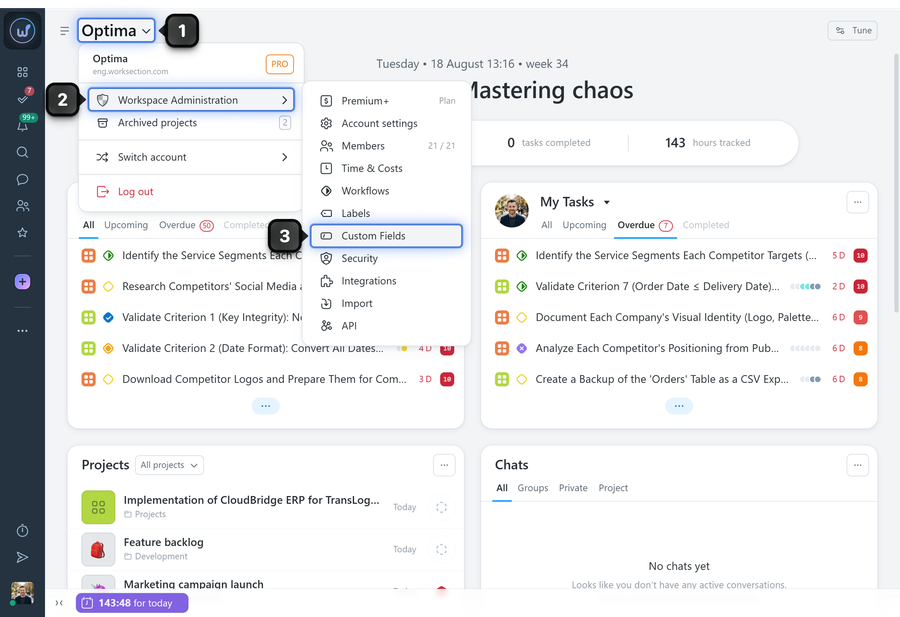
Click the "Company name"1 and select "Administration"2 → "Custom fields"3:
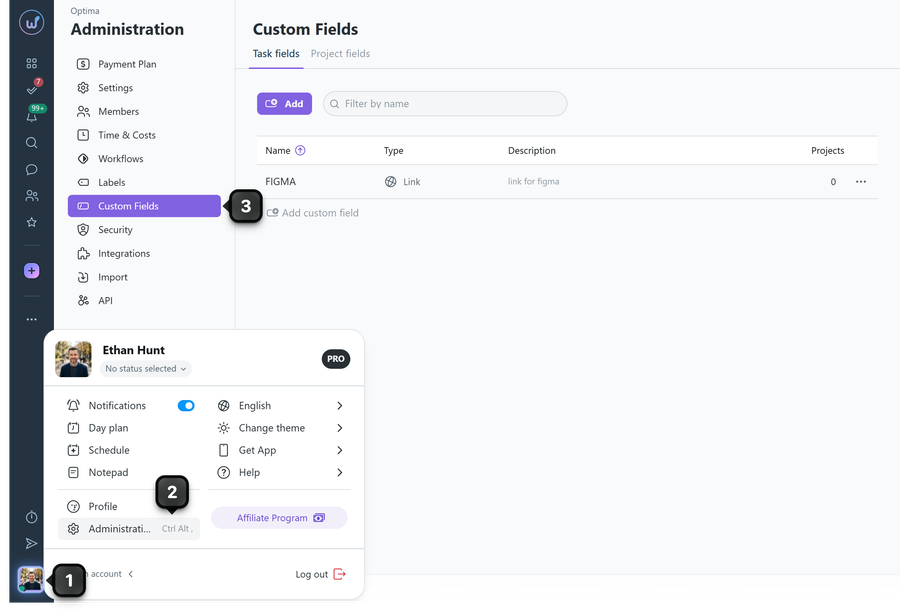
Alternatively, click your avatar1 in the bottom-left corner, go to "Administration"2, and select "Custom fields"3:
Leave your review
Did this article help you?
Glad we could help! What was helpful?
Sorry this didn't help. What went wrong?

