Solutions
worksection
beta
help
How do I edit or delete a custom field?
Permissions Custom fields can be edited and deleted by:
- Account owner
- Account administrator with the "Access account settings" permission
To edit or delete a custom field, go to Administration → "Custom fields" and click the required field in the list1 - a context menu with the following options will open:
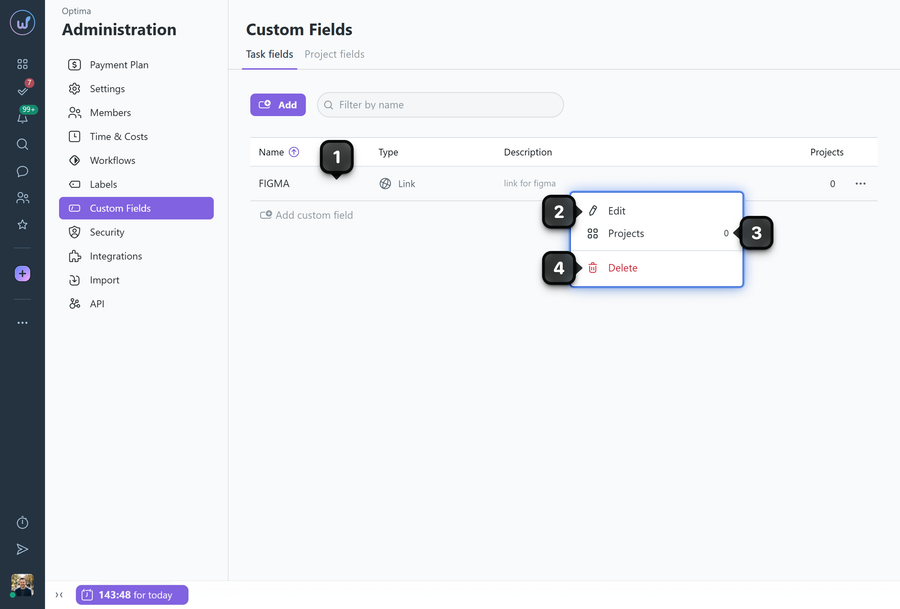
2 Edit - opens the field editing window, where you can change the name, description, and configuration settings;
3 Projects - add or remove projects whose tasks use this field;
4 Delete - completely removes the field from the system.
Note! After a custom field is deleted, it will be removed from all tasks and projects where it was used.
Leave your review
Did this article help you?
Glad we could help! What was helpful?
Sorry this didn't help. What went wrong?

