Solutions
worksection
beta
help
Migration from Notion to Worksection
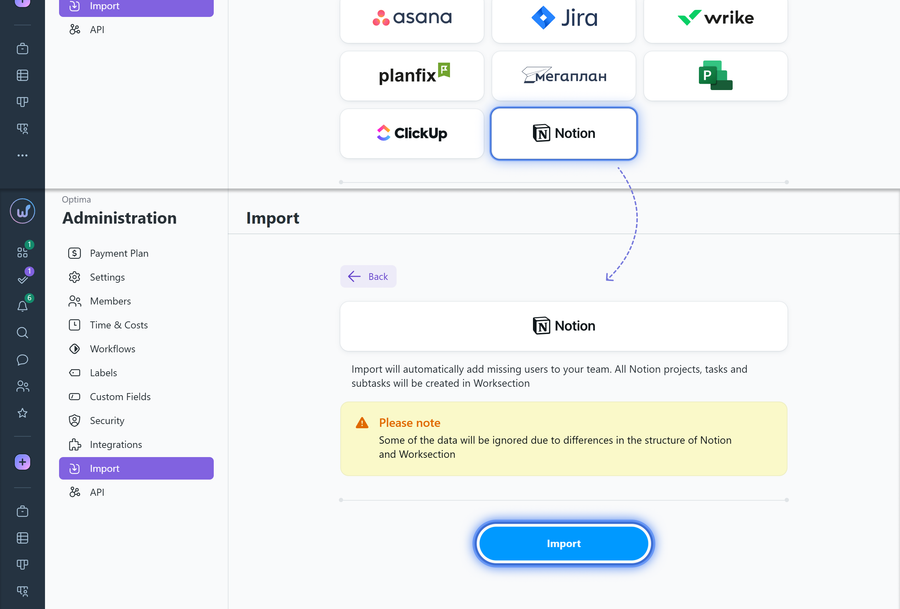
Go to Administration > Import, select import from Notion, and click "Import".
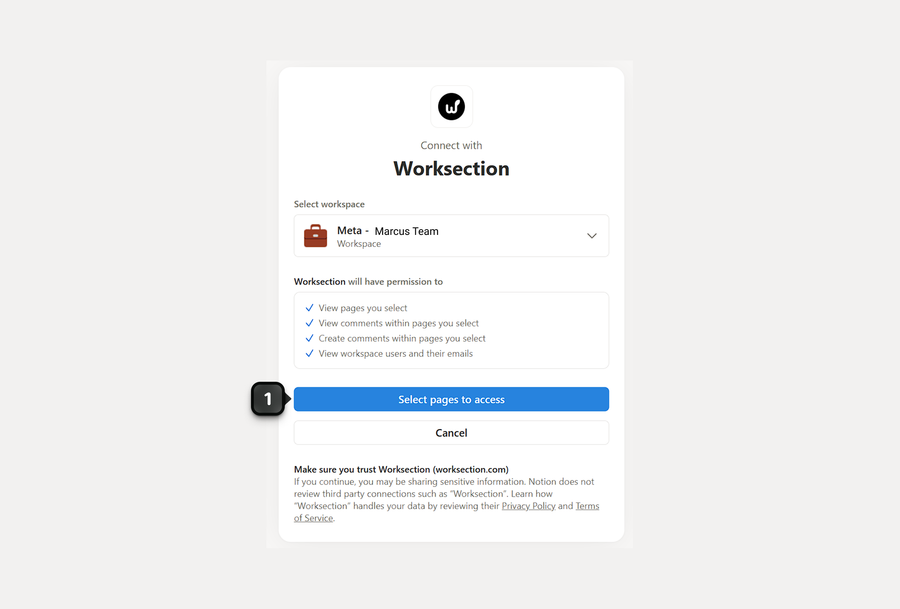
If necessary, sign in to your Notion account, then click "Select pages"1 to grant the required permissions:
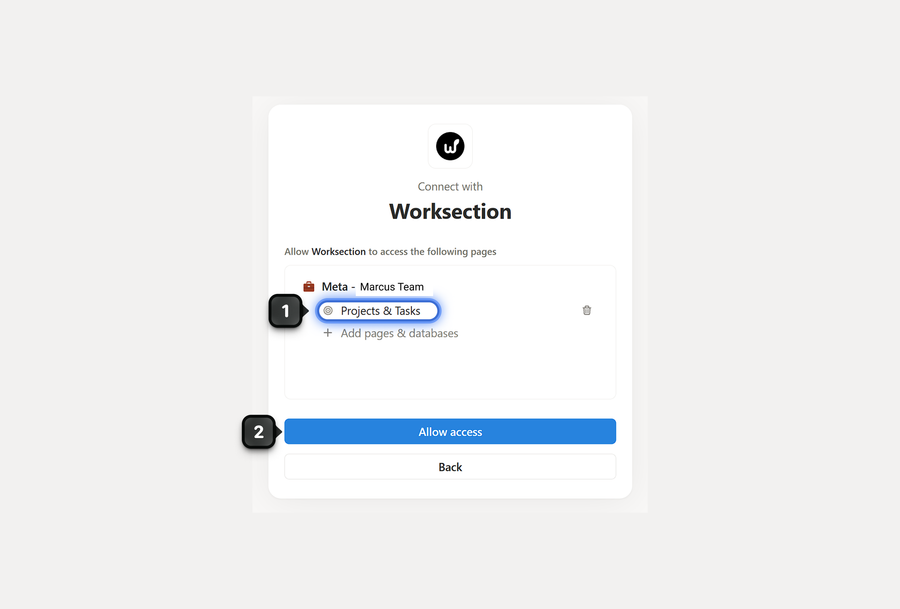
Next, select the pages1 you want to migrate and click "Allow access"2:
Note!
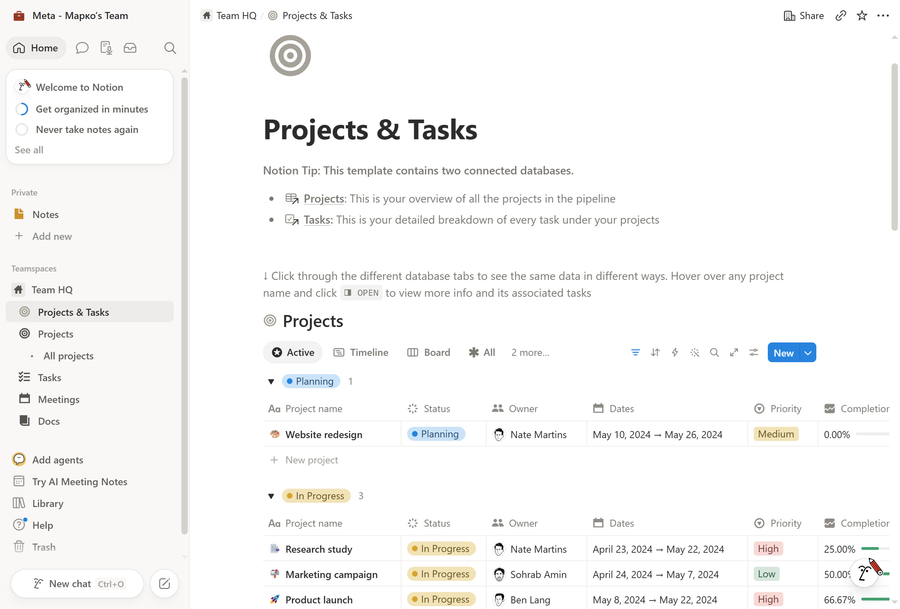
For a successful migration from Notion, our import tool looks for a clear "Project → Task" structure. Therefore, a regular page or a single database containing tasks cannot be migrated. The ideal structure consists of two connected databases: one for projects and another for tasks, linked to each other through a "Relation" property. This relationship allows the importer to identify which tasks belong to which projects.
In simple terms, the importer ignores pages where it cannot find a clear relationship between a specific task and its parent project. The easiest way to ensure a successful migration is to organize your data following the structure of the standard Notion "Projects & Tasks" template:
Leave your review
Did this article help you?
Glad we could help! What was helpful?
Sorry this didn't help. What went wrong?

