Solutions
worksection
beta
help
Migration from Bitrix24 to Worksection
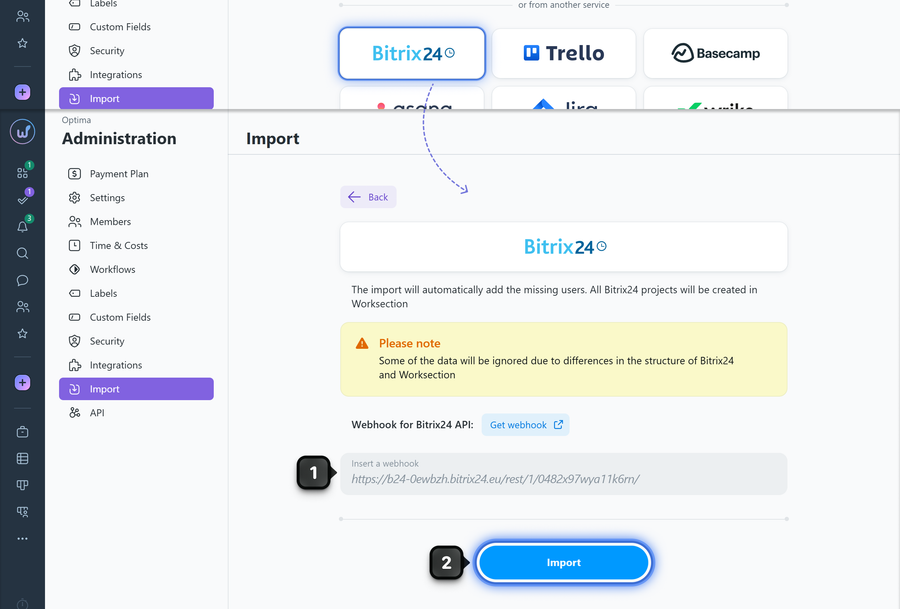
Go to Administration > Import, select import from Bitrix24, paste the previously created Bitrix24 webhook URL into the "Webhook for Bitrix24 API" field1, and click "Import"2.
How to create a webhook in Bitrix24
Go to the following URL:
https://youraccount/devops/section/standard/
where youraccount — is the address of your Bitrix24 account.
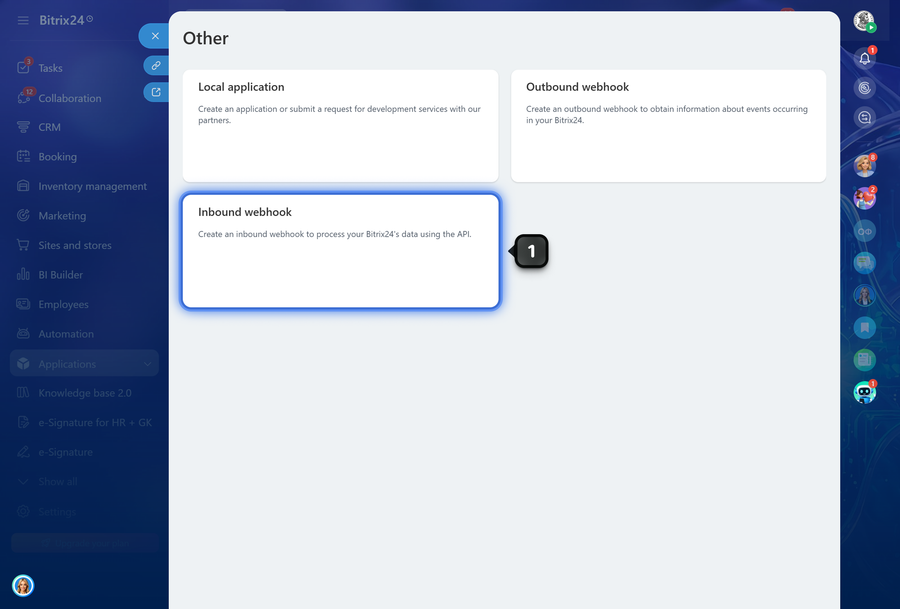
Log in to your account if needed, then select the "Inbound webhook" section.
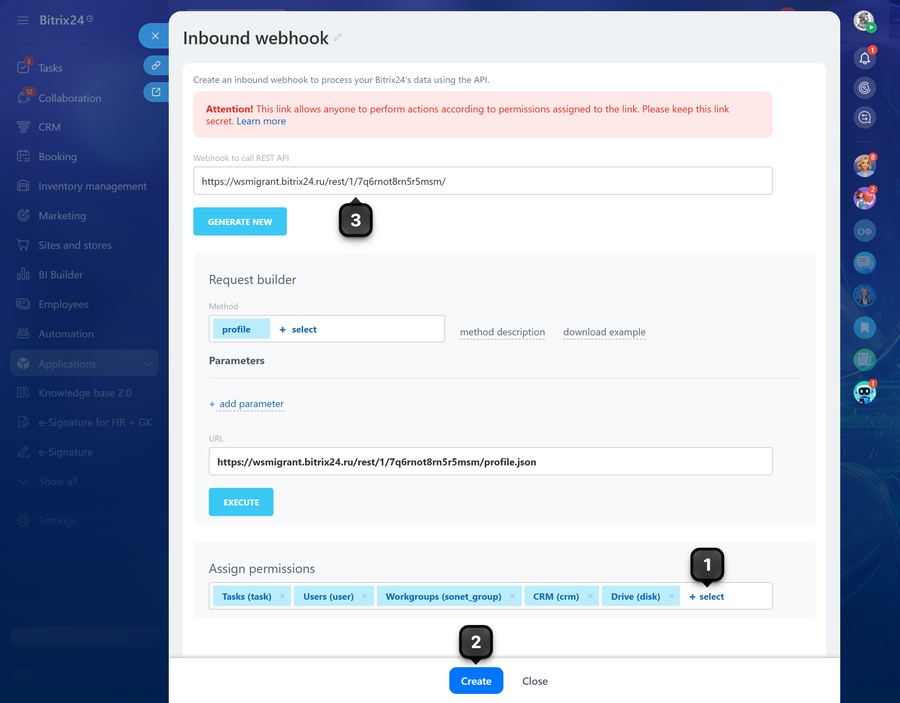
In the "Permission settings" field, click "+ select"1 and check the permissions shown in the screenshot below. Save the changes2 and copy the webhook URL by selecting it with your cursor3:
Note If you accidentally closed the window before copying the webhook URL, return to it from the list of created webhooks at https://youraccount/devops/list/ or create a new one.
Leave your review
Did this article help you?
Glad we could help! What was helpful?
Sorry this didn't help. What went wrong?

