Solutions
worksection
beta
help
Migration from Planfix to Worksection
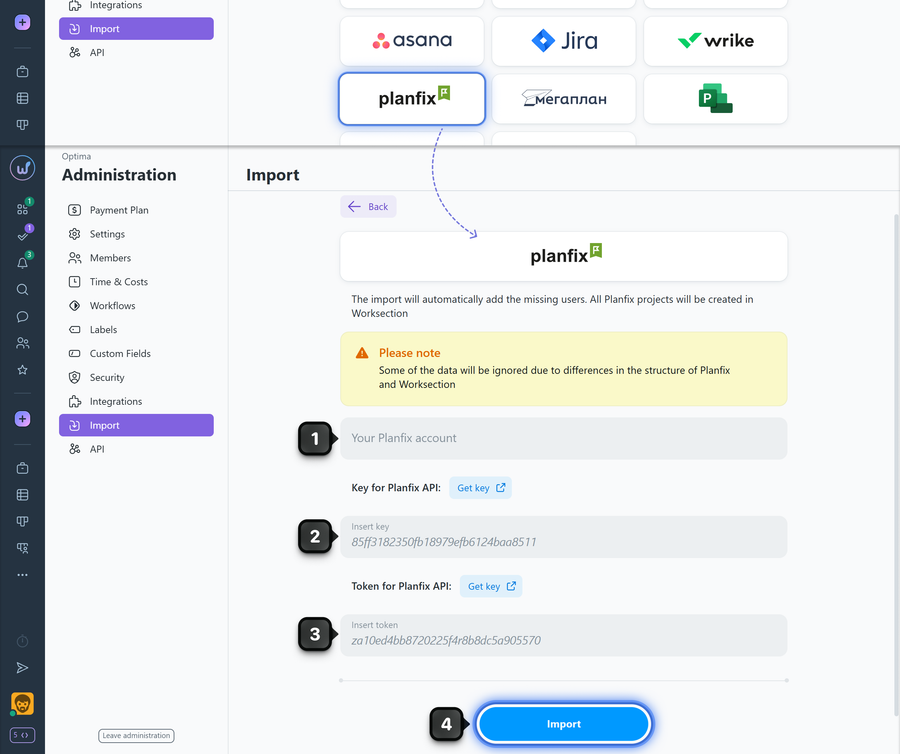
Go to Administration > Import, select import from Planfix, then enter your Planfix account name1 (e.g., youraccount for the account youraccount.planfix.com), API key2, and token3, then click "Import"4.
How to get the API key and token in Planfix
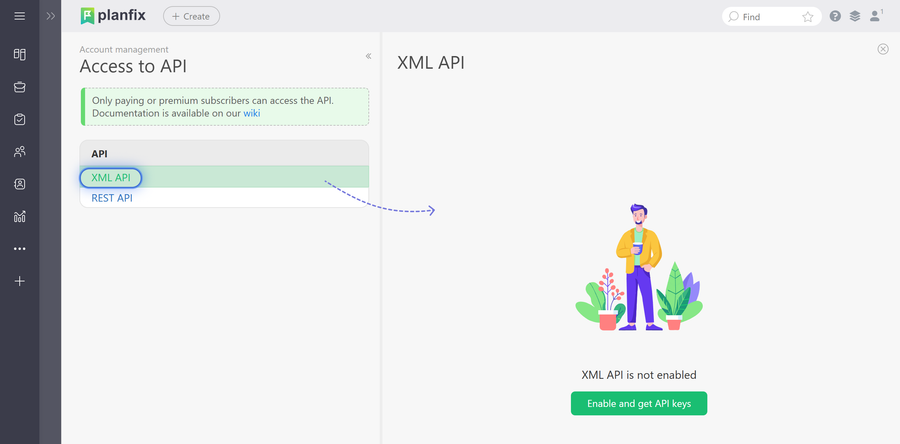
Go to the following URL:
https://youraccount/?action=api&type=1
where youraccount is the full address of your Planfix account. Log in to your account if needed, then click "Enable and get API keys".
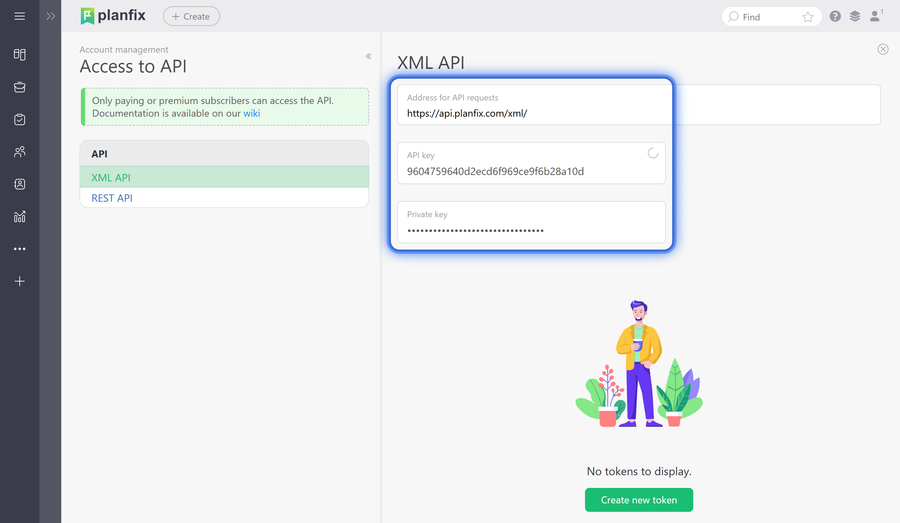
To copy the API key, click on the name of the field containing it:
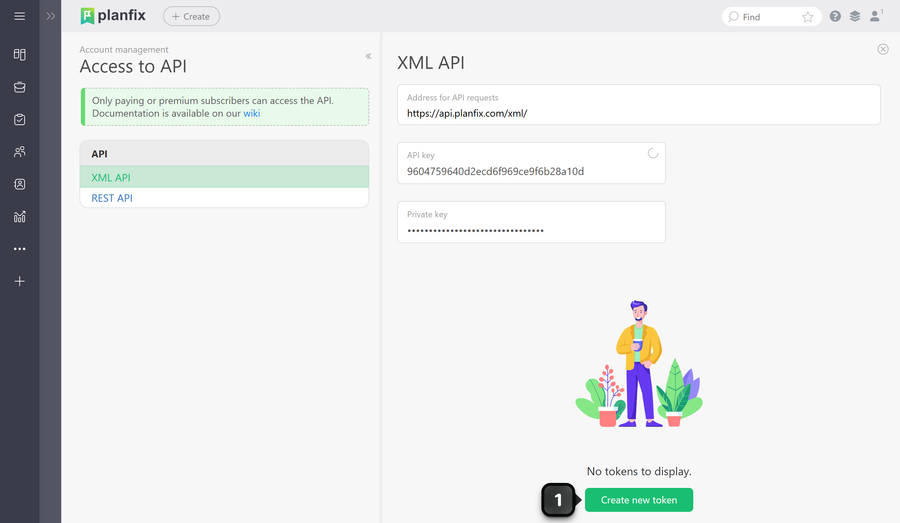
To get a token, click "Create new token"1:
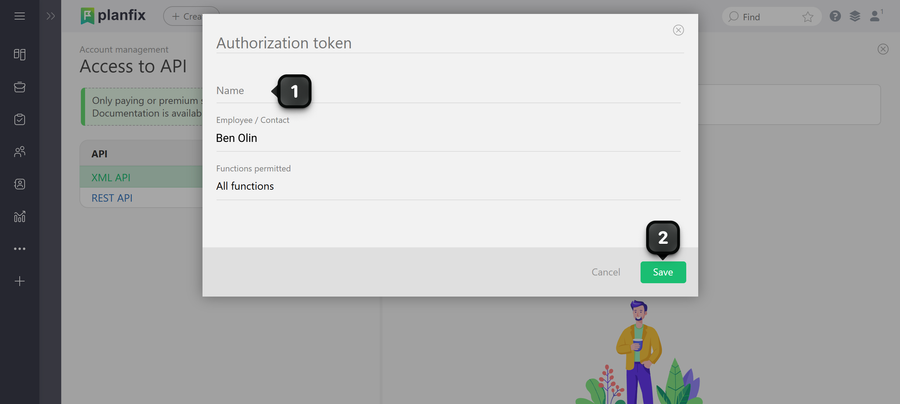
Enter any name for the token1 and save it2:
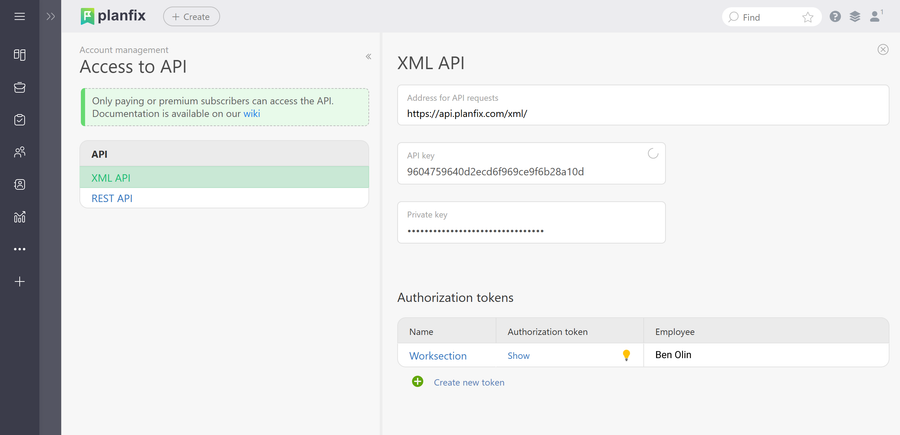
Then click on the row of the created token:
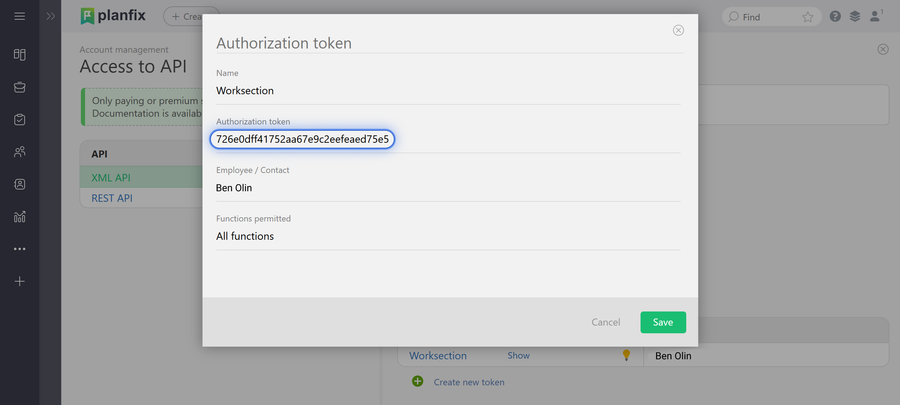
Now copy the token by selecting it with your cursor:
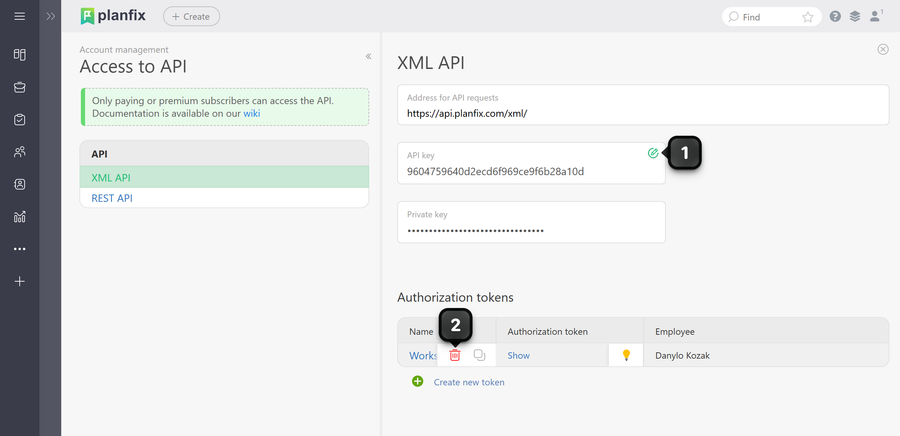
Note After the data import to Worksection is complete, if needed you can reset the API key by clicking the "pencil" icon1, and delete the token by hovering over the token row and clicking the "trash" icon that appears2.
Leave your review
Did this article help you?
Glad we could help! What was helpful?
Sorry this didn't help. What went wrong?

