Solutions
worksection
beta
help
Migration from Jira to Worksection
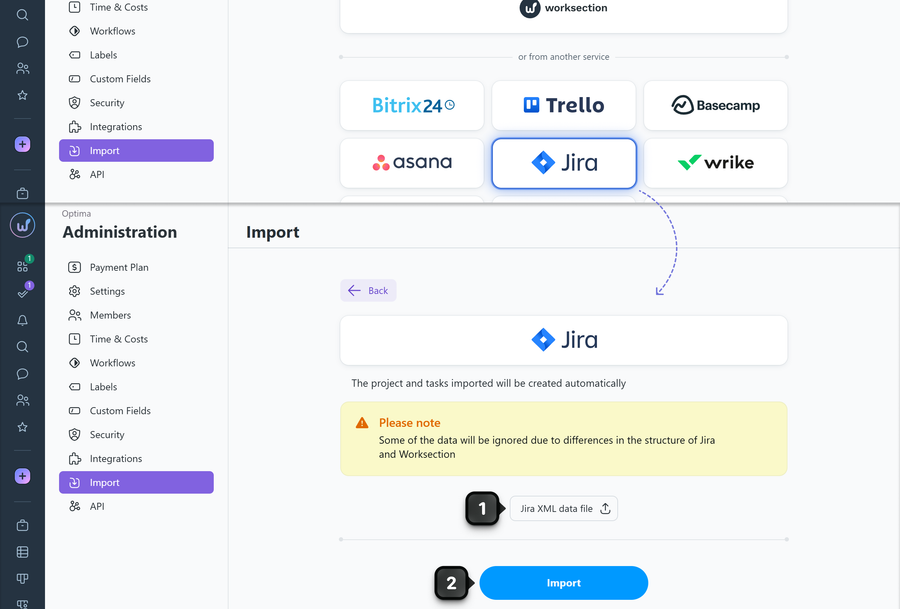
Go to Administration > Import, select import from Jira, then upload the XML file with data1 previously exported from Jira, and click "Import"2.
How to export data from Jira
Go to the following URL:
https://youraccount/issues/
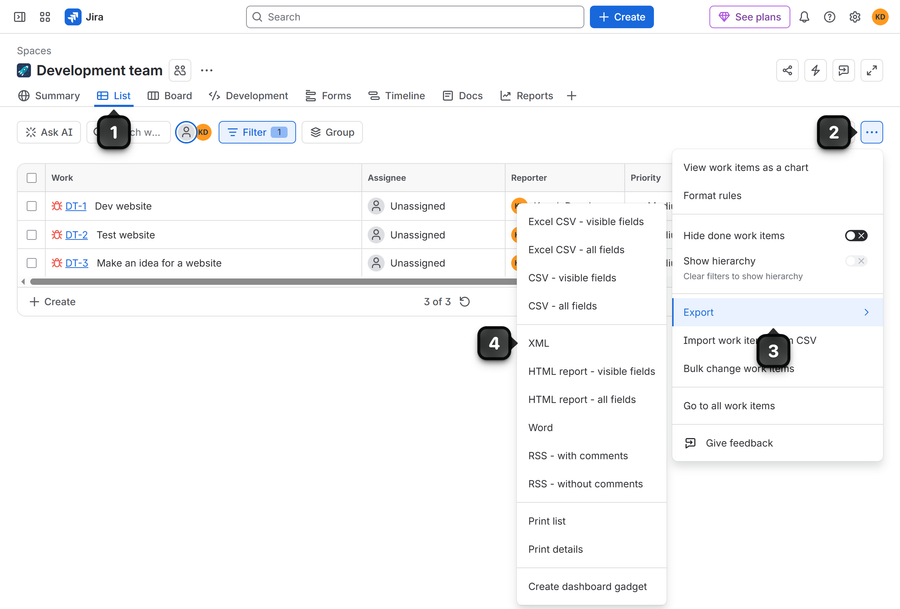
where youraccount is the full address of your Jira account. Open "List" tab1 to select the projects and tasks you want to export, then click "Three dots"2 and choose "Export"3. Then select XML4.
Leave your review
Did this article help you?
Glad we could help! What was helpful?
Sorry this didn't help. What went wrong?

