Solutions
worksection
beta
help
How to migrate from Jira to Worksection?
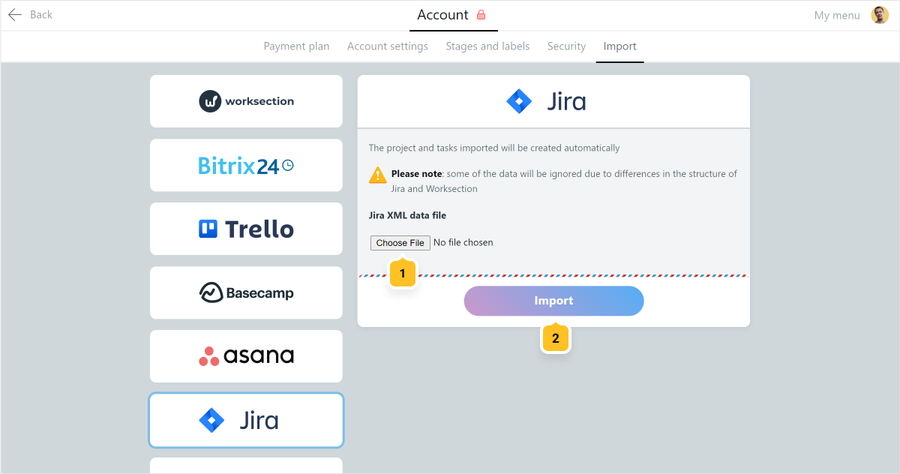
For data transfer, first export an XML file with the required data from your Jira account. Then go to Account > Import section in Worksection, attach mentioned XML file1 and click «Import»2.
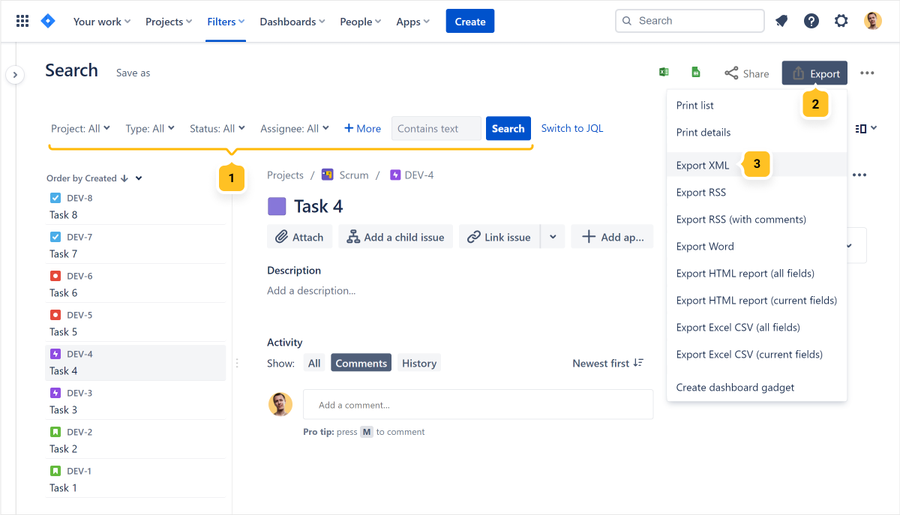
Exporting data from Jira
Follow the next link
Leave your review
Did this article help you?
Glad we could help! What was helpful?
Sorry this didn't help. What went wrong?

