Solutions
worksection
beta
help
How to migrate from Planfix to Worksection?
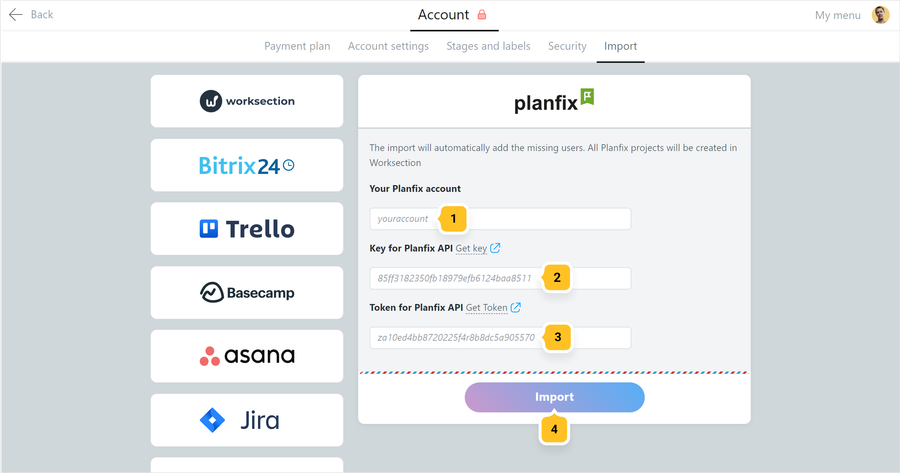
Go to Account > Import section and choose import from Planfix. Then enter the name1 (for example, youraccount part for youraccount.planfix.com), API key2 and token3 of your Planfix account, and click «Import»4.
Getting API key and Token in Planfix
Follow the next link
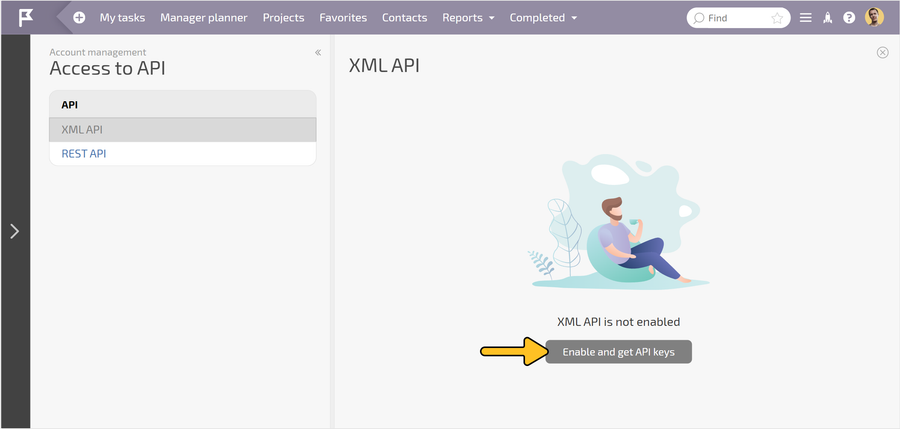
, where youraccount now is the full name of your Planfix account. Log into your Planfix account if it asks you and click «Enable and get API keys».
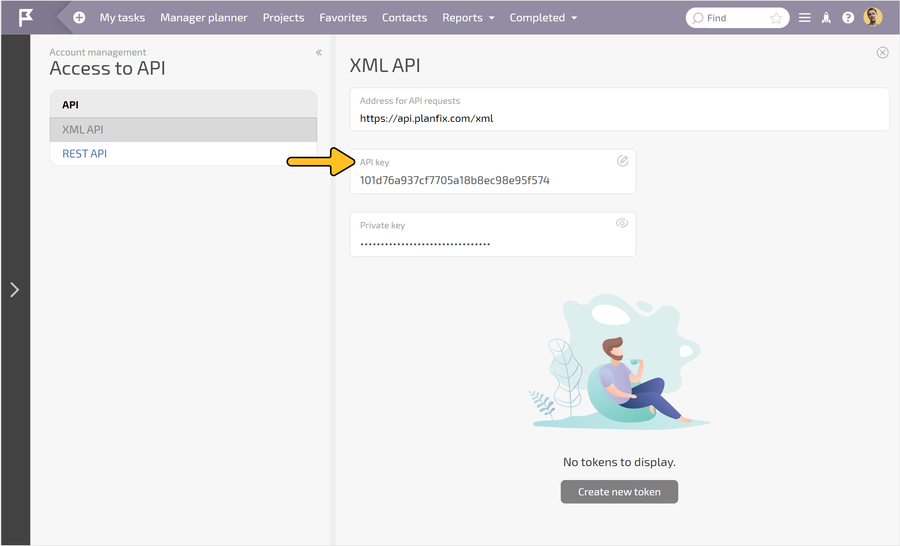
To copy the API key, click the name of the field it belongs to:
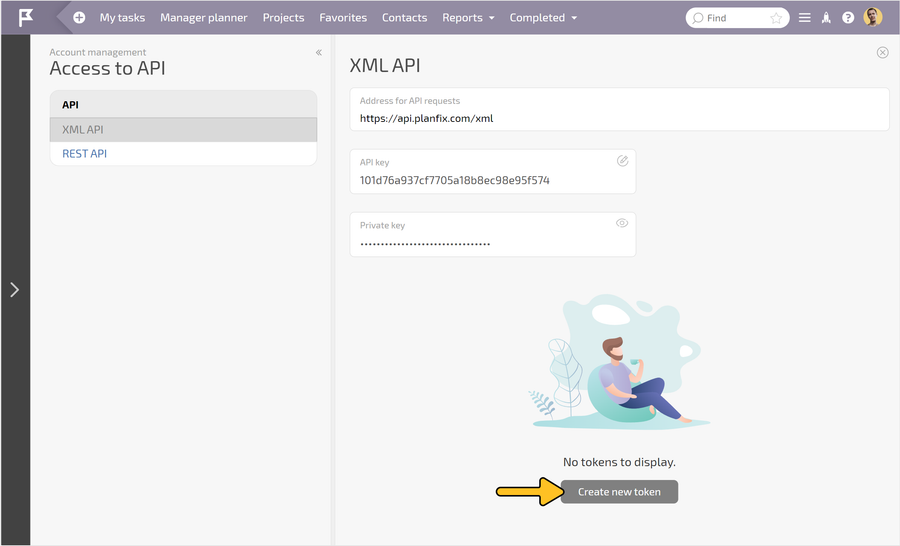
To get a token, click «Create new token»:
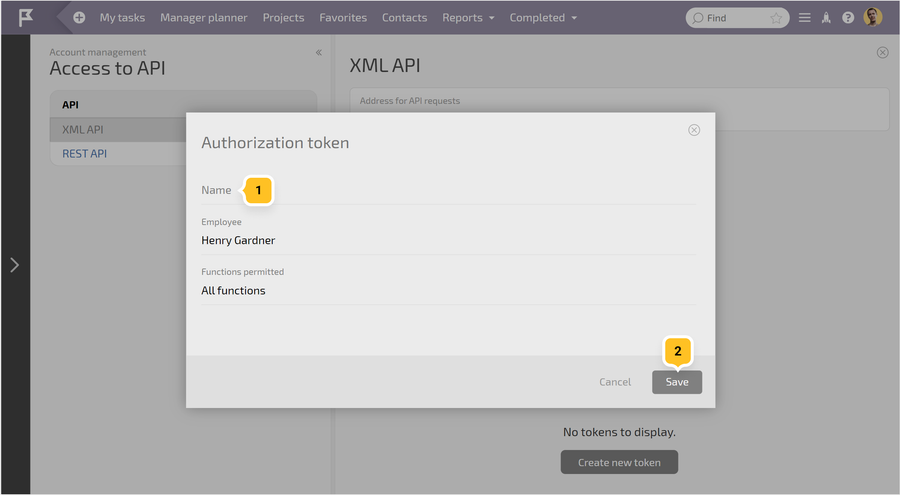
Enter an arbitrary token name1 and save it2:
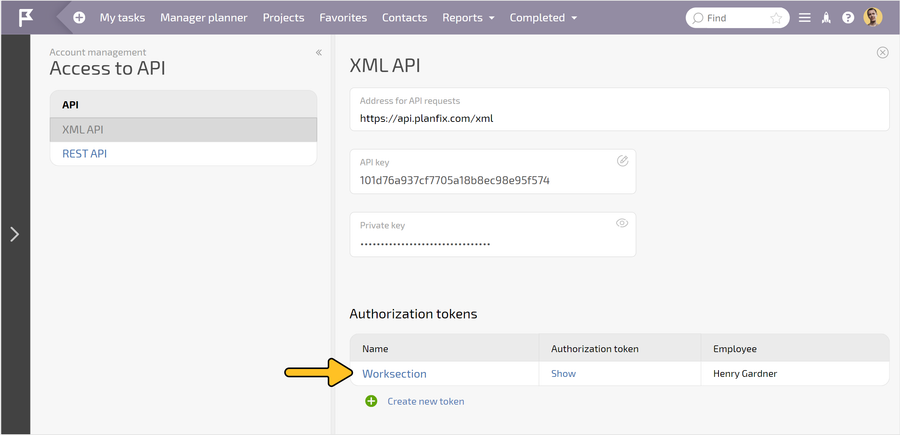
Next, click on the row of the created token:
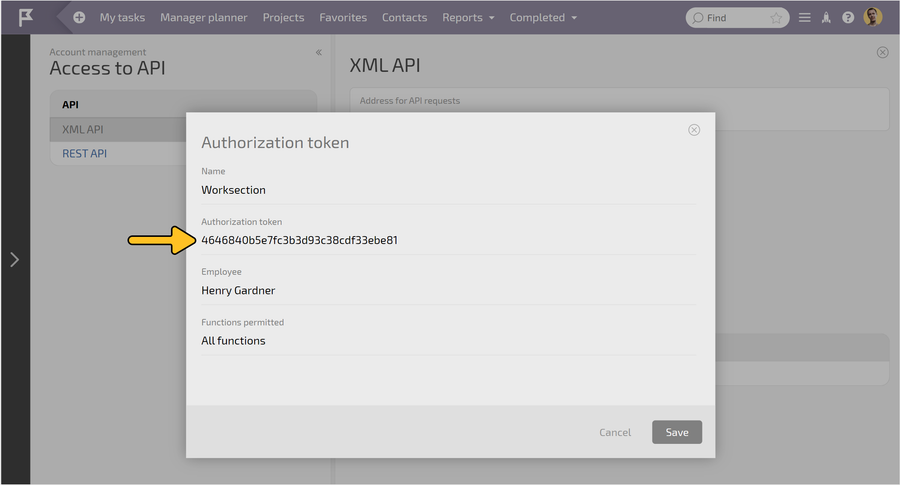
Now copy the token by selecting it with the mouse:
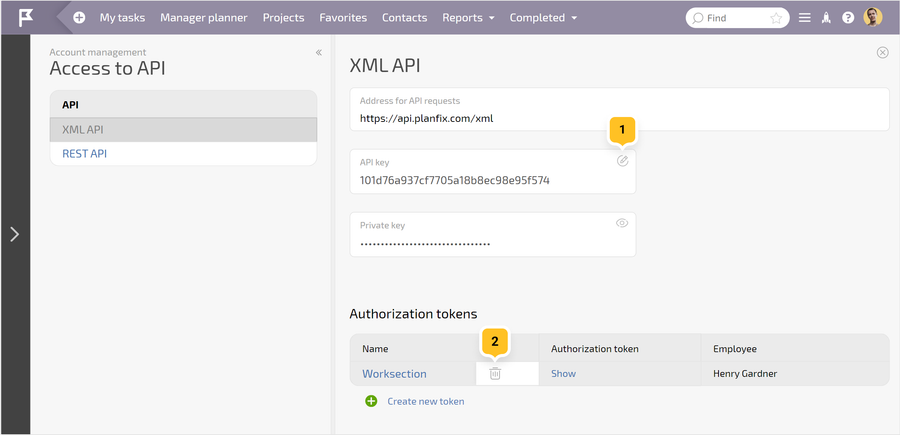
Note If necessary, after completing the import of data into Worksection you can reset the API key by clicking on the "pencil"1 and delete the token by hovering over the token row and clicking on the appeared "basket"2.
Leave your review
Did this article help you?
Glad we could help! What was helpful?
Sorry this didn't help. What went wrong?

