Solutions
worksection
beta
help
How to migrate from Bitrix24 to Worksection?
For data transfer, please create a Webhook link in Bitrix24 and go to Account > Import section in Worksection. Then enter Webhook link in field1 and click «Import»2.
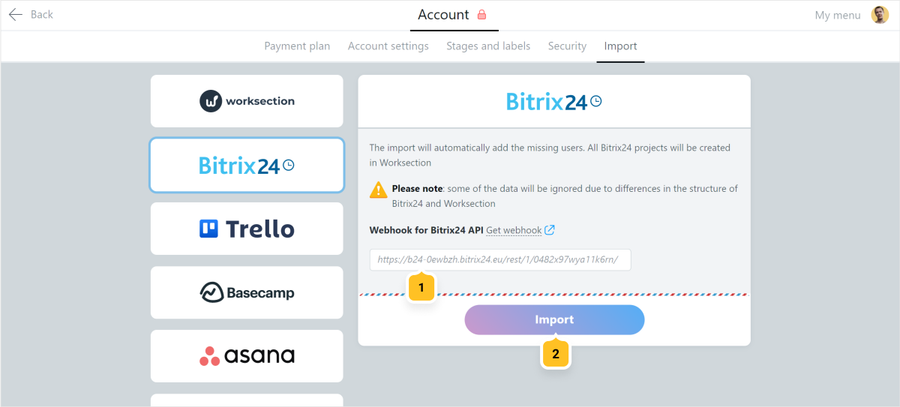
Creating Webhook link in Bitrix24
Follow the following link
, where youraccount is the full address of your Bitrix24 account, for example mycompany.bitrix24.com or mycompany.bitrix24.eu
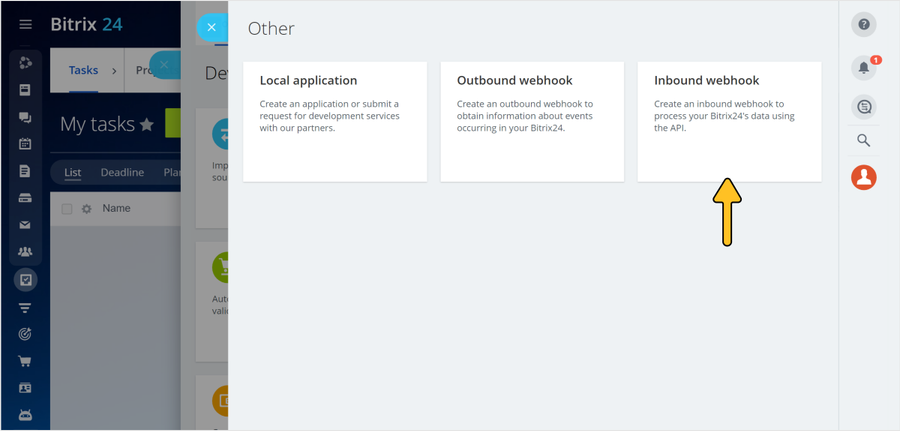
Log into your Bitrix account if it asks you and choose «Inbound webhook».
Log into your Bitrix account if it asks you and choose «Inbound webhook».
Click «+ select»1 and mark permissions shown on the screenshot below. Save changes2 and copy the webhook link by selecting it with the mouse3:
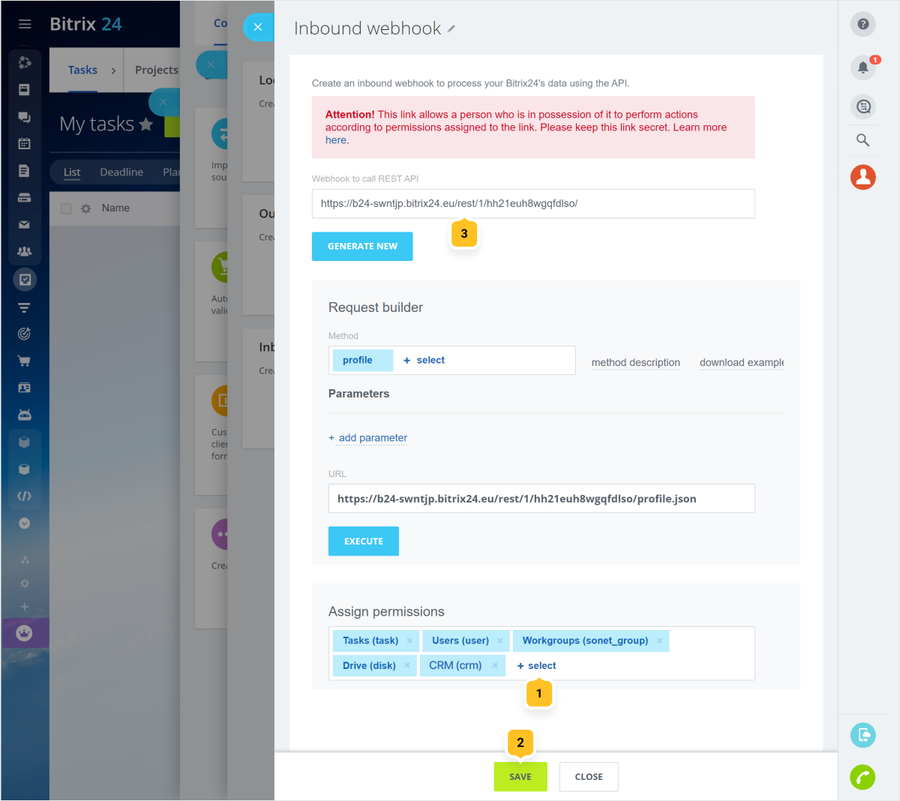
Note If you accidentally closed the specified window and did not copy the webhook link, you can get back to it from the list of created webhooks by the link https://youraccount/devops/list/. Or you can create a new one.
Leave your review
Did this article help you?
Glad we could help! What was helpful?
Sorry this didn't help. What went wrong?

