Solutions
worksection
beta
help
Who can connect the Slack integration, and how can it be done?
Permissions The integration can be connected by:
- The owner
- An account admin with the “Access to account settings” permission
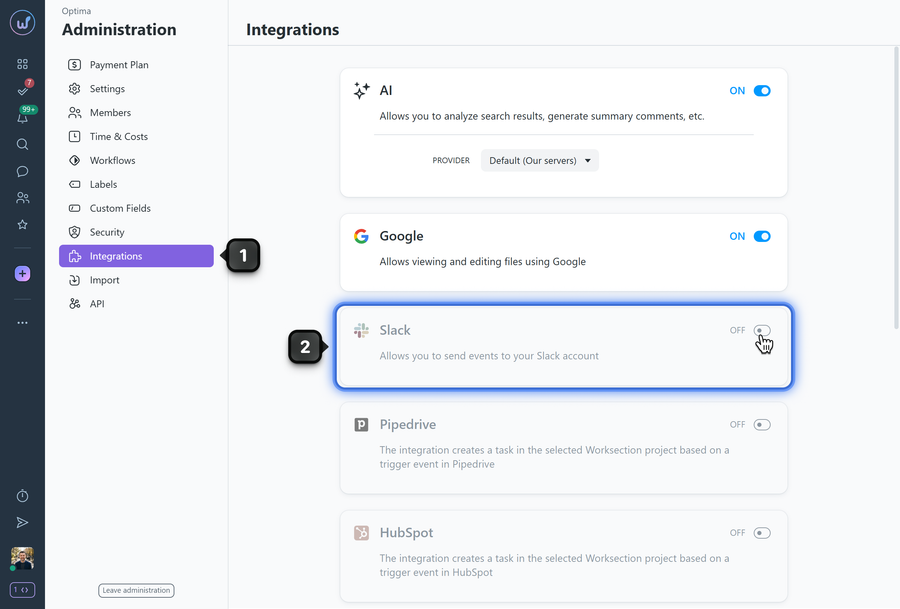
To activate the integration, go to Administration > Integrations1 and turn on the toggle in the Slack block2.
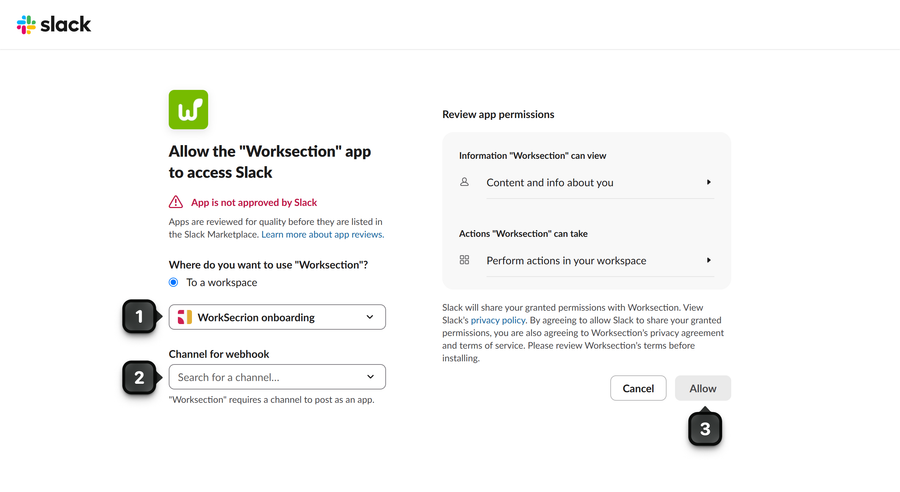
A pop-up window then opens where you choose your Slack workspace1 and the channel2 that will receive messages from Worksection. After making your choice, click the “Allow” button3.
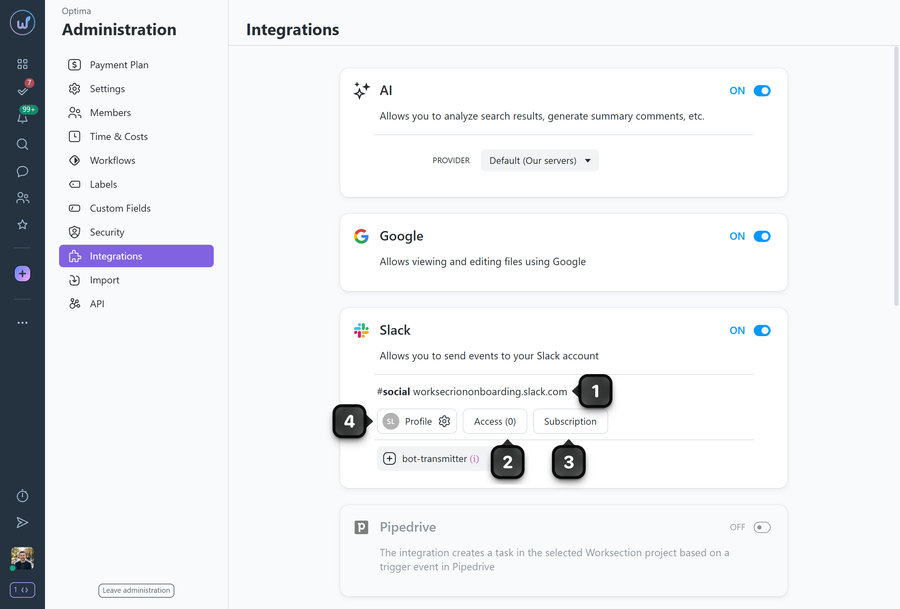
Once the integration is connected, the Slack block shows which channel of your Slack account the messages will be relayed to1. You can immediately set up project access2 and then the task subscription3. Additional settings for the Slack bot are available in the bot’s Profile4.
Leave your review
Did this article help you?
Glad we could help! What was helpful?
Sorry this didn't help. What went wrong?

