Solutions
worksection
beta
help
How to access Time & Costs settings?
Permissions Users who can access this section:
- Account Owner
- Account Administrator with the “Access to account settings” permission
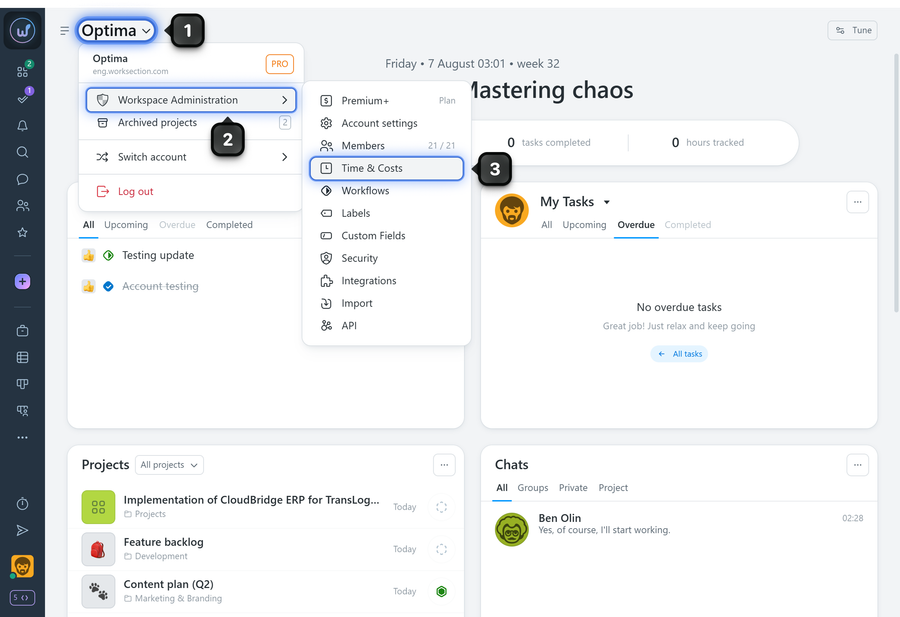
Click the “Company name”1, select “Administration”2, and choose “Time & Costs”3:
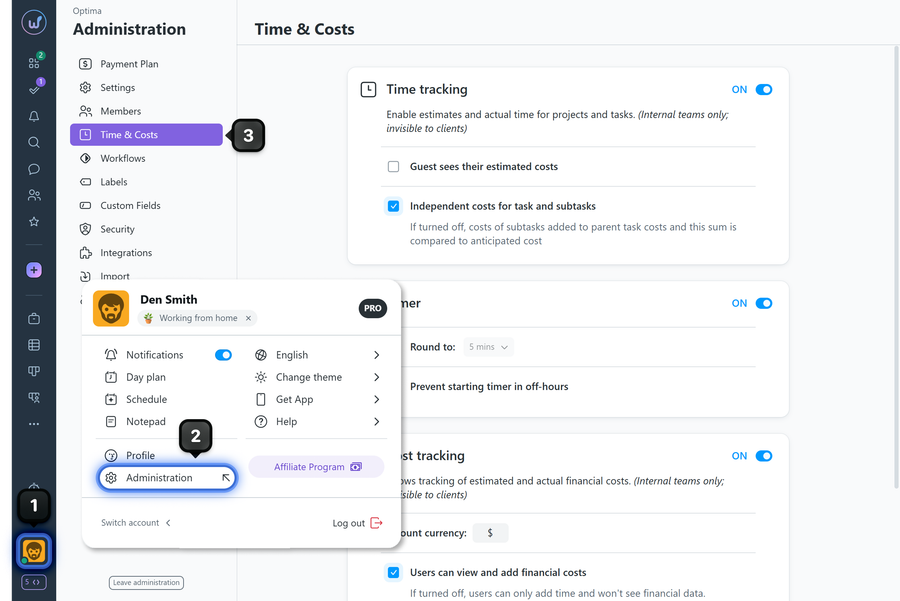
Alternatively, click the avatar1 in the bottom-left corner and go to the Administration section2, then select “Time & Costs”3:
Leave your review
Did this article help you?
Glad we could help! What was helpful?
Sorry this didn't help. What went wrong?
Previous
Time tracking
Next
Cost tracking

