Solutions
worksection
beta
help
How to remove a project completely?
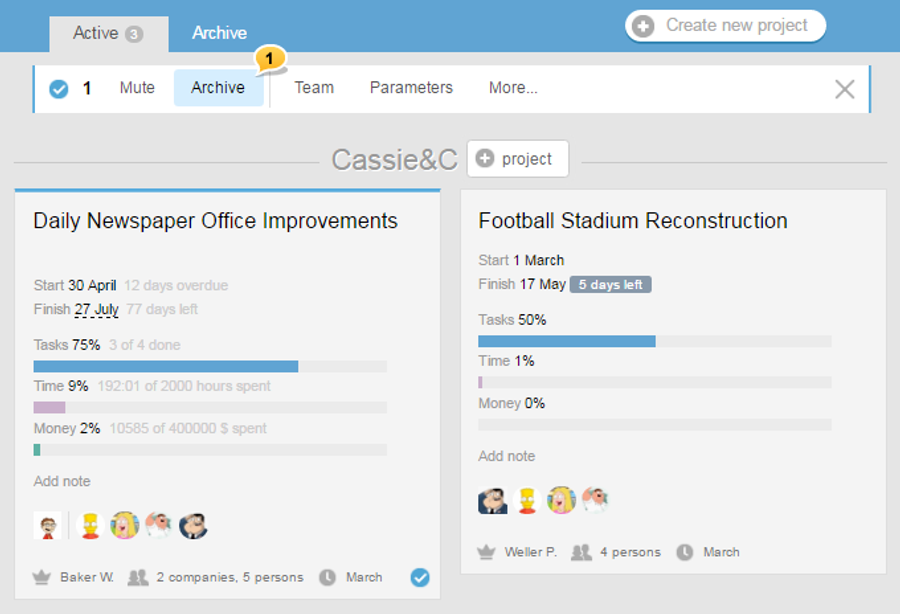
Prior to removing a project, it needs to be archived. For this, jump to Projects, click on the desired project, and in the pop-up menu, choose «Archive»1 item.
Jump to the Archive tab. On the card of the project that you want to delete, locate the Recycle Bin icon, and click on it. Confirm the deletion, and the project will be deleted.
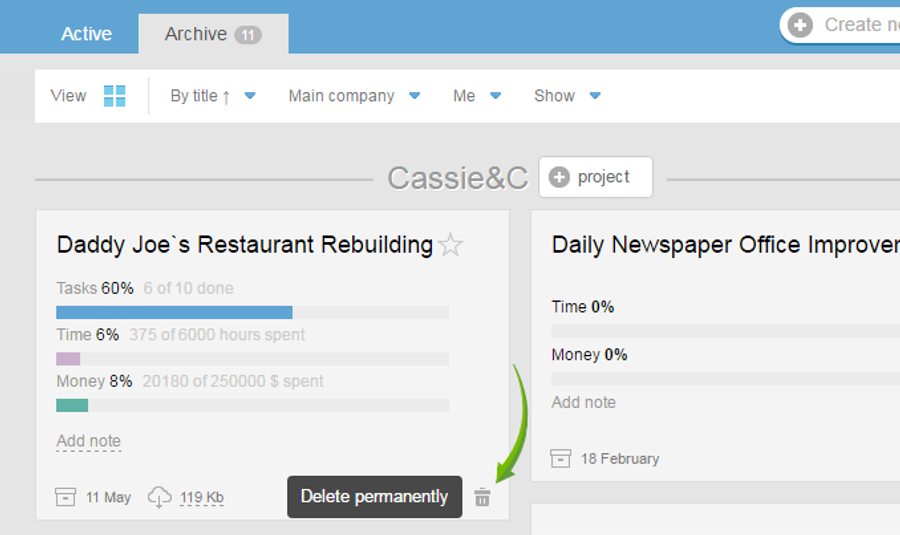
Unlike the archived project, the deleted project cannot
Leave your review
Did this article help you?
Glad we could help! What was helpful?
Sorry this didn't help. What went wrong?
Previous
Why keep the archived projects?

