Solutions
worksection
beta
help
I have many projects in my account. Is it possible to perform bulk operations simultaneously on a group project?
Of course. If you choose more than one project on the project page, at the top there will appear the bulk operations menu bar. In order to choose projects, it is not necessary to mark the check box, you can just click on the card of the project or its row in the table.
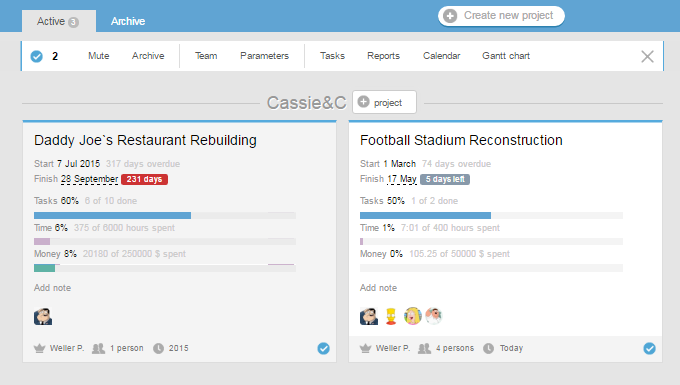
The number of functions in the menu-bar of bulk operations depends on the user permissions. Let's take a look at what operations can be done on selected projects:
- Muted — assign projects the «Waiting» status;
- Archive — assign projects the «Archive» status;
- Team — take or give people access to the selected projects;
- Parameters — change the parameters of the project (the main company, manager, default executive, the policy of closing the tasks and transfer of responsibility)
- Please, note! This group of options is available only to administrators with the project management permissions.
- Tasks — view all the tasks for the selected projects;
- Reports — generate reports for the selected projects;
- Calendar — view key dates for the selected projects on the calendar;
- Gantt chart — build a Gantt chart for the selected projects.
Leave your review
Did this article help you?
Glad we could help! What was helpful?
Sorry this didn't help. What went wrong?

