Solutions
worksection
beta
help
How to add participants from different companies to a project?
Before adding companies and their employees to a project, you need to add them to your Worksection account. Details on how to add companies and invite people can be found here.
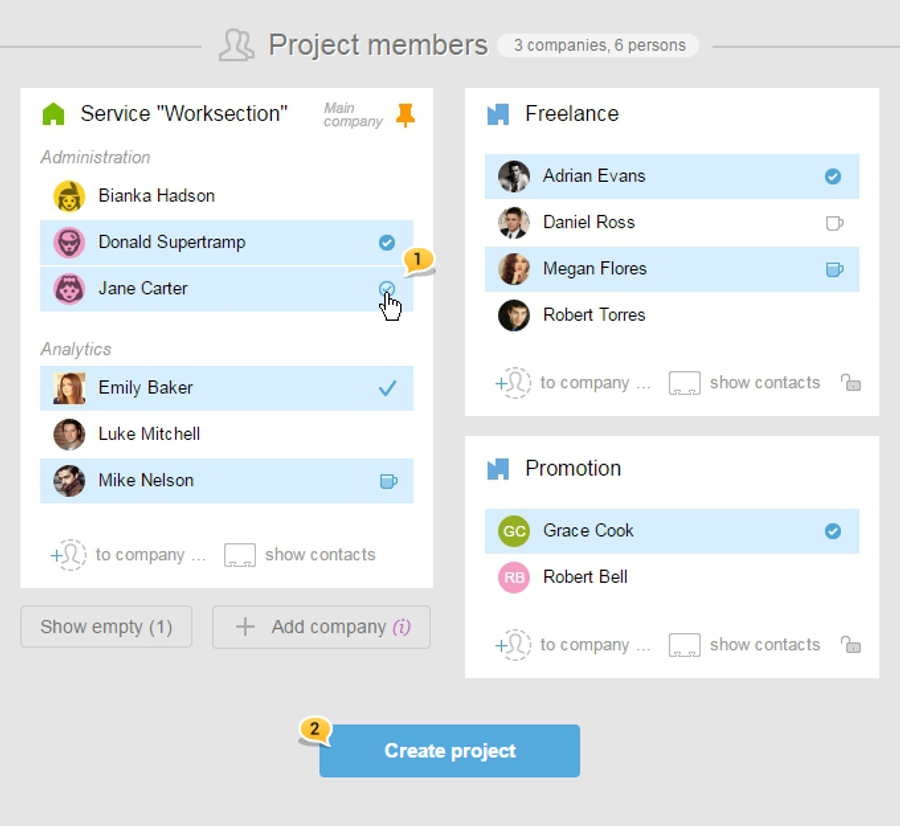
Let's say, you have all the desired companies and employees in your account. Then, when creating and editing a project in the lower part of your page, you will see the "Project participants" section.
In order to add participants, just click on their names. They will be marked with a tick1. Click on "Create a project" to invite people2.
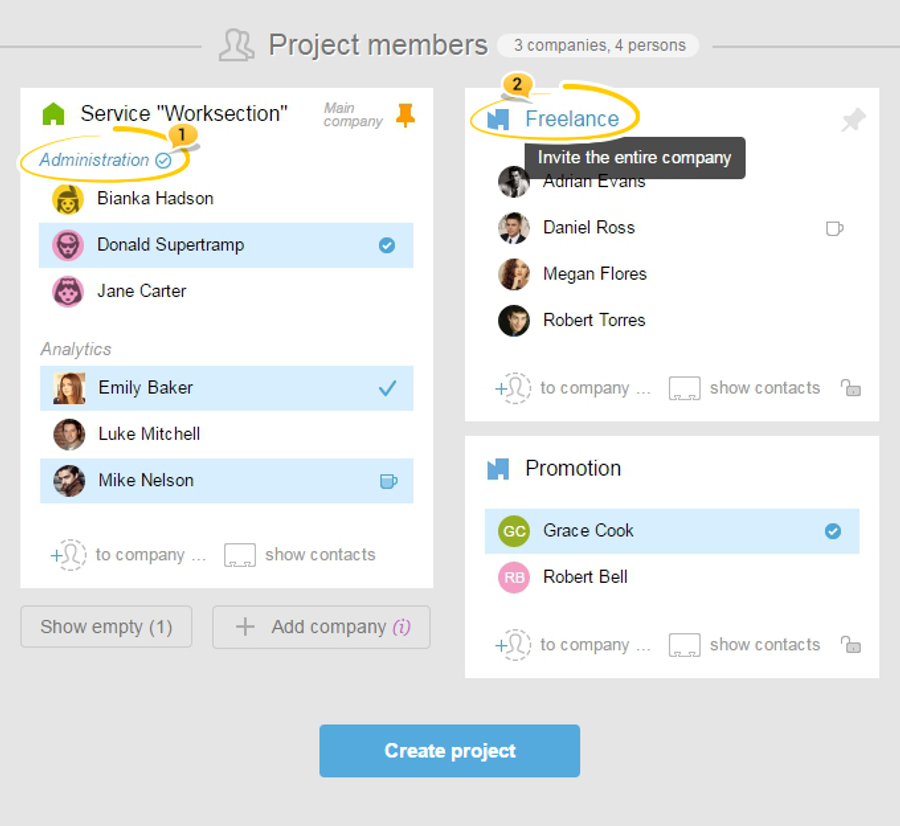
Please note! If you need to include all the participants of a company at once or the entire department — click on the name of the department1 or the icon of the company2.
Leave your review
Did this article help you?
Glad we could help! What was helpful?
Sorry this didn't help. What went wrong?

