Solutions
worksection
beta
help
How to change contact info or avatar?
To change the password, open the settings of your profile. To do this, please click on your avatar in the upper right corner1.
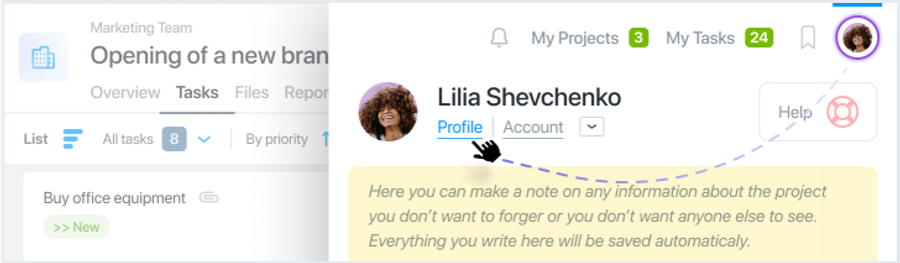
Profile Settings
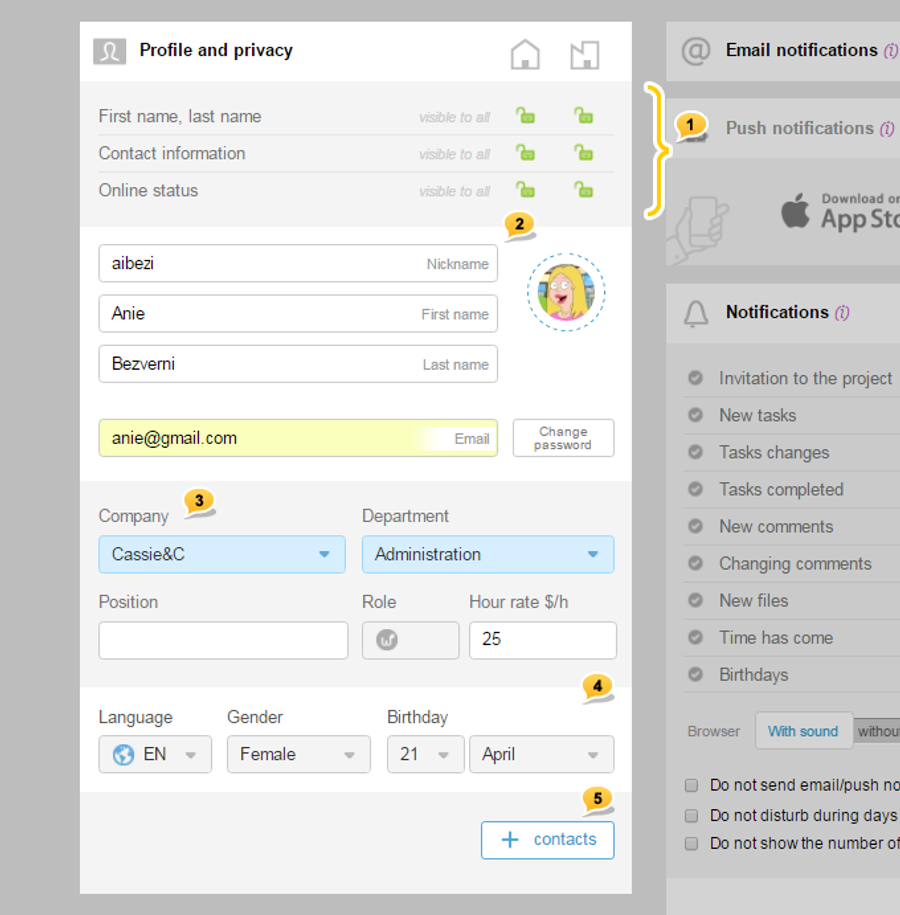
1 — privacy management, visibility of contacts and online status
2 — name, your picture, and existing avatar
3 — company, section, and position
4 — language, gender, birthday
5 — contact information (opens when you click on «+»)
Choosing avatar
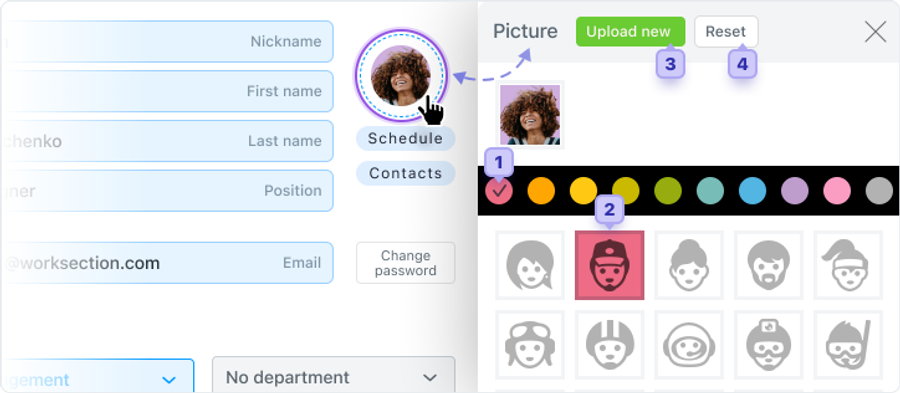
To select avatars or upload pictures, click on the avatar in the current profile. In the window that appears, choose the color of your avatar1, and then one of the 70 unique faces2. If you want to upload your photo, click «Upload new»3.
Leave your review
Did this article help you?
Glad we could help! What was helpful?
Sorry this didn't help. What went wrong?
Previous
Personal settings

