Solutions
worksection
beta
help
Connecting Zapier to Worksection
- Sign up for Zapier. Zapier has a free plan. Paid plans scale the features as needed.
- Create your own Zap or choose a template and follow the prompts inside.
- Log in to Worksection. When you create a Worksection Zap, the system will prompt you to log in to your Worksection account.
- Allow Zapier to access your Worksection account.
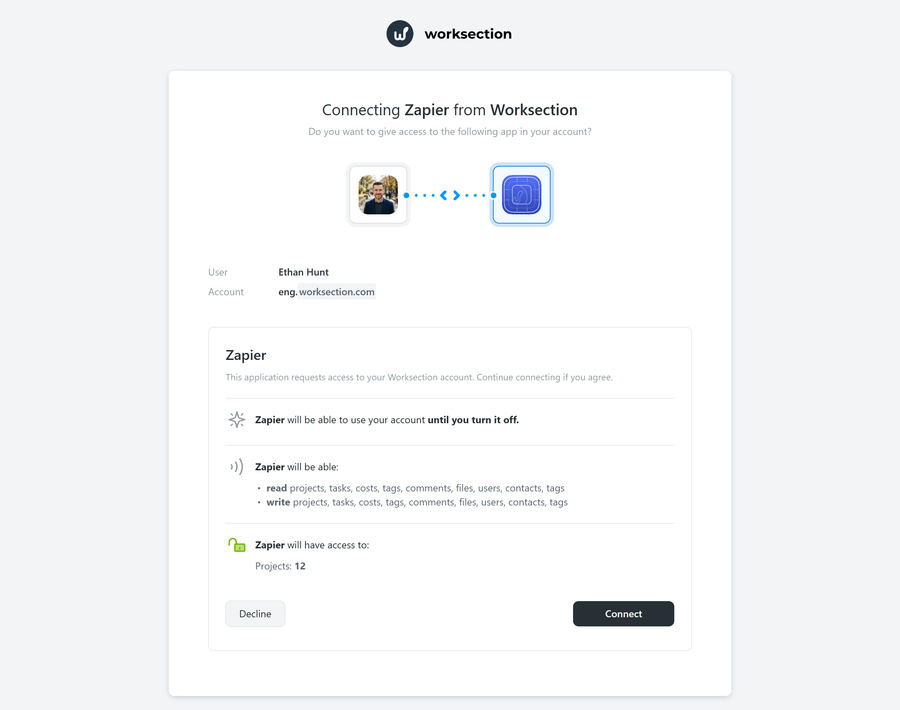
- The Zap creation process includes an automatic testing step. Before you finally turn it on, you can check that it works correctly.
- When the Zap is created and tested, don’t forget to turn it on.
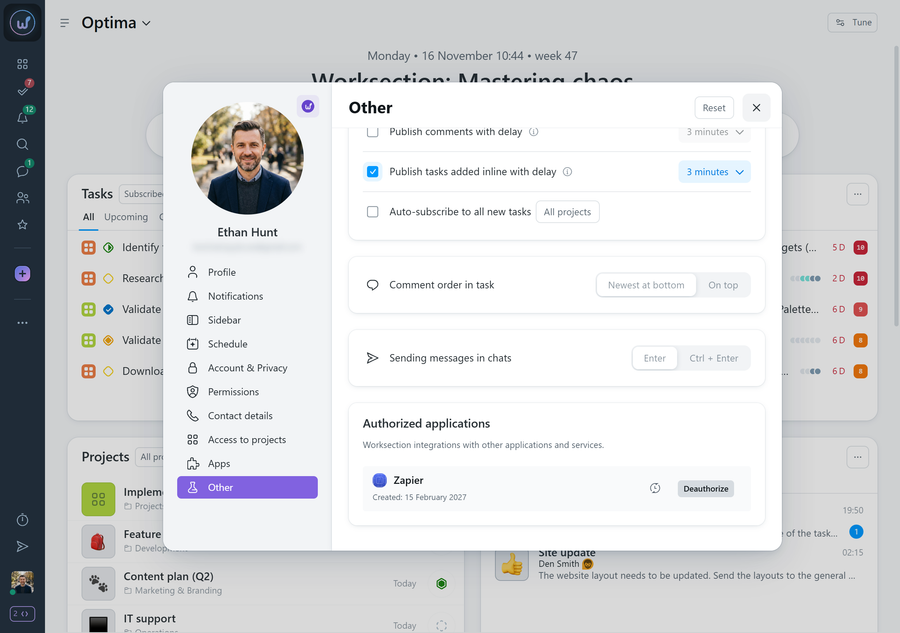
After the Zapier–Worksection authorization, the “Authorized applications” block with a Zapier entry will appear in your Worksection profile (the “Other” section). Here you can view the “last used” date and, if necessary, remove access with the “Deauthorize” button.
Leave your review
Did this article help you?
Glad we could help! What was helpful?
Sorry this didn't help. What went wrong?
Previous
How Zapier works

