Solutions
worksection
beta
help
How to enter estimates and costs to the task?
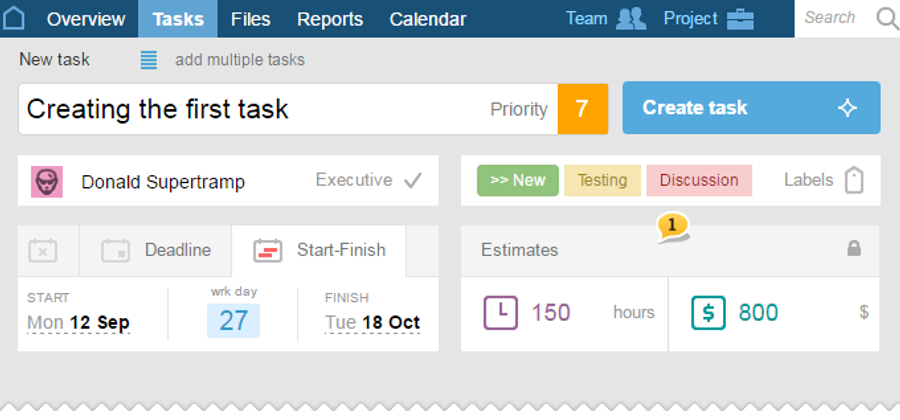
Entering estimates1 can be done when creating or editing a task:
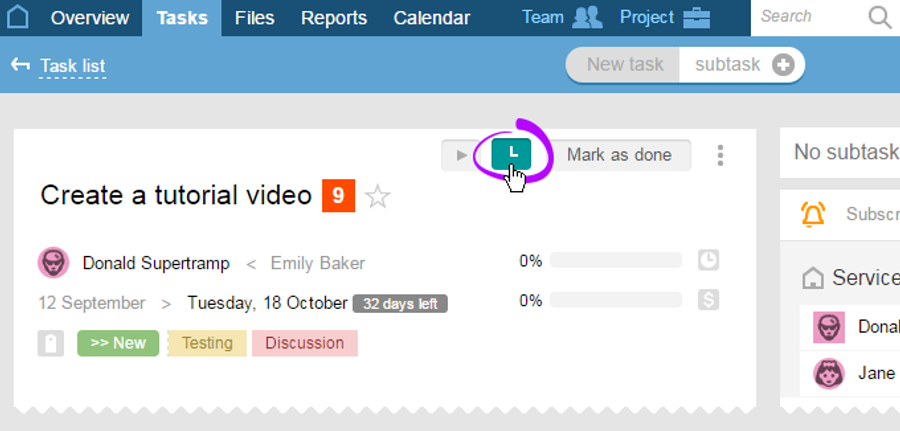
Also, you can enter the actual costs. In order to do this, click on the "Costs" icon in the upper part of the task's description.
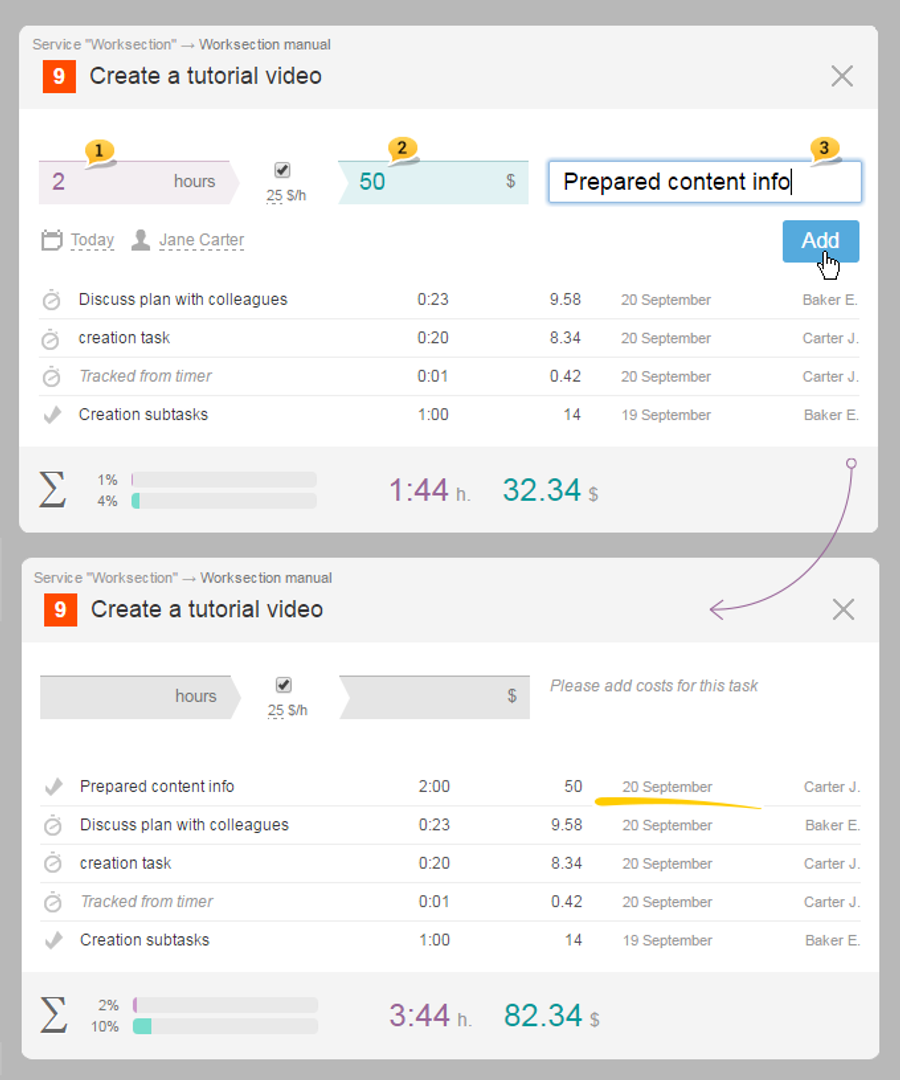
In the window that appears, enter the time spent1 and money2 as well as what has been done in the corresponding graphs. Then, click the "Add" button. If necessary, several descriptions can be added. When done entering the costs, click on "X" to close the window.
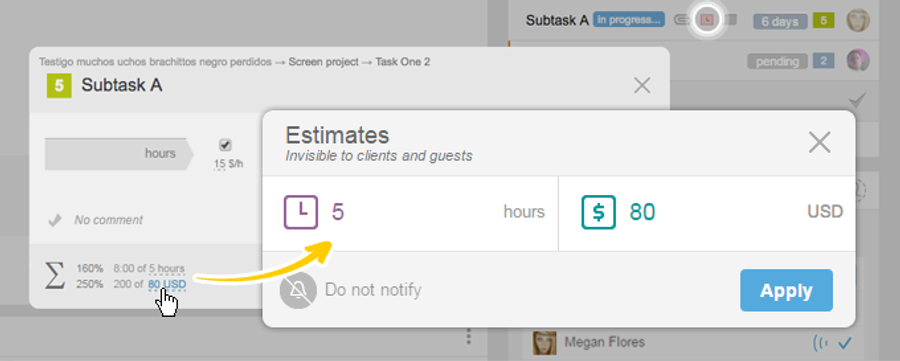
Change and set the estimates right from the costs entering window:
Leave your review
Did this article help you?
Glad we could help! What was helpful?
Sorry this didn't help. What went wrong?

