Solutions
worksection
beta
help
How to assign labels to files?
By default, every file inherits labels of its task.
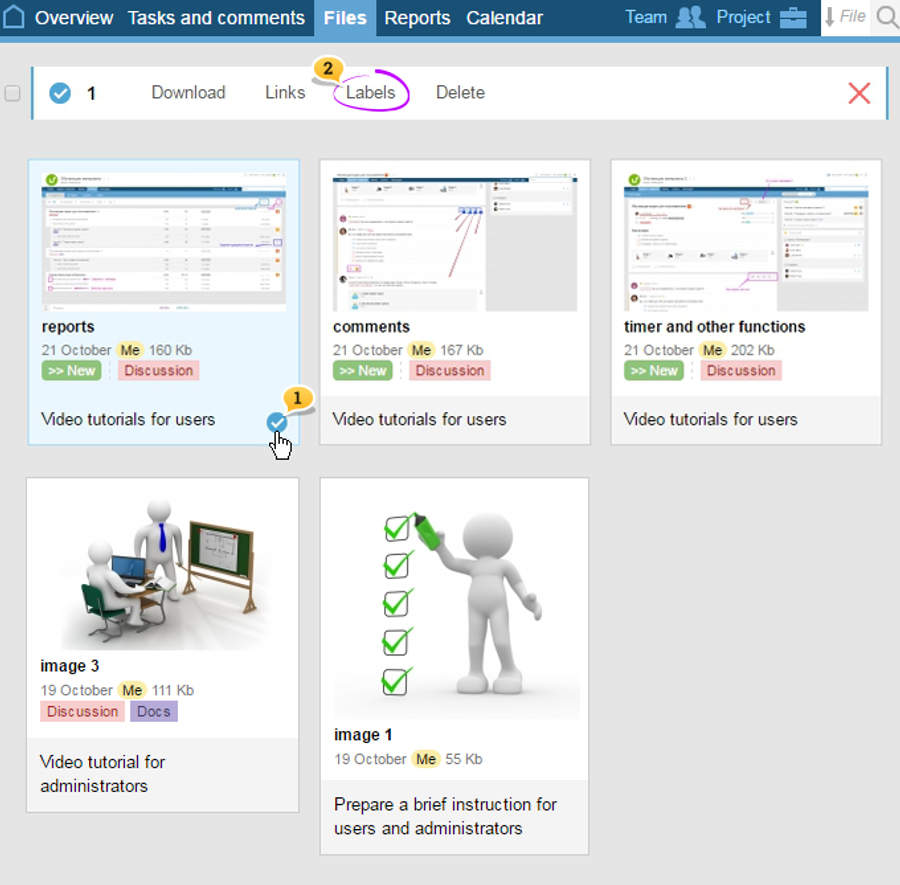
However, when needed, you have an opportunity to label any file with a different set of labels. This can be done in the "Files" section by choosing the required file1 and using corresponding menu item for bulk operations2:
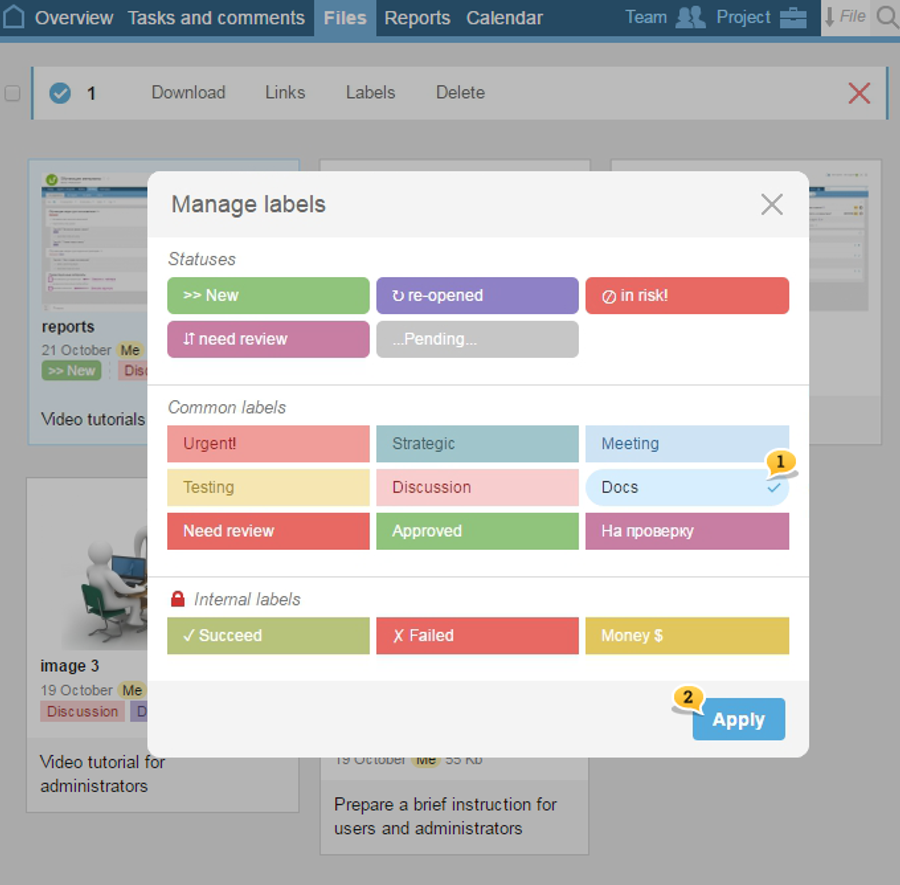
A window that says "Manage labels" will pop up. This is where you can choose the required labels1 (when choosing the labels, they become highlighted in different colors) and click on "Apply"2. The labels that you chose will be assigned.
Leave your review
Did this article help you?
Glad we could help! What was helpful?
Sorry this didn't help. What went wrong?

