Solutions
worksection
beta
help
Uploading files as an archive from a project
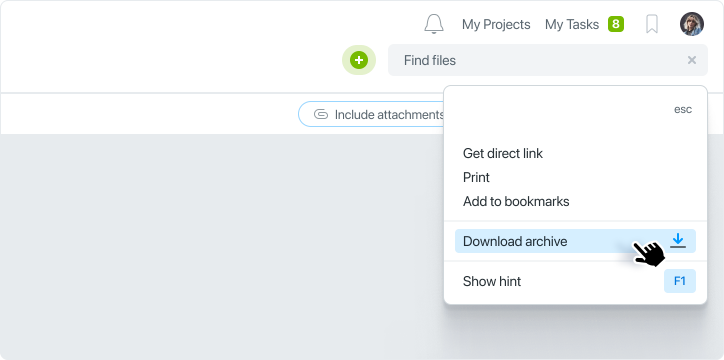
In the project, go to the Files section. Click on the ellipsis menu and select Download as archive.
All files added to the project will be downloaded in one archive.
The system will show you the entire process of archiving and uploading files and notify you when it is complete. All files that have been added to the project will be uploaded, including files hosted on the Worksection cloud storage, files hosted on Google drives, and on your company's FTP drive.
Leave your review
Did this article help you?
Glad we could help! What was helpful?
Sorry this didn't help. What went wrong?

