Solutions
worksection
beta
help
How to hide contact info of my employees from an employee?
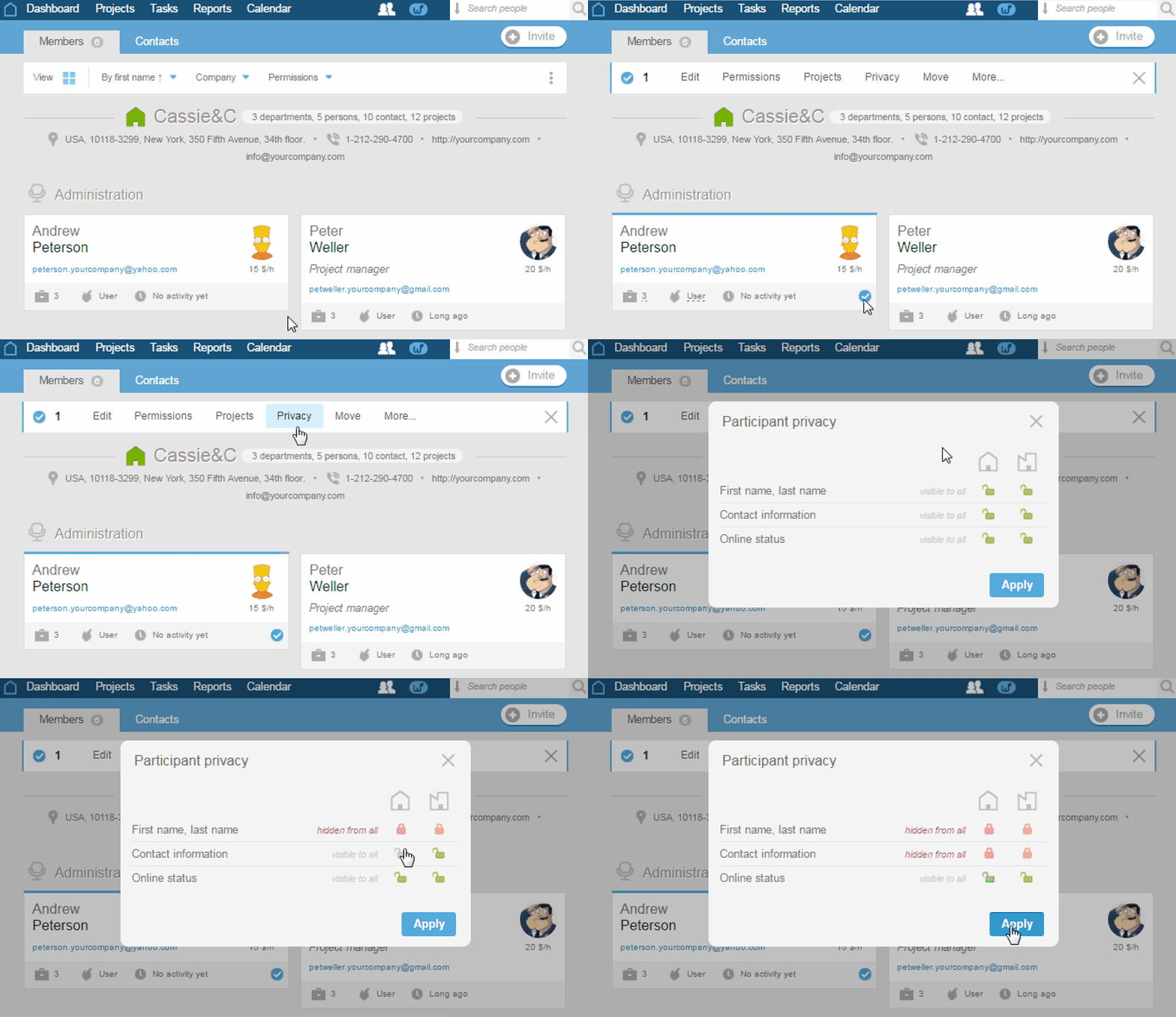
To hide contacts of your employees from a client, in the People section, select the required participant (or participants) and jump to «Privacy» in the appeared menu.
Select the options of the user's contact display:
- visible to all;
- hidden from
client-companies ; - hidden from all (except the account administrators).
Click «Apply» to save changes.
Leave your review
Did this article help you?
Glad we could help! What was helpful?
Sorry this didn't help. What went wrong?

