Is it possible to hide names and contacts' info? How to set contacts' visibility?
Is it possible to hide names and contacts' info? How to set contacts' visibility?
There is an option where you can hide the names or contact info of your employees from clients and subcontractors. Also, you can hide contact info from other employees in your company: for example, you have several branches and due to some reasons you wish them to work anonymously.
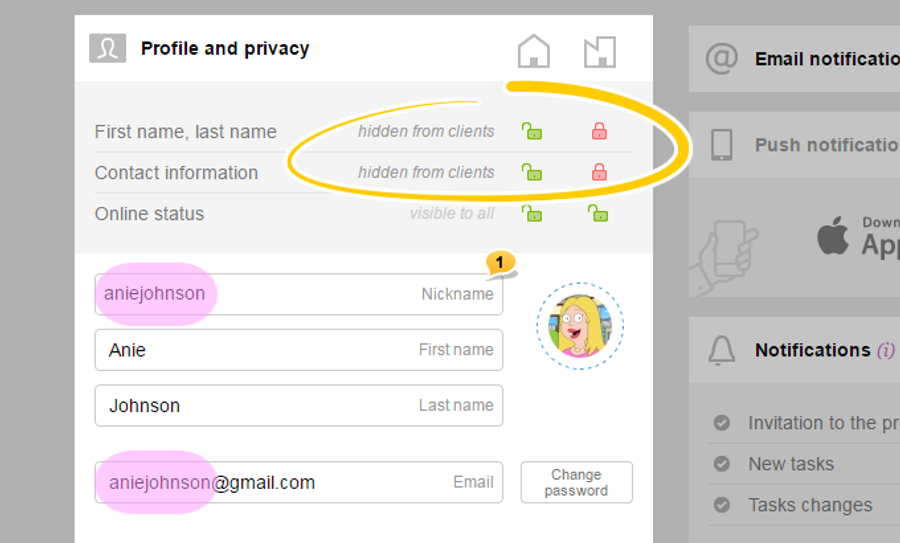
In the Worksection, there is an option where you can use Nickname1 in your accounts and not show your employees' real names.
By default, Nickname is filled with part of an employee's email address, the one that comes before @.
When an employee has a nickname, his/ her contact info will be displayed depending on the privacy settings:
when the name and last name are visible (two green locks) — Nickname is not in use;
when hidden from clients (one lock is open, the other one is locked) — employees of your company see Name and Last name, while clients can only see Nickname;
when hidden from everyone (two red locks) — all, with the exception of administrators, see Nickname of the employees.
The same rule applies to other privacy settings: contact visibility and online status. They can be «visible to all», «hidden from client companies», or «hidden from all», except for account's administrators.
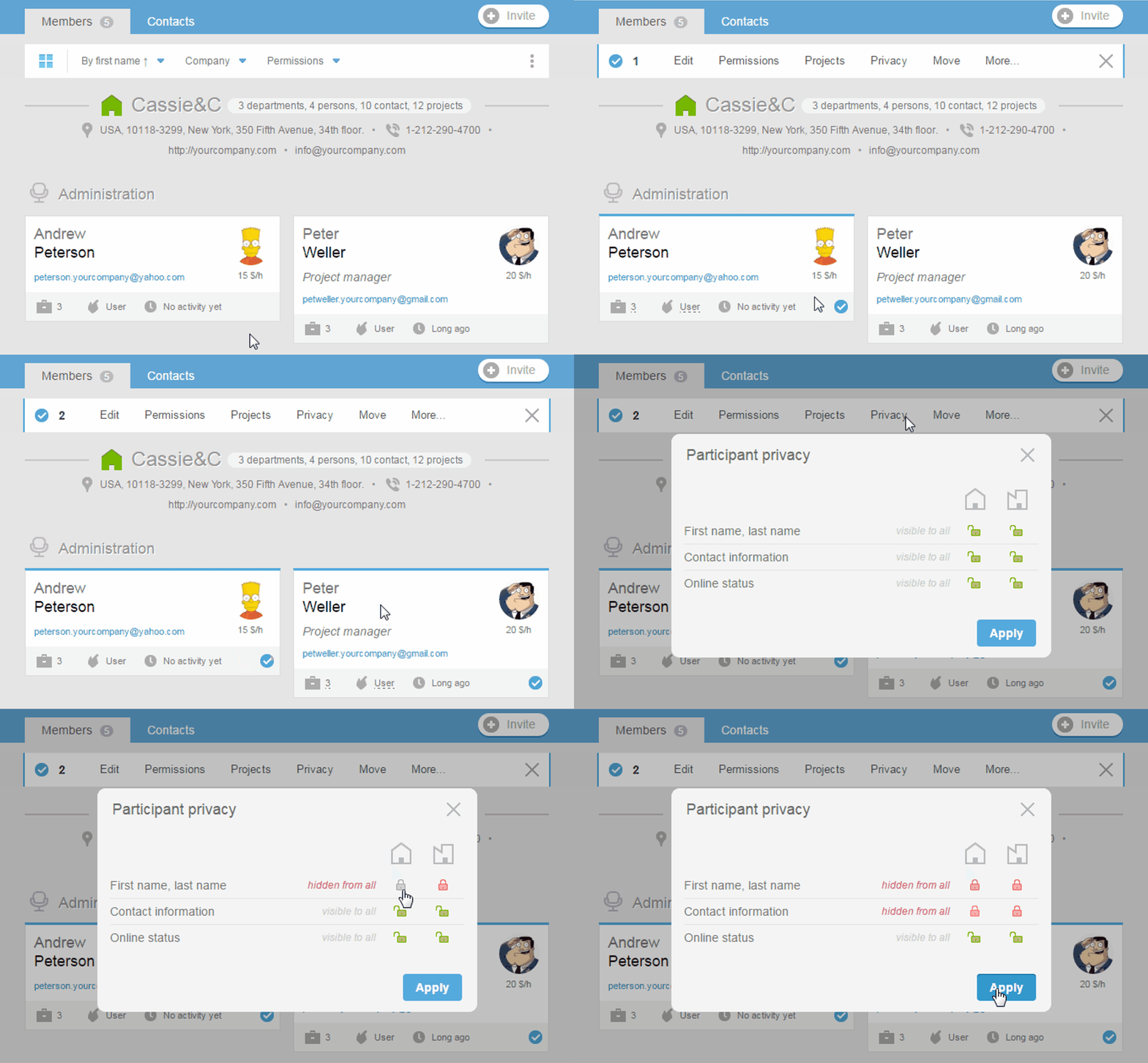
Customizing of the contact info visibility can also be done with the help of bulk operations in the People section. Click on business cards of the relevant participants. In the pop-up menu, choose «Privacy» option, and then choose necessary settings and click «Apply» to save changes.