Solutions
worksection
beta
help
Actions with a group of files
There is a menu of bulk operations for that in the system. When you mark one or several files, in the top part of the screen appears a menu of bulk operations.
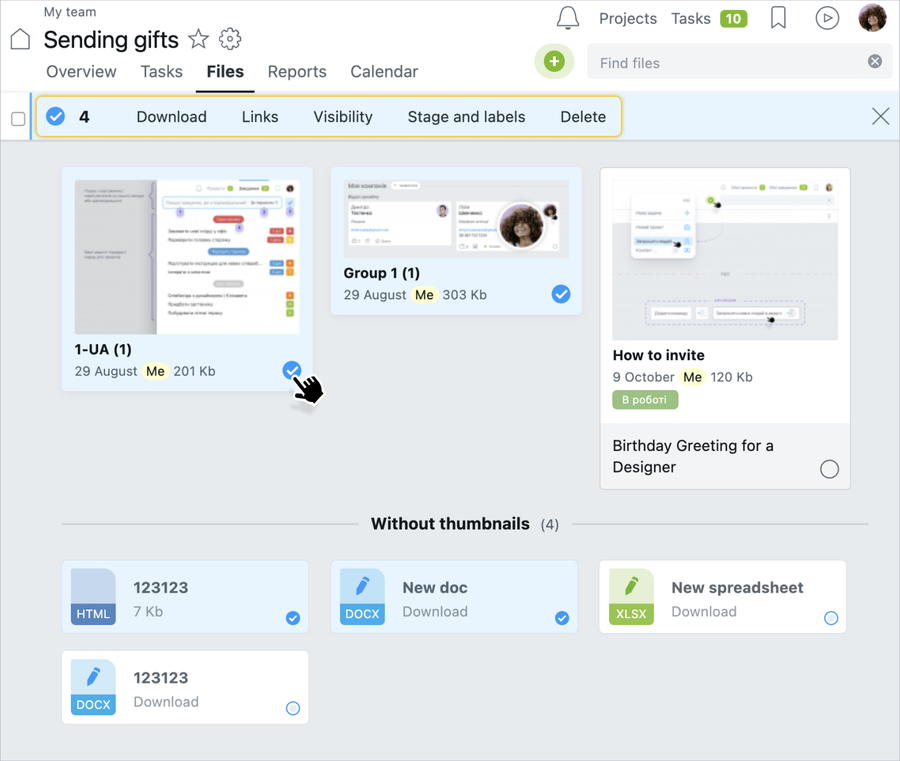
Types of bulk operations:
- Download — download all of the selected files in .zip archive
- Links — display
http -links to all selected files in the window (each file on a separate line) - Visibility — set who can see these files
- Stages and labels — assign labels to the selected files
- Delete— delete all selected files from a project
Leave your review
Did this article help you?
Glad we could help! What was helpful?
Sorry this didn't help. What went wrong?

