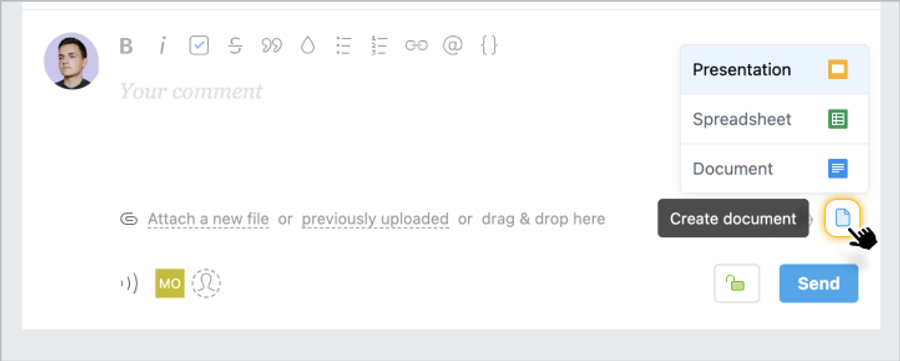
To create documents, spreadsheets, and presentations right in your account, just click on the document icon and select the type - Presentation, Spreadsheet, or Docs. This option is available wherever you can attach files.
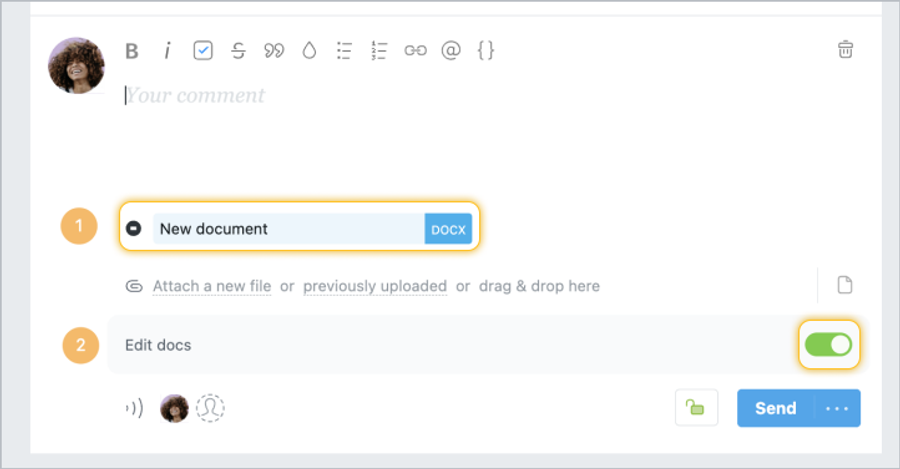
After you select the type, the new Google document will open in a new window. You can specify the name of the document1 when writing it, or in the Worksection when saving a task or comment. When you're done creating your document, just close the page (the document is saved automatically) and leave a comment or task.
Tip The Edit Documents slider2 allows other account members to edit this file. By default, this option is active, but you can restrict editing access if necessary.
Please note! Documents and files are stored in Worksection drafts for a day.