Solutions
worksection
beta
help
How to edit info of the users?
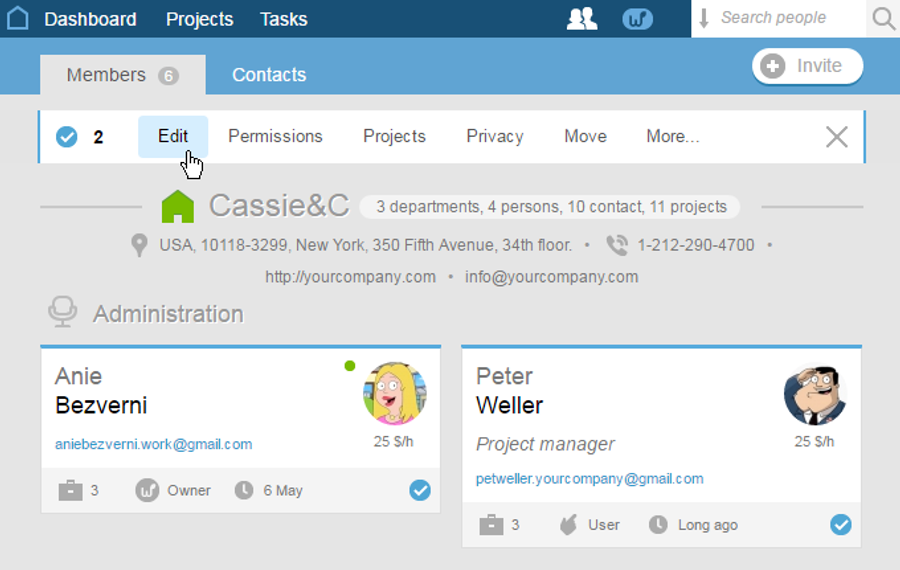
In the People section, mark business cards of all the required participants and choose «Edit» in the appeared menu.
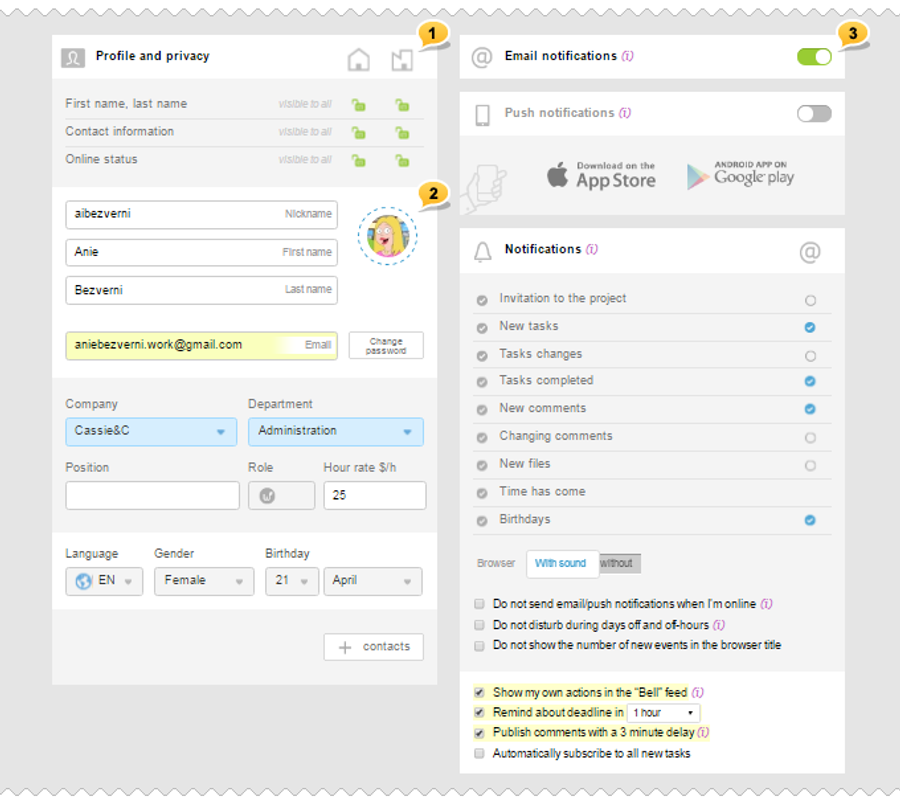
For each user, a window of profile editing will open. Transitioning between users is possible by means of the pop-up menu with their names appeared at the top1.

On the left of the editing window, you can change the privacy settings1, specify the name, change the company and the department, the position of the user, select sex, and also specify the date of birth, language interface and add the contact details2.
In the right part of the window3, you can configure email and push as well as system notifications to the user.
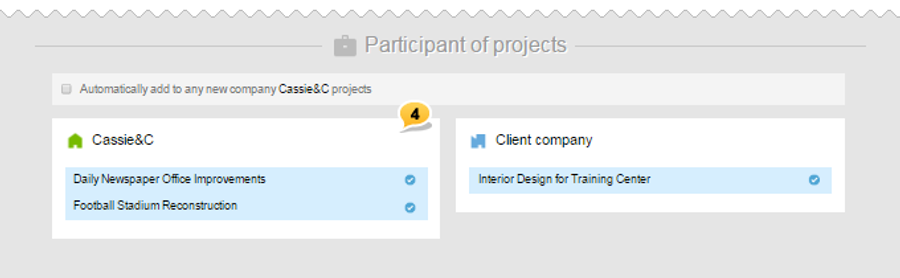
At the bottom of the editing window4, you can open or close a user's access to the selected projects.
Leave your review
Did this article help you?
Glad we could help! What was helpful?
Sorry this didn't help. What went wrong?

