Solutions
worksection
beta
help
What is a member card, and what actions are available in it?
What is a member card?
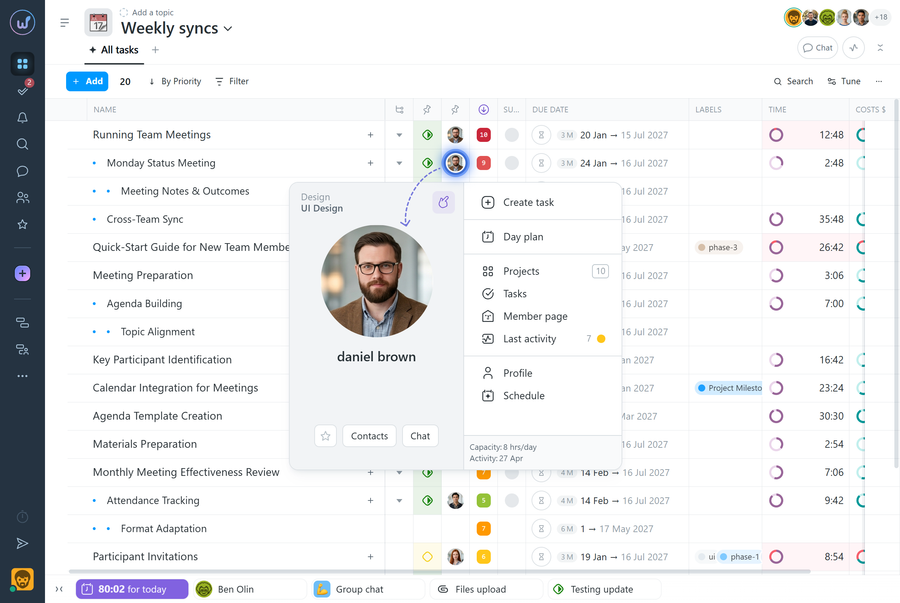
A member card gives you quick access to data and actions related to a specific person. It is available anywhere in the system where a member’s avatar is shown.
To open the card, right-click the member’s avatar.
What’s in a member card?
The left side of the card shows the member’s avatar, first and last name, their team and department, and a button to add them to Starred (the star).
The card also has the following items:
- Contacts — opens the member’s contact details;
- Chat — starts a private chat with the member;
- Create task — creates a new task with this member as the assignee;
- Projects — shows the number of the member’s projects and opens their list;
- Tasks — opens the list of tasks where the member is the assignee;
- Last activity — opens the member’s activity log in the account;
- Schedule — shows the member’s work schedule: vacations, sick leave, unpaid leave, and work on days off;
- Member page — opens the member dashboard.
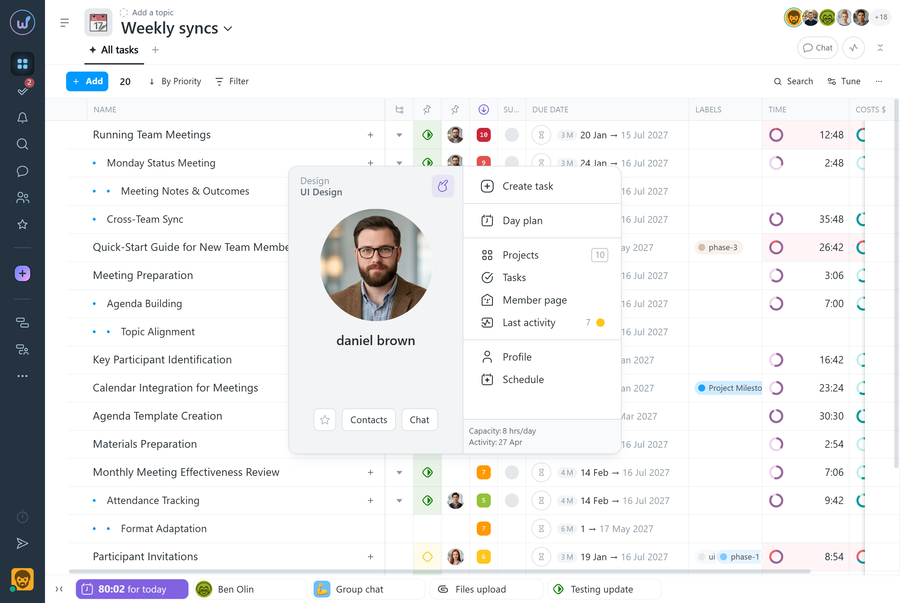
Please note! The “Create task” button is shown only to users who have permission to create tasks.
What do admins see in a member card?
Permissions Additional items are shown in the card for:
- The owner
- An account admin with the “Allow admin to manage people” permission
- A department or team admin with the “Allow admin to manage people” permission
1 Day plan — lets you view and edit this member’s day plan;
2 Profile — opens the member’s profile so you can edit their settings.
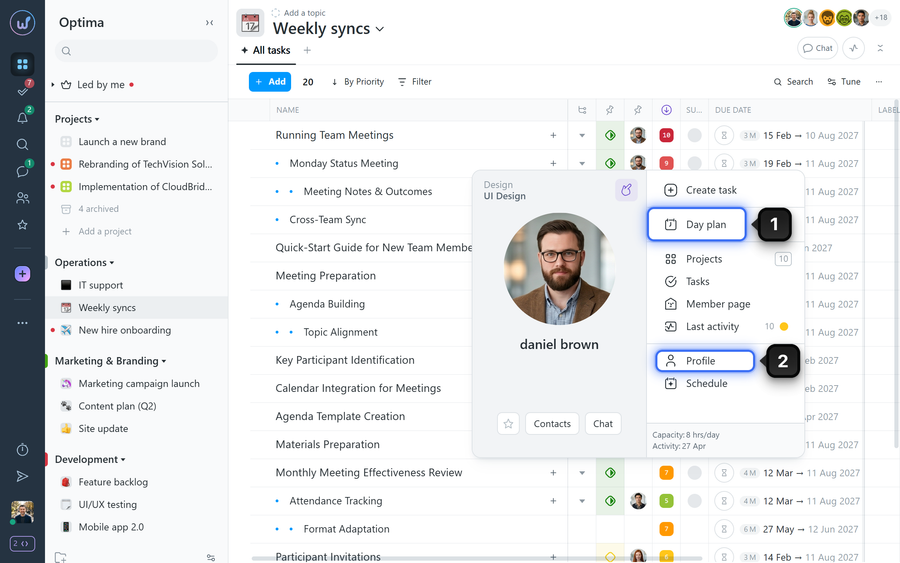
Please note! Department and team admins can manage only members within their own department or team.
Leave your review
Did this article help you?
Glad we could help! What was helpful?
Sorry this didn't help. What went wrong?

