Solutions
worksection
beta
help
How to Connect KeyCRM?
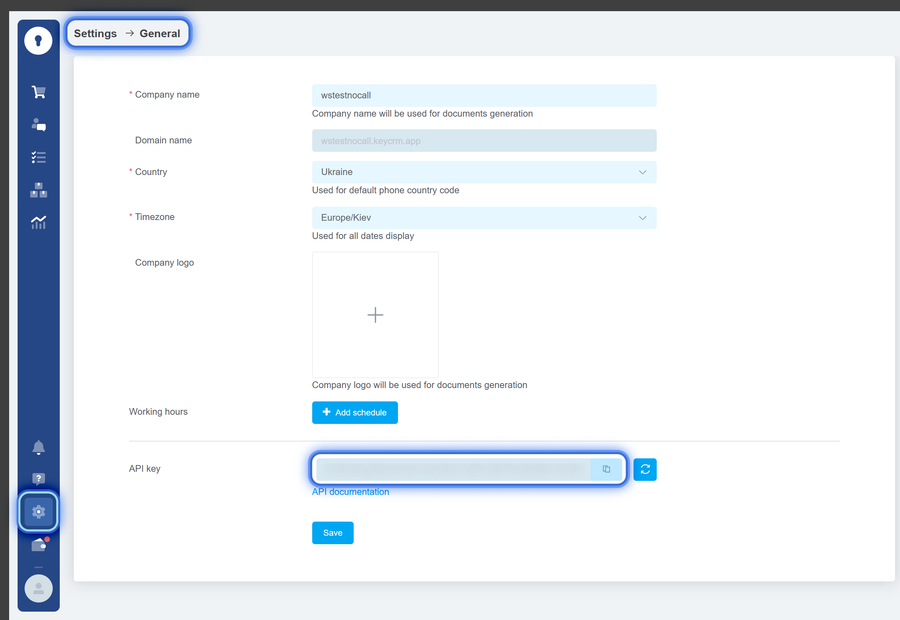
Step 1️⃣ — get an API key in KeyCRM:
- go to “Settings” → the “General” block → the “API key” field;
- generate and copy the API key.
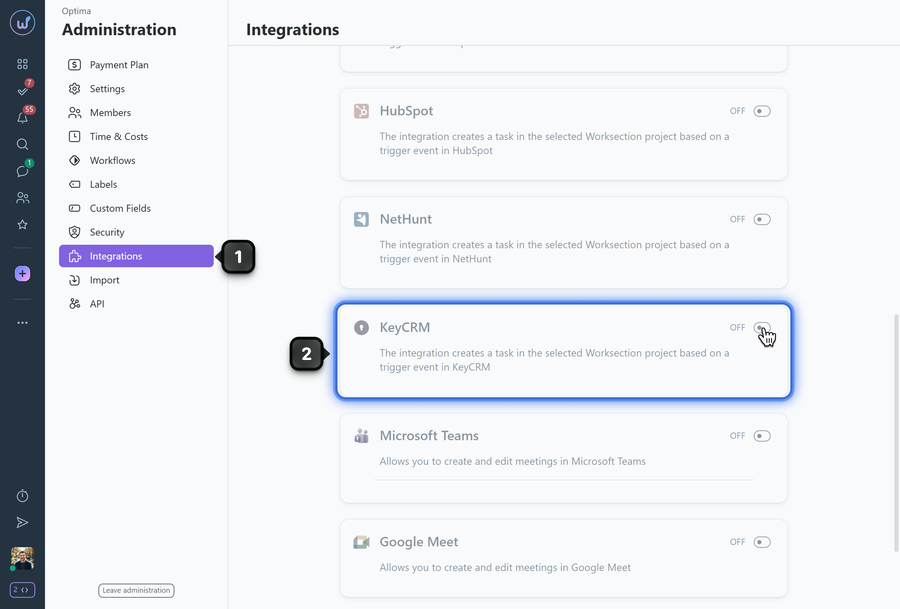
Step 2️⃣ — open the Administration of your Worksection account and go to the “Integrations” section1.
Step 3️⃣ — activate the KeyCRM integration2.
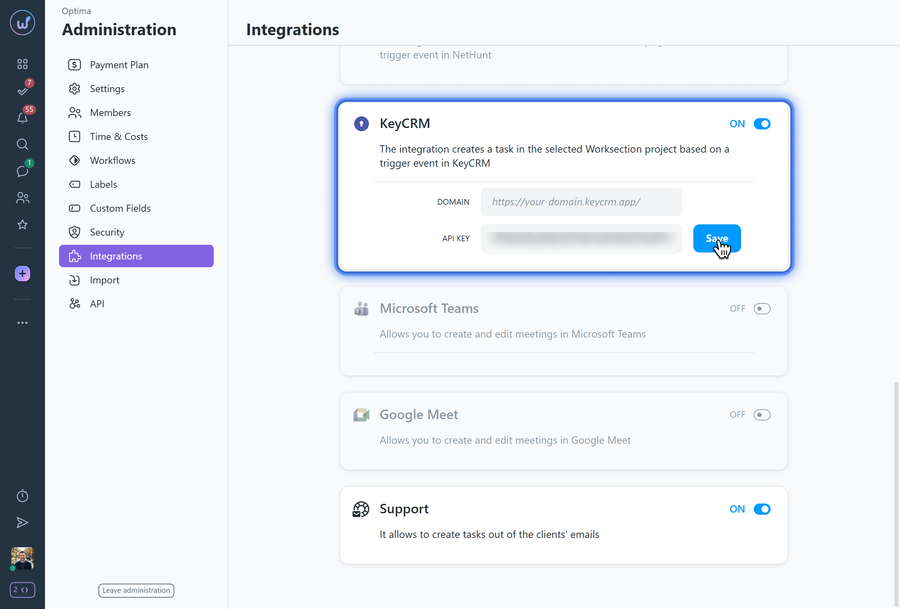
Step 4️⃣ — paste your KeyCRM account domain and the API key into the corresponding fields.
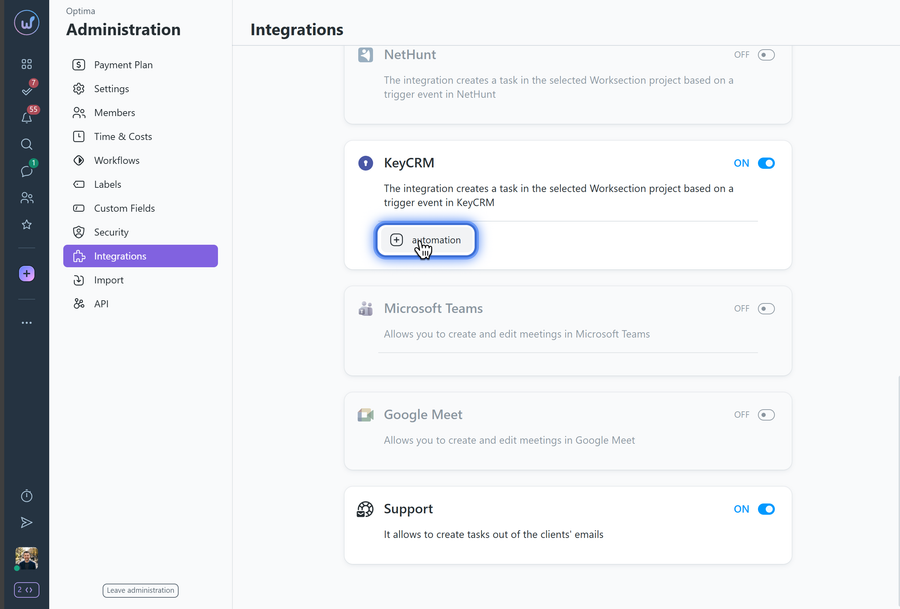
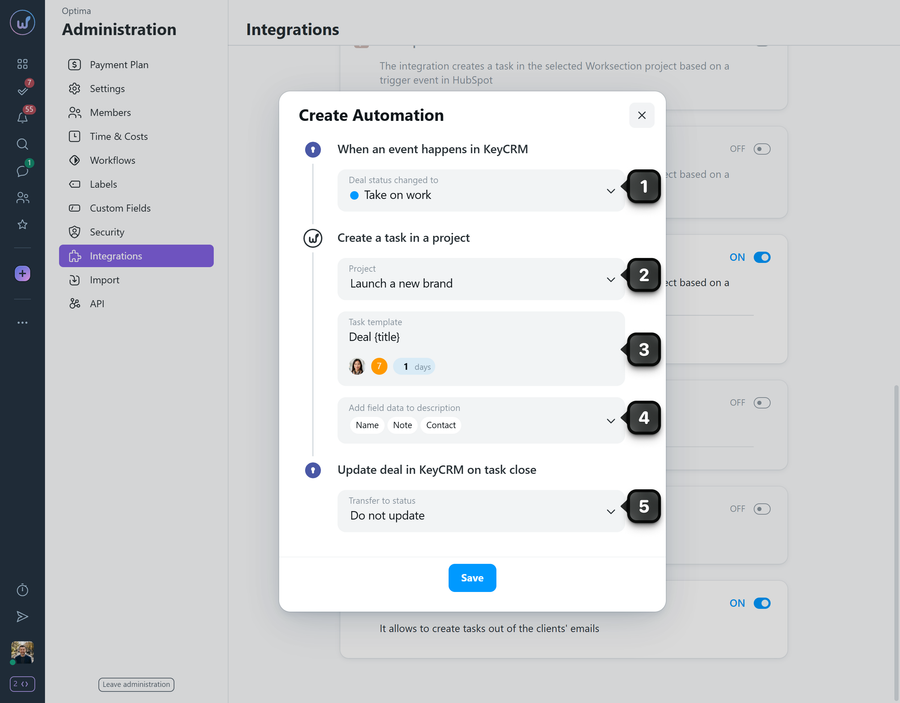
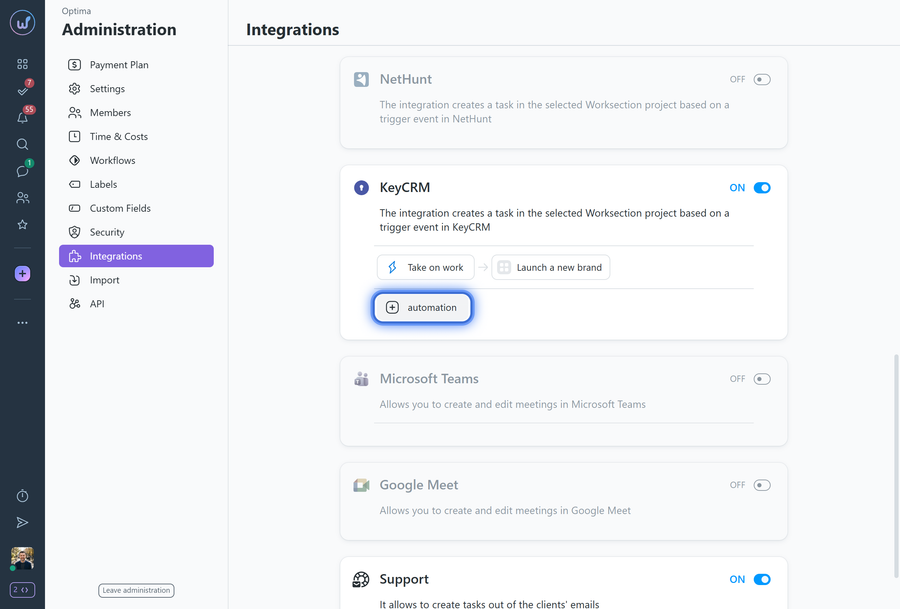
Step 5️⃣ — create a new automation: click the “+ automation” button.
Fill in the following fields:
1 Configure the event on which the automation is based;
2 Select the project in Worksection where the task will be created;
3 Enter a name for the task. If needed, set its duration, priority, and assignee;
4 Optionally, choose the information that will be imported from the CRM;
5 Specify how the deal in KeyCRM will be updated when the task is closed in Worksection.
Step 6️⃣ — if needed, add other automations.
Leave your review
Did this article help you?
Glad we could help! What was helpful?
Sorry this didn't help. What went wrong?

