Solutions
worksection
beta
help
How to change the timeframe of projects and tasks in the Gantt chart?
To change the timeframe on the Gantt chart, drag the sliders corresponding to the date of the start and completion.
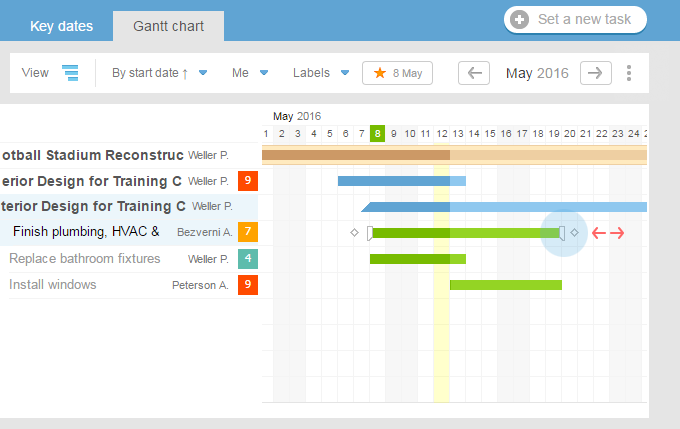
When you are working with a chart, the system saves all changes and stores them until the browser is closed. You can easily go to another page, and resume the planning and timing of the change upon return.
Once the planning is finished, do not forget to save your changes. At the same time, having noted the relevant paragraphs, you can inform the artists and project managers about the new terms by using e-mail notifications.

Please, note! Change in the timeframes of projects, tasks, and subtasks on the Gantt chart can only be done by users with administrator permissions.
Leave your review
Did this article help you?
Glad we could help! What was helpful?
Sorry this didn't help. What went wrong?

