Solutions
worksection
beta
help
How can I limit access to a file?
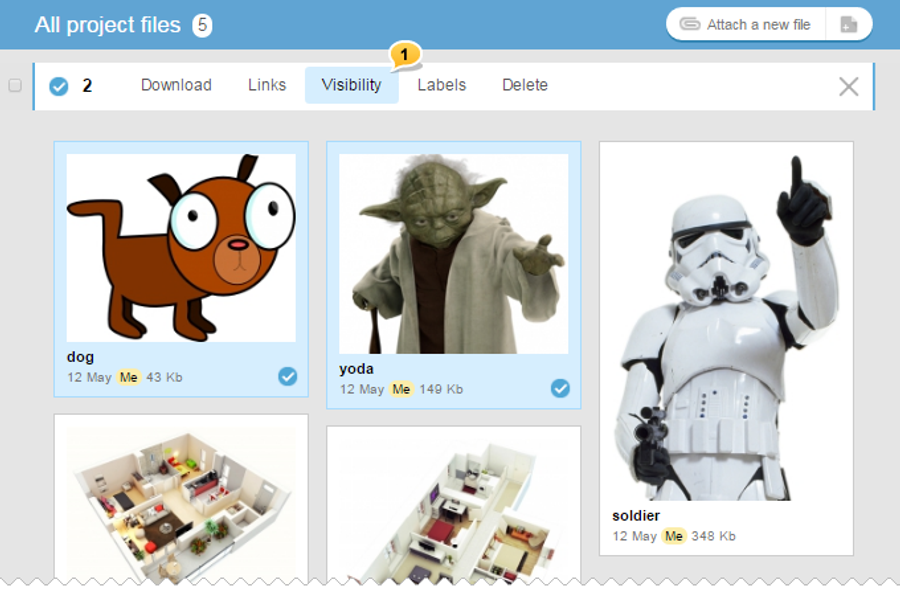
In the Files section, click one or several files whose access you wish to limit, and choose «Visibility»1 in the menu that appeared on the top.
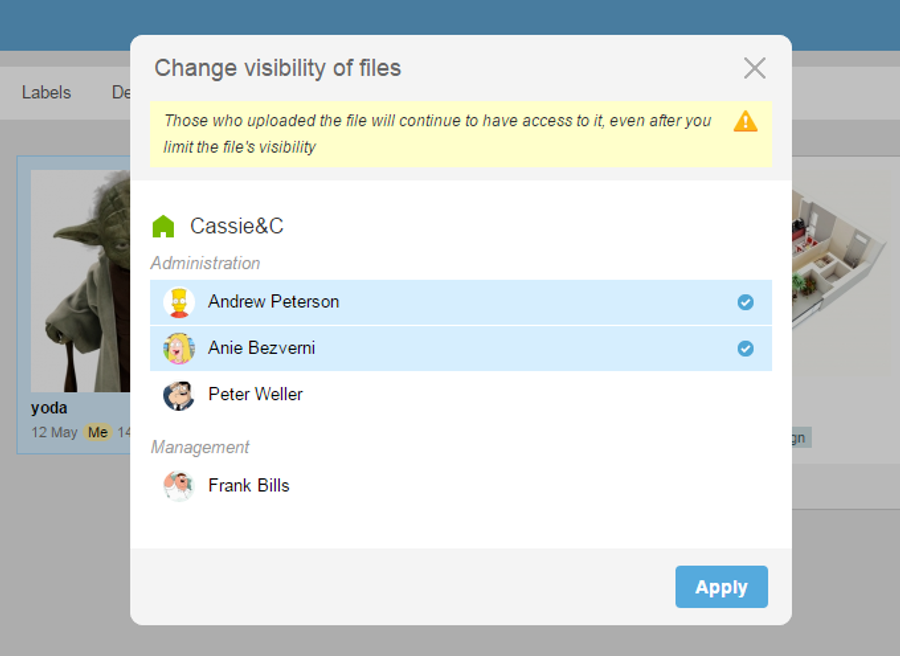
In the window of file visibility limitation, mark those people whom you wish to grant access to this file and click «Apply». All other project participants will not have access to the file and will not be able to see it.
In Worksection, you can limit the visibility of a task or your comment, and the files attached to this task or comment will automatically receive the same restrictions. For example, you create a task and make it available only for people from your company, which means that
Leave your review
Did this article help you?
Glad we could help! What was helpful?
Sorry this didn't help. What went wrong?

