Solutions
worksection
beta
help
How to make changes directly in the user group?
To select multiple users, just mark their business cards.
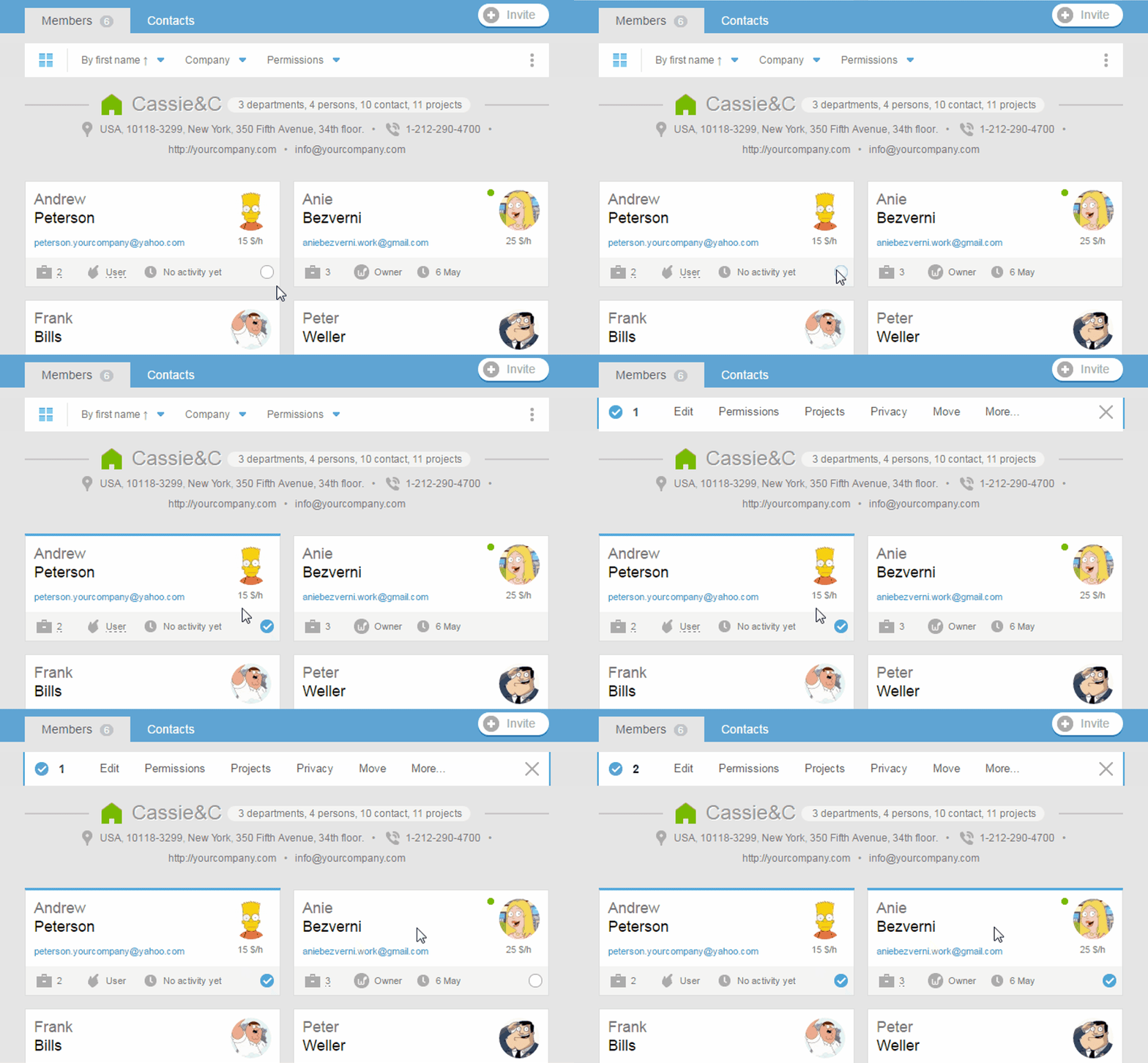
Additionally, you can choose all of the users of the section or company. To do this, hover the mouse over the icon of a section or company, and then mark the corresponding checkbox.
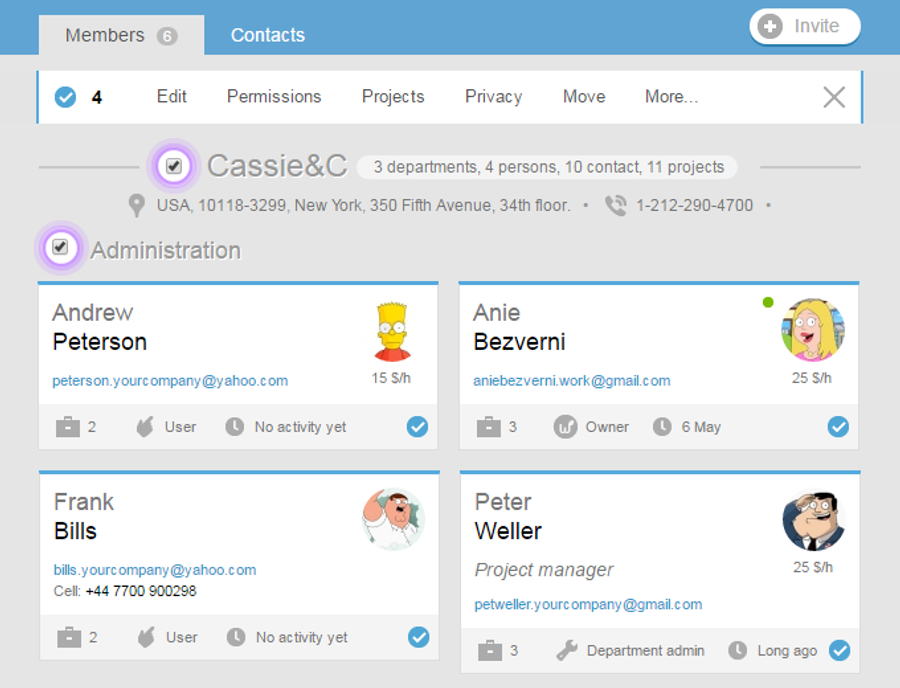
When selecting multiple users, a group operations menu will appear at the top. The number on the left side of the menu shows the number of selected users. This menu helps to take a variety of actions with the chosen participants:
- «Edit» — edit profiles;
- «Invite» — invite users into the system (only if there are people in the group who have not been previously invited);
- «Permissions» — add / remove permissions;
- «Projects» — change the access to the projects;
- «Privacy» — change the visibility of the contact information;
- «Transfer» — transfer to other companies / sections;
- «VCard» — export the contact data in vCard files;
- «Delete» — remove members;
At the initial appearance of this menu, some of its items will not visible. To see all the items, click «More».
Leave your review
Did this article help you?
Glad we could help! What was helpful?
Sorry this didn't help. What went wrong?

