Solutions
worksection
beta
help
4. Options for receiving payments
You can receive your financial reward via PayPal or fund your Worksection account with additional bonus.
To withdraw the reward, click the Withdraw1 button in the lower left part of the screen and then select the withdrawal method - PayPal or Worksection account.
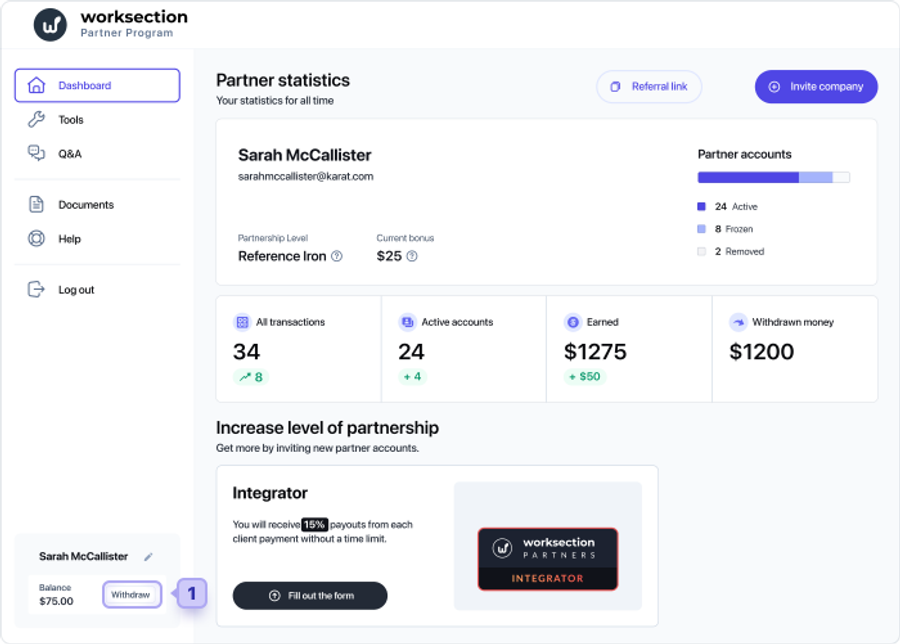
☝️Note! When funding your Worksection account with your financial reward you will get a 20% bonus.
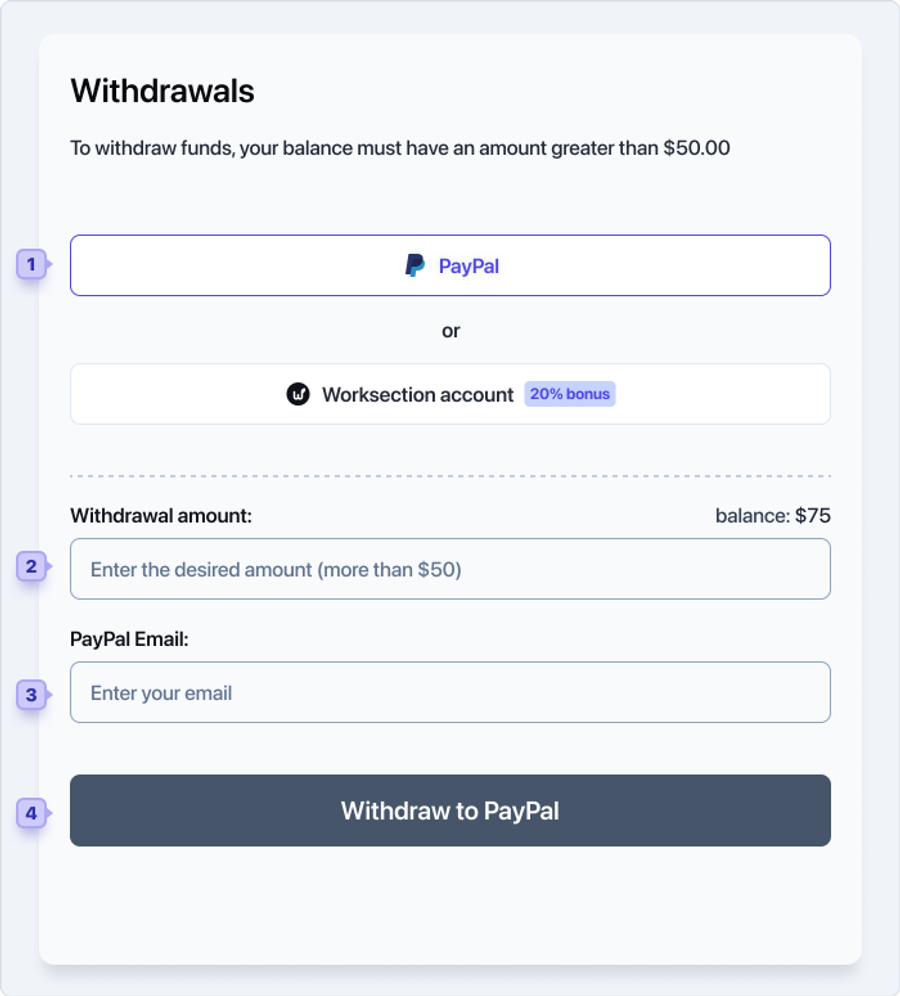
5.1 Withdrawal to PayPal1:
Please enter the withdrawal amount2, your PayPal email3 and click the Withdraw to PayPal4 button to complete the transaction.
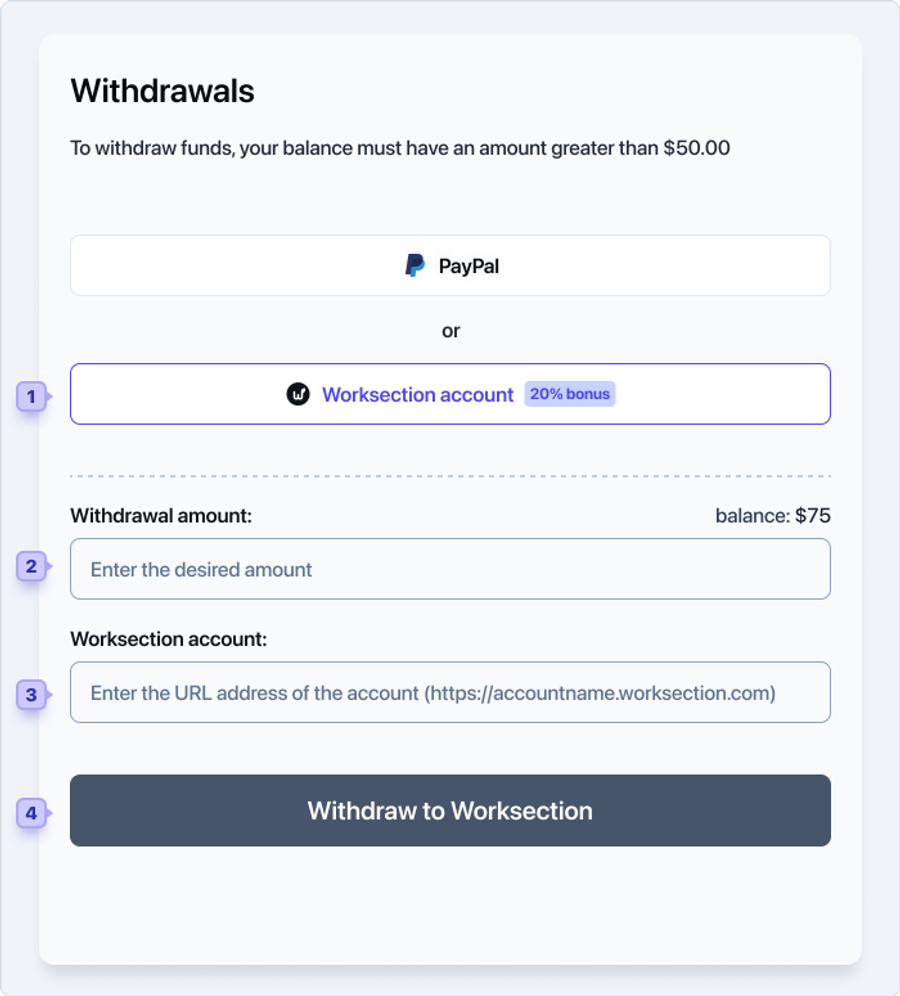
5.2 Withdrawal to the account balance1:
To replenish the account balance, please specify the desired amount2, the account address3 in the format https://accauntname.worksection.com and click the Withdraw to Worksection4 button to complete the operation.
Leave your review
Did this article help you?
Glad we could help! What was helpful?
Sorry this didn't help. What went wrong?
Previous
3. Partner account

