Solutions
worksection
beta
help
Can I send out bulk emails to my employees or clients?
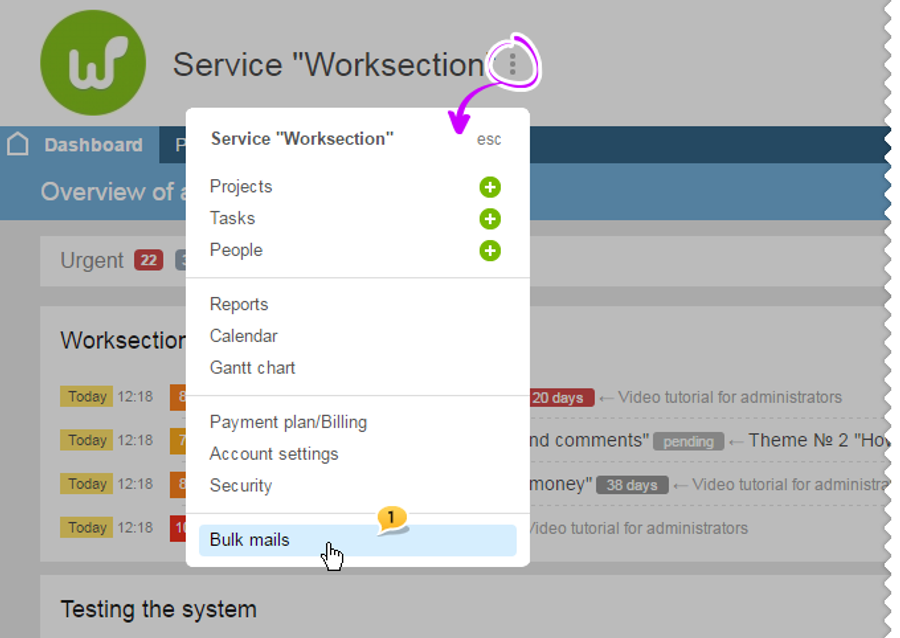
Yes. Click next to the company's name in the three dots" menu and choose the "Bulk mail" option:
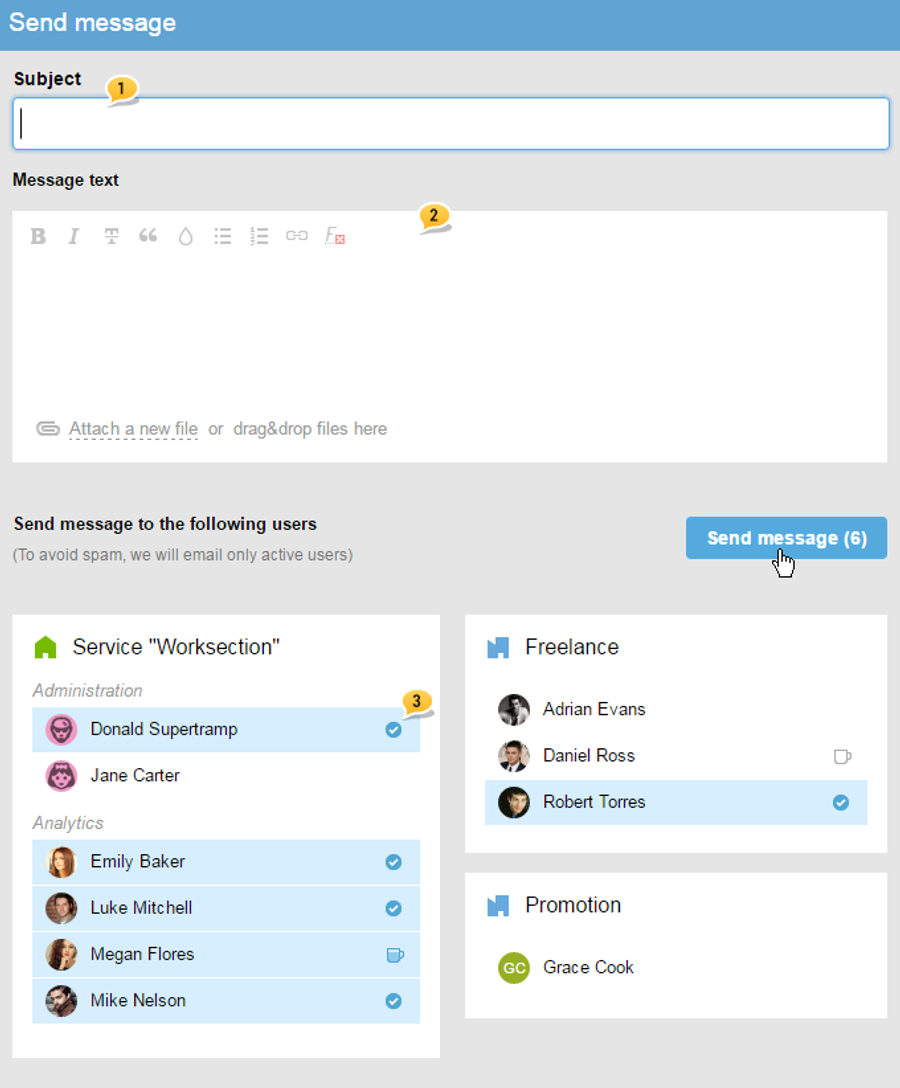
Then, fill out fields with the subject1 and message text2. Choose whom you would like to send it to3 and click on "Send message".
Advice: in order to choose all company/ department participants - click on the name of the department/ company.
Please note: Bulk emails can be created by the owner of the account and an administrator with the "access to the settings and payments of the account" permissions.
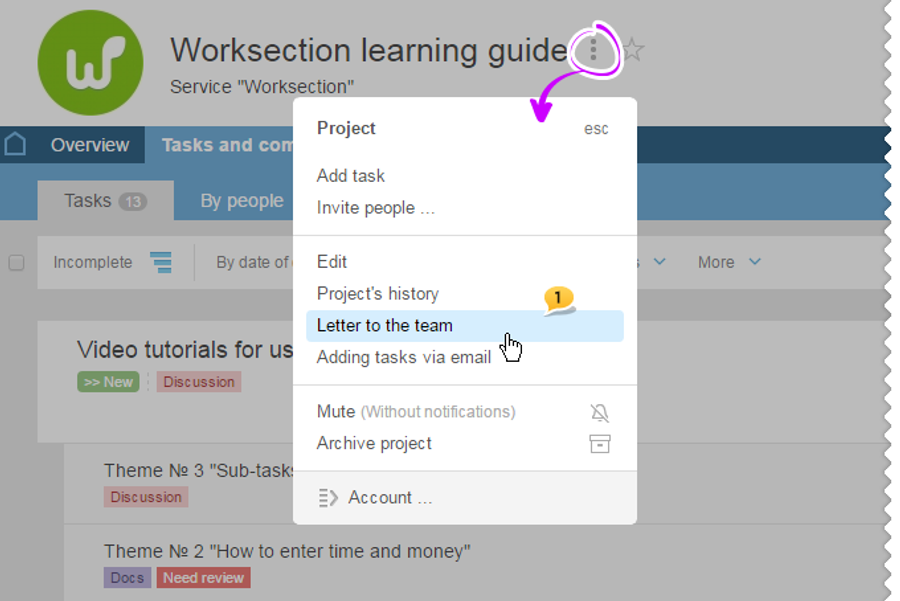
If there is a need to notify only a certain team of the project, then click on the "three dots" menu and choose the "Letter to the team"1:
Please note: email to the project participants can be sent by the manager of the project, administrator of the company and administrator with the "participants management " permissions.
Leave your review
Did this article help you?
Glad we could help! What was helpful?
Sorry this didn't help. What went wrong?

