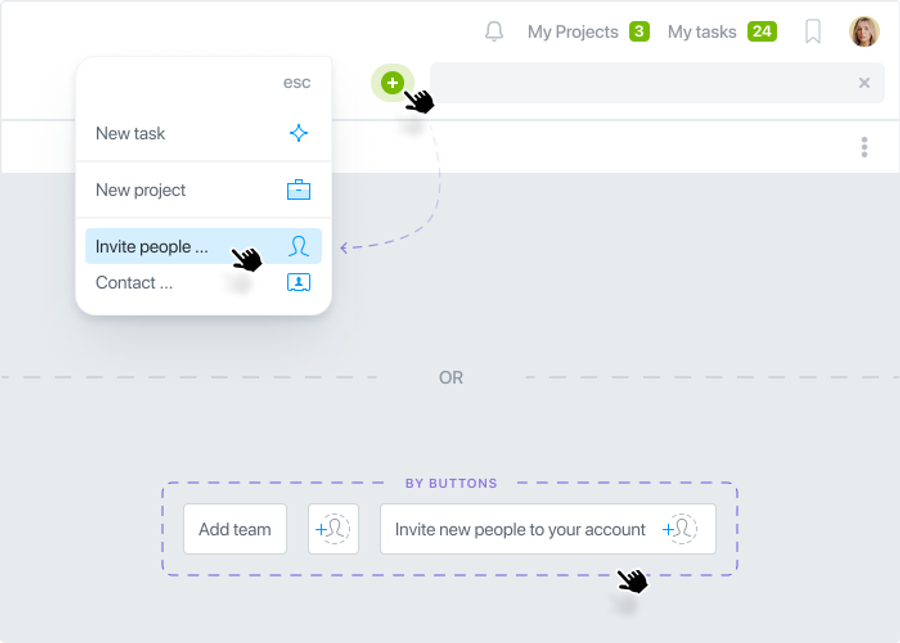
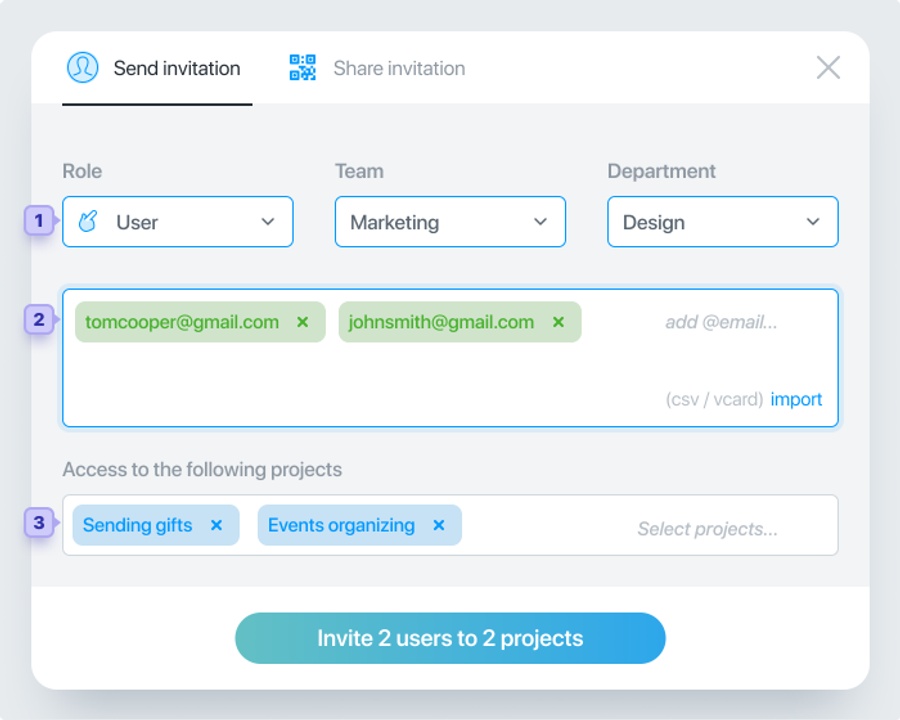
To invite a colleague to your account, click on the green plus sign and then on Invite people: In the window that opens, specify the member Role, Team, and Department1. Then add the email of one or more members2. Members will receive an invitation to your account to the specified emails. Specify the projects to which these members will have access3. Once completed, click the Invite button:
An additional way to invite participants is to use the Share Invitation feature. You don't need to fill in the participants' emails. Select the Role, Team, and Department, and specify the projects. Click the Get direct link button and send this link to your colleagues.