Permissions Access to this section is available to Account Owner and Account Administrator with the permission «Access to the account settings and payments».
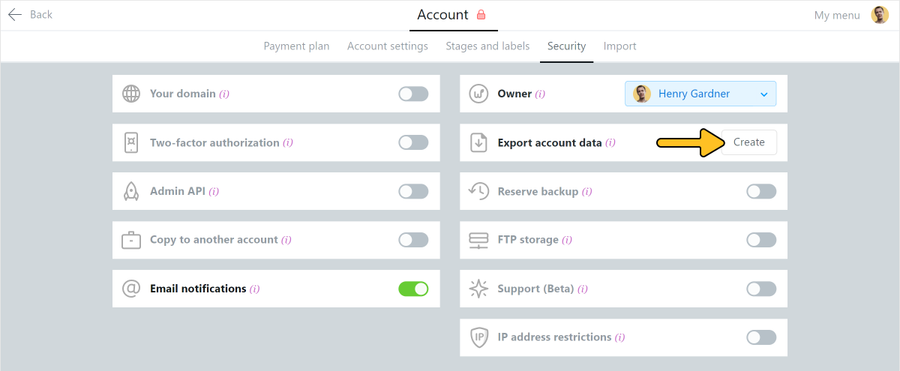
Find «Export account data» bar and click «Create»:
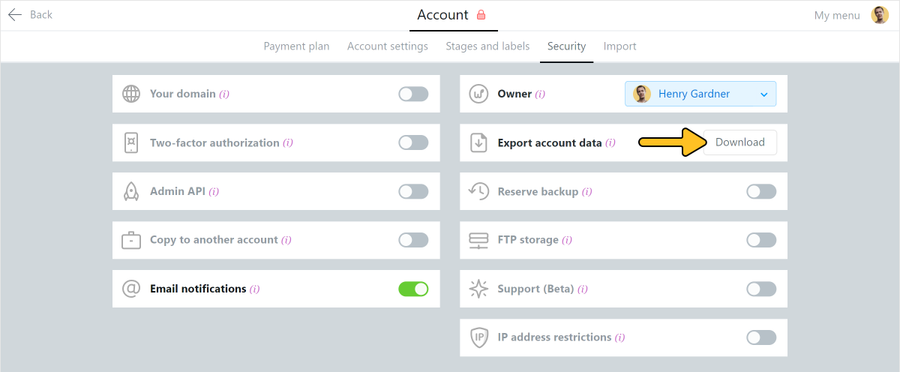
It will take some time to create the archive, depending on the amount of data. After it is completed, click «Download»:
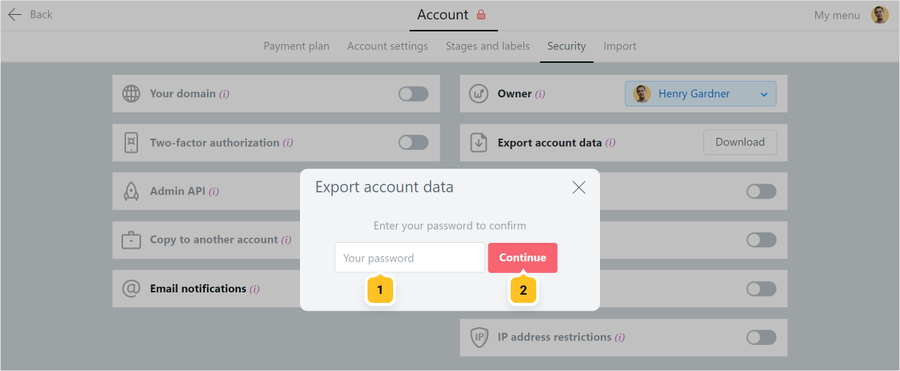
Then go through additional verification by entering the login password of your Worksection account1 and click "Continue"2:
An archived XML file will be loaded after that.
Note! XML file contains all the main data of your account (projects, tasks, comments, costs, etc.) and links to all uploaded files, but not the files themselves. The files are specified as follows:
Using URLs in <link> tags, you can download the necessary files either manually by inserting the links one by one into the browser address bar, or in bulk through your own or third party script, a program for bulk file downloading using a list of links or through special browser extensions.