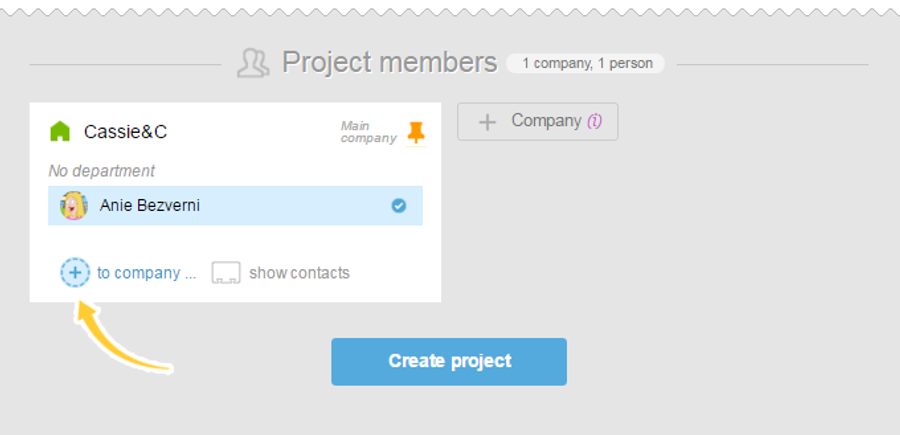
You can invite a new user right on the new project creation page. In order to do this, in the «Project participants» section on the project creation page, click «Add to Company».
In the opened window:
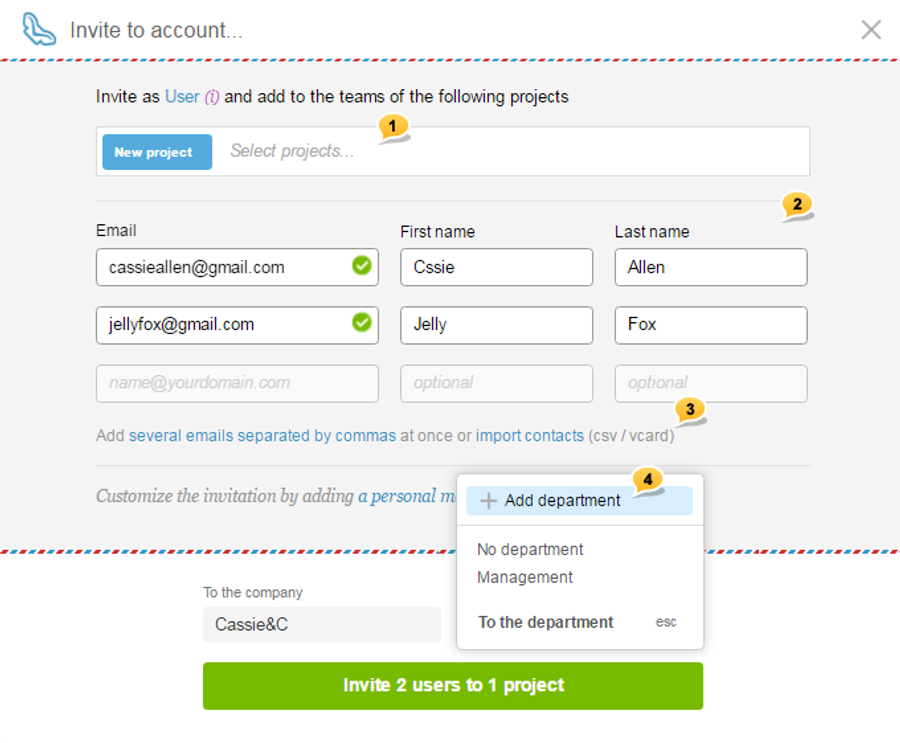
choose a project1, enter the email address, name, and last name of the participant (-s)2 (if you wish, you can add several emails separated by the commas or import contact database of your employees in the CSV or vCard format)3. Choose the company and department (in this case — create a new one). Click «Invite users to the project».
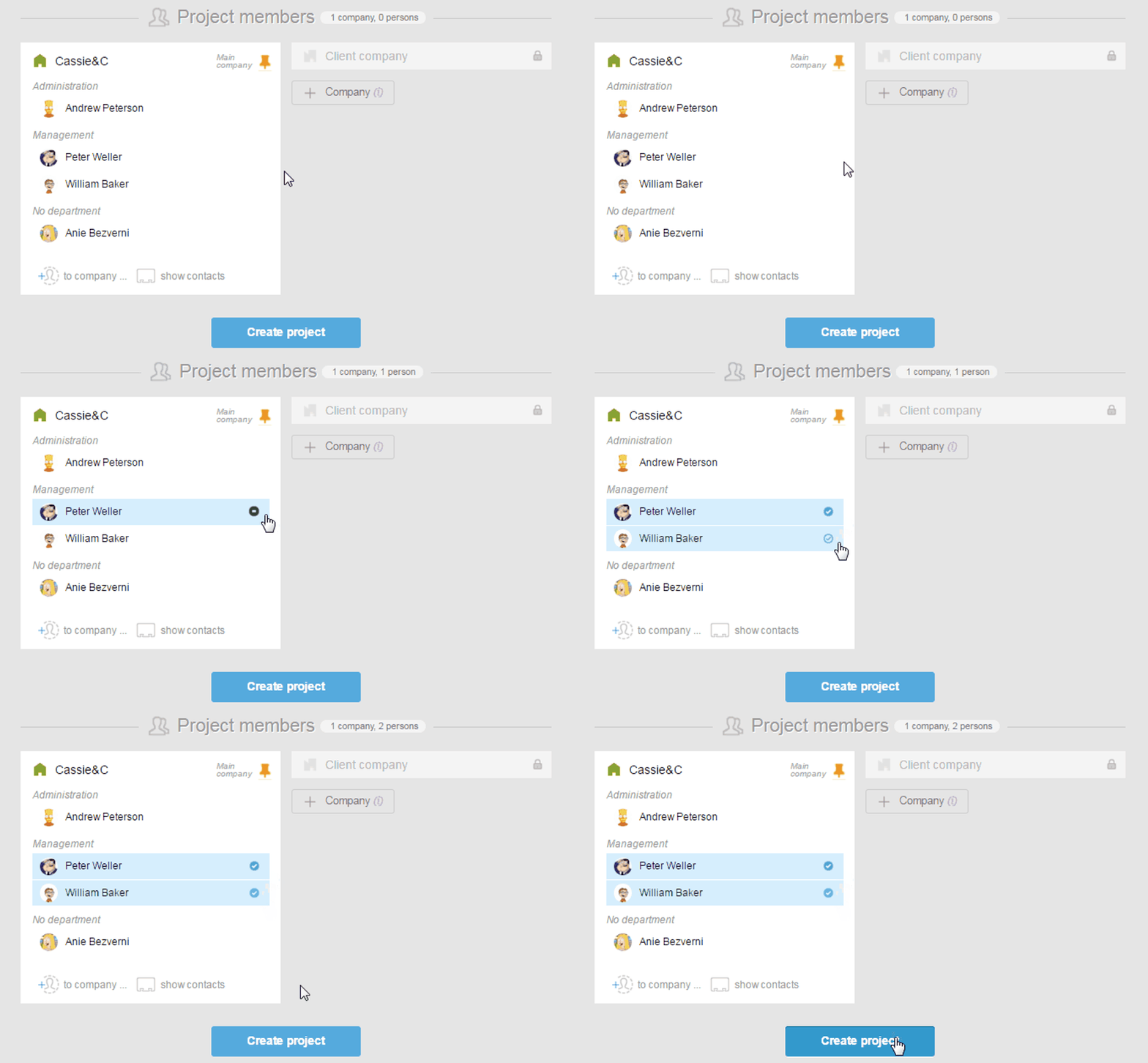
If users are already in the system, just mark the checkboxes next to their names and click «Create project».
Also, you can invite a person to the current project using the «Team» section, or when creating any task, or in the block of participants in an already existent task with the help of a special icon.
Please, note! The option of adding a participant to the project can only be done by a project manager, an administrator with the participants management rights, or an administrator with the project management control rights.