Solutions
worksection
beta
help
Activity feeds
The activity feed is a chronological log of events that shows the main actions in the system: tasks being created and closed, and comments.
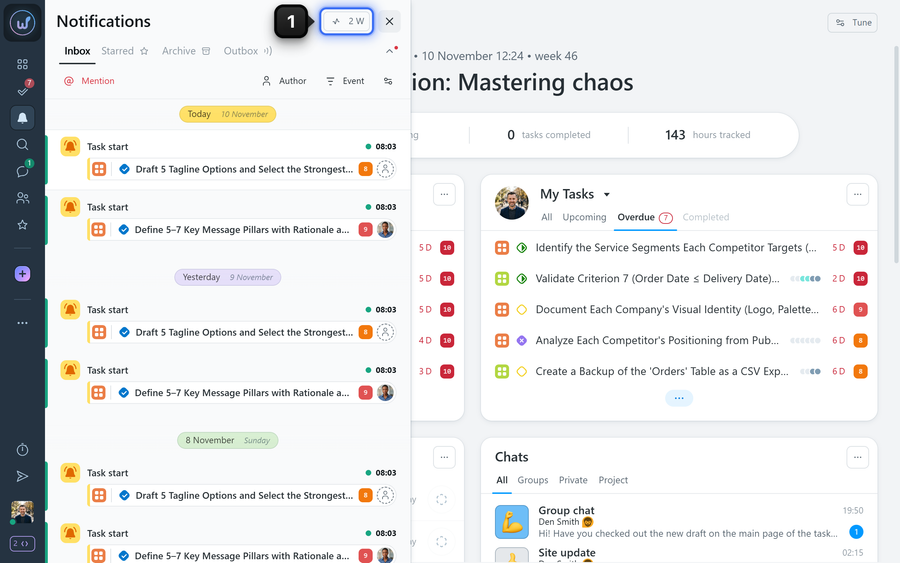
To open it, click the activity button1 in the notifications window:
What view modes does the feed have?
At the top of the window, there are three buttons for switching the mode.
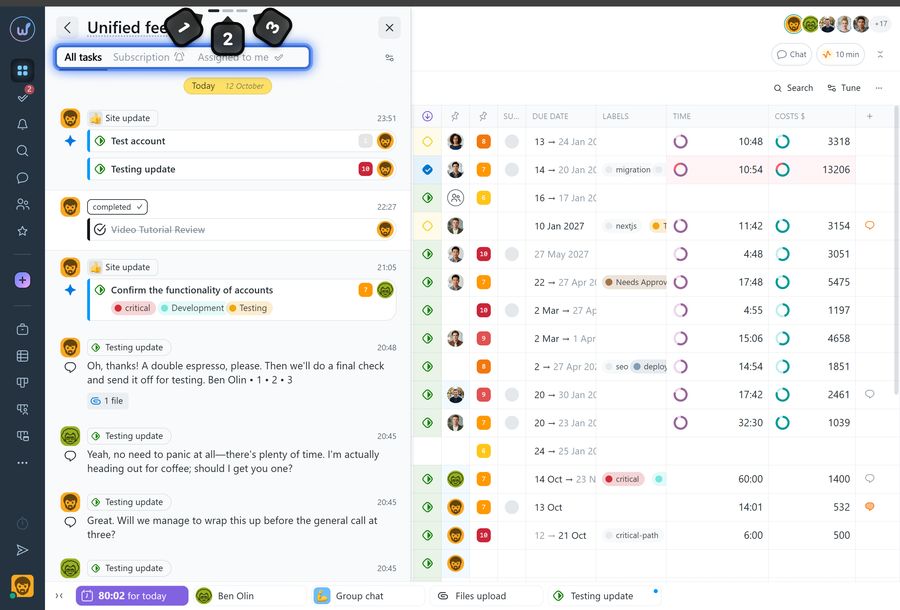
1 Unified feed — all events are shown in a single chronological list;
2 Project feed — events are grouped by project;
3 Team feed — events are grouped by author, that is, by members of your team.
Each mode has tabs for filtering events:
- All tasks — events in tasks you have access to;
- Subscription — events only in tasks you are subscribed to;
- Assigned to me — events only in tasks where you are the assignee.
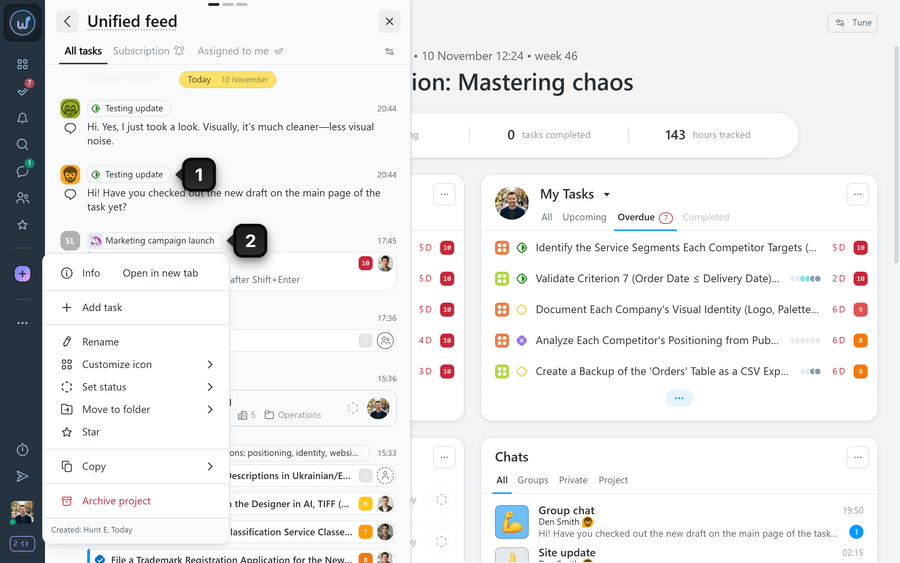
Each event shows the author’s avatar, the time, and a description of the action. Clicking an event opens the related task or project. Right-clicking a task element1 or a project element2 opens its context menu.
How do I customize the activity feed?
Click the “Tune” button1 in the feed window.
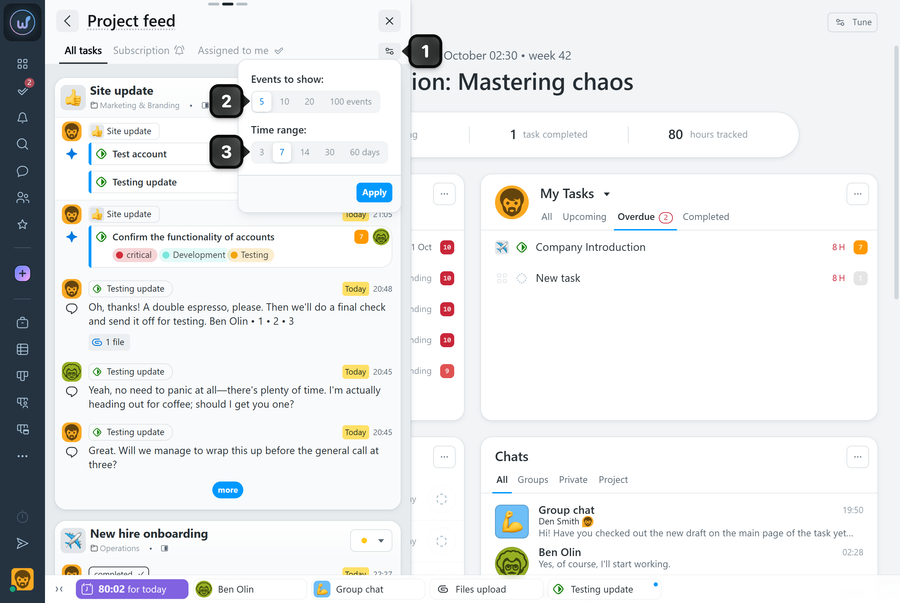
2 Events to show — available in the project and team feeds. Sets how many events are shown in an expanded group.
3 Time range — choose the period for which events are shown: 3, 7, 14, 30, or 60 days.
Leave your review
Did this article help you?
Glad we could help! What was helpful?
Sorry this didn't help. What went wrong?
Previous
How does the notification bell work?

