Solutions
worksection
beta
help
Editing Pipedrive Automations
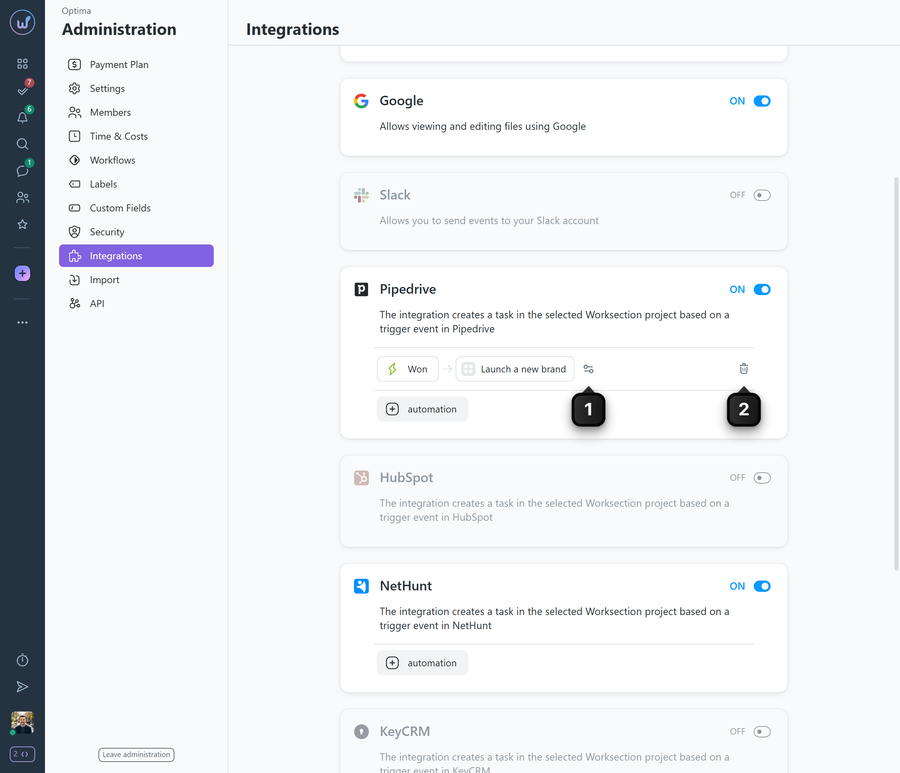
To edit any automation, go to the integration settings, hover over the automation you need and click the settings icon1. Make your changes and click “Save”.
To delete an automation, hover over it — a delete icon2 appears. The system shows a warning, after which you can delete the automation.
Please note! Tasks will not be created in an archived project. If a project was moved to the archive or deleted, a mark with an explanation appears next to the corresponding automation in the integration block.
Please note! Synchronization runs once every 5 minutes, so there may be a slight delay in automation.
Leave your review
Did this article help you?
Glad we could help! What was helpful?
Sorry this didn't help. What went wrong?

