Solutions
worksection
beta
help
Creating documents, spreadsheets, and presentations within the account
To create documents, spreadsheets, and presentations right in the account, click the paperclip icon1 and choose the type2 — Document, Table, or Presentation. This option is available everywhere you can attach files.
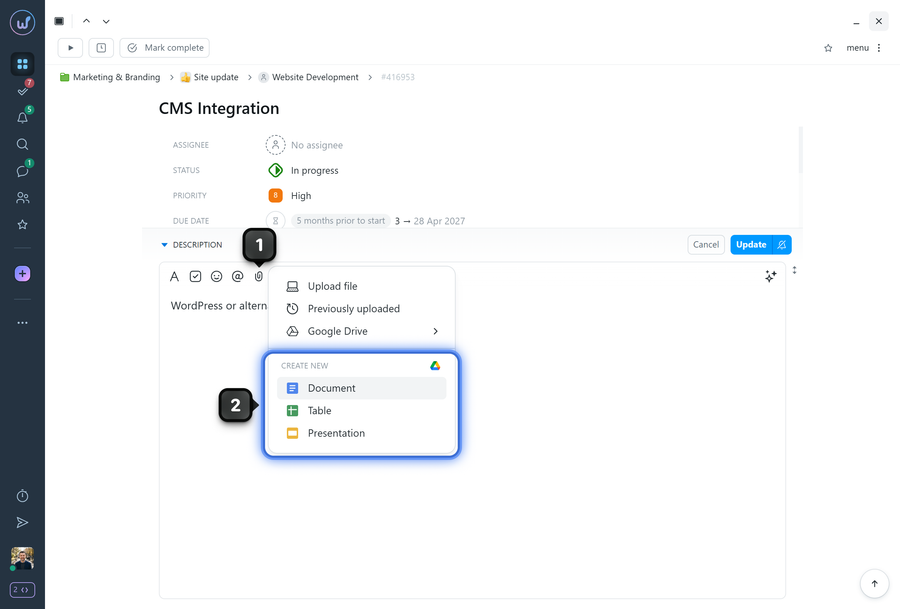
After you choose the type, the new Google document opens in a new tab. You can enter the document name. When you finish creating the document, simply close the page (the document is saved automatically) and publish the comment or task.
Please note! Documents and files are kept in Worksection drafts for 24 hours.
Leave your review
Did this article help you?
Glad we could help! What was helpful?
Sorry this didn't help. What went wrong?

