Workflow management tools are designed to automate processes, enhance team collaboration, and improve overall productivity. This guide highlights the top 10 workflow management tools that can help businesses of all sizes achieve their operational goals by streamlining workflows and eliminating bottlenecks.
What is Workflow Management Software?
Workflow management software is a specialized platform that helps organizations optimize their internal processes by automating repetitive tasks and structuring workflows for better efficiency. It combines features such as task scheduling, resource management, and collaboration tools into a unified system that allows teams to manage their work more effectively.
This software is particularly valuable for businesses that require detailed tracking of tasks, deadlines, and resources across various departments. By providing a centralized system, workflow management software helps ensure that all team members are aligned with the company’s goals, thereby improving overall productivity and reducing the risk of errors.
Benefits of Workflow Management Software
Workflow management software offers several key advantages that can significantly improve business operations:
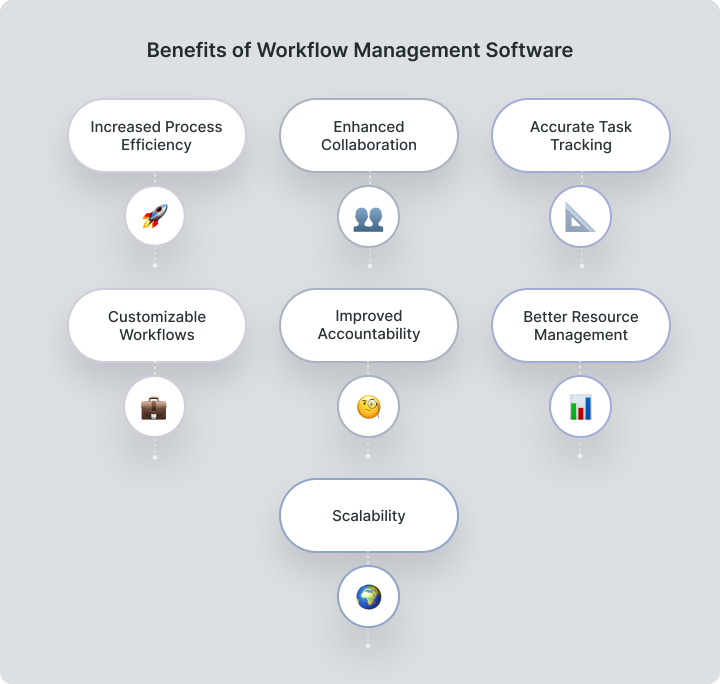
- Increased Process Efficiency: Automating routine tasks reduces time spent on manual processes, allowing teams to focus on strategic activities. This leads to faster task completion and improved operational efficiency.
- Enhanced Collaboration: A centralized platform enables team members to collaborate, share documents, and communicate effectively. Real-time updates ensure everyone is aligned with project goals, fostering teamwork and transparency.
- Accurate Task Tracking: Real-time task tracking helps businesses monitor progress, meet deadlines, and address issues promptly. This visibility supports better decision-making and resource allocation.
- Customizable Workflows: The ability to create and modify workflows allows organizations to adapt quickly to changing business needs, ensuring processes remain efficient and relevant.
- Improved Accountability: Clearly defined roles and responsibilities enhance accountability, ensuring tasks are completed efficiently. Transparency features like audit trails reduce miscommunication.
- Better Resource Management: Insights into resource allocation help optimize time, budget, and human resources, ensuring projects are delivered on time and within budget.
- Scalability: Workflow management software scales with business growth, handling increasing complexity without sacrificing performance.
How to Choose the Right Workflow Management Software
When choosing the right workflow management software, it’s important to carefully evaluate several key factors. Scalability is essential, as your software needs to grow with your business, effectively handling more users, processes, and data without compromising performance.Customization is also critical. The software should allow you to tailor workflows, forms, and reports meeting your specific business needs. Ease of use is another critical consideration. The software should have an intuitive, user-friendly interface that even non-technical team members can easily navigate, minimizing the learning curve and enabling rapid adoption.
Integration capabilities significant as well. The software should seamlessly connect to other tools your business relies on, such as CRM systems, accounting software, and communication platforms. Finally, robust customer support is necessary to address any issues that arise and help you maximize the software’s potential. Look for solutions that offer comprehensive support options, including tutorials, webinars, and responsive customer service. By considering these factors, you can choose workflow management software that not only meets your current needs, but also supports the long-term growth and success of your business.
Methodology
To identify the best workflow management tools for 2026, we conducted a comprehensive evaluation based on the following criteria:
- Core Features: We analyzed the essential features offered by each software, such as task management, workflow automation, reporting, cloud storage and collaboration tools. We also looked at advanced features like process mapping, integration capabilities, and customization options.
- User Feedback: We reviewed user ratings and feedback to understand how the software performs in real-world scenarios, helping us gauge user satisfaction and identify any potential drawbacks.
- Scalability: We assessed the software’s ability to support growing businesses, considering how well it can handle increasing workloads, user bases, and data volumes.
- Customer Support: We evaluated the quality and availability of customer support, including how quickly and effectively issues are resolved, and the availability of training resources.
- Pricing: We compared the cost of each software, considering subscription fees as well as any additional costs for support, upgrades, and integrations, ensuring each tool provided good value for money.
Best Workflow Management Software for 2026
Let’s start with a short comparison table to save you time if you just want a quick check.
Name | Key Features | Best For | Pricing per user/month |
Worksection | Task management, time tracking, Gantt chart, Kanban, reporting, calendar, access control. | Small to medium-sized businesses | from $5 per user/month |
Asana | Task tracking, timelines, reporting | Versatile workflow management across industries | from $13.49 per user/month |
Wrike | Advanced task management, Gantt charts, templates | Teams needing detailed workflow automation | from $10 per user/month |
Trello | Kanban boards, integrations, automation | Simple task management for startups | from Free / $6 per user/month |
Jira | Issue tracking, agile project management, reporting | Software development and IT teams | from $8.15 per user/month |
Monday.com | Custom workflows, time tracking, integrations | Startups and growing businesses | from $12 per user/month |
Airtable | Customizable views, collaboration, integrations | Teams needing flexibility in managing workflows | from $24 per seat/month |
Notion | Task management, databases, team collaboration | Versatile tool for project and knowledge management | $12 per user/month |
Pipefy | Workflow automation, forms, task management | Businesses seeking to automate repetitive processes | Pricing available upon request |
Smartsheet | Grid-based interface, reporting, resource tracking | Ideal for project-heavy teams with complex workflows | from $12 per seat/month |
Worksection
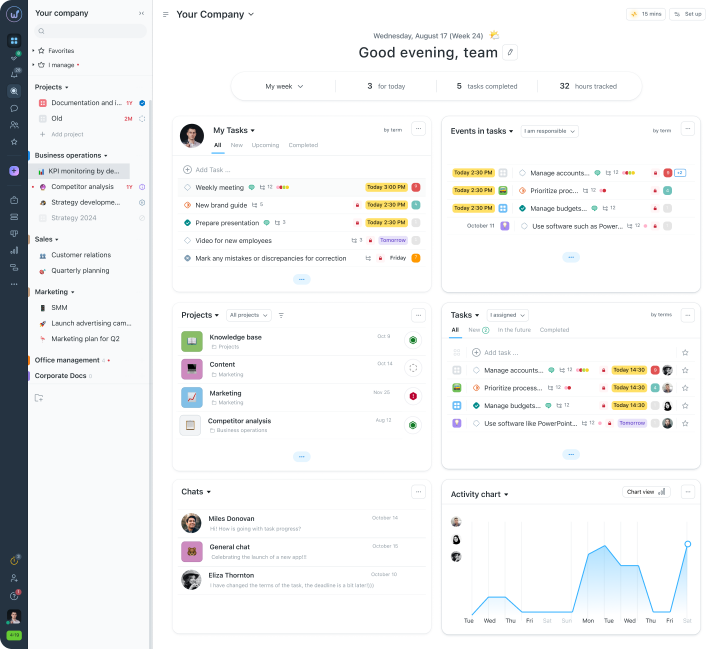
Worksection is a robust workflow management service designed to simplify collaboration and streamline task tracking. It features Gantt charts and Kanban boards for visual project planning, time tracking to monitor progress, and advanced collaboration tools that make team communication effortless. Worksection’s intuitive interface makes it accessible for small to medium-sized businesses, and its customization options allow businesses to tailor workflows to their specific needs. Pricing starts at $5 per user/month, making it a versatile and affordable solution for companies seeking to improve their workflow management.
Asana
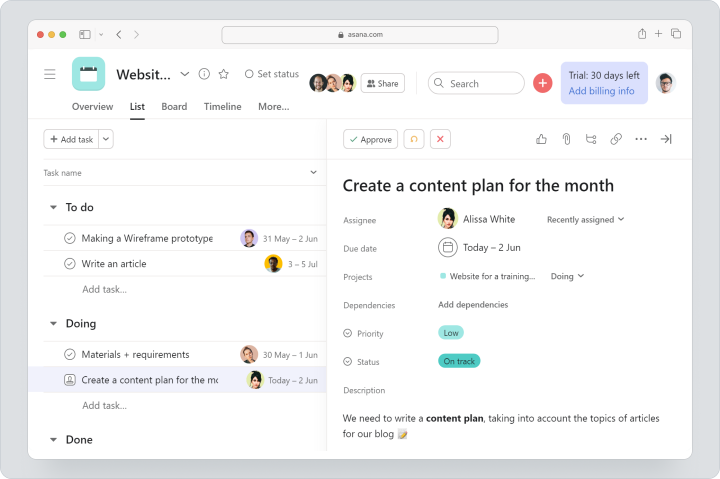
Asana is a leading workflow management tool known for its ability to streamline task management and enhance team collaboration. It offers a range of features, including timelines for visualizing project schedules, reporting tools to monitor progress, and seamless integrations with other business tools. Asana’s versatility makes it suitable for businesses of all sizes and across various industries. With pricing starting at $13.49 per user per month, Asana provides a powerful yet affordable solution for managing complex workflows efficiently.
Wrike
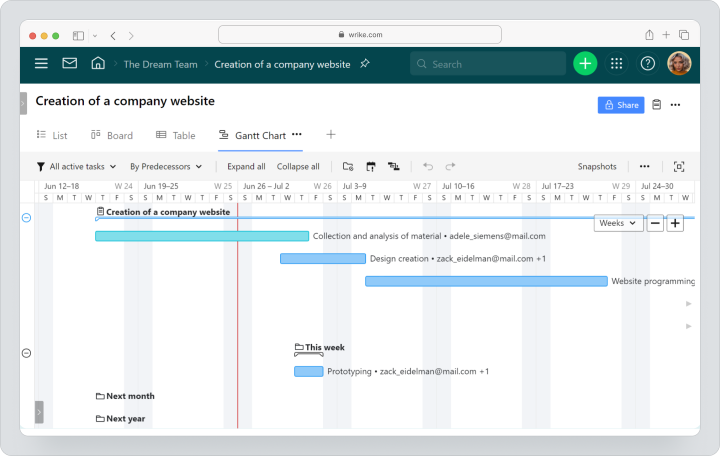
Wrike is a powerful workflow management software that offers advanced task management features, including Gantt charts, customizable templates, and detailed reporting. It’s ideal for teams that require precise workflow automation and need to manage complex projects with accuracy. Wrike’s integration capabilities and flexible customization options make it a valuable tool for businesses that rely on multiple platforms. Pricing starts at $10 per user per month, offering excellent value for businesses looking to enhance their workflow management.
Trello
Trello is a widely used workflow management tool known for its simplicity and flexibility. It uses a Kanban board system to help teams visualize tasks and track progress in a user-friendly interface. Trello offers basic workflow management features for free, with premium options such as automation and integrations available at $6 per user per month. This makes it an ideal choice for startups and small teams looking for an easy-to-use tool to manage their workflows.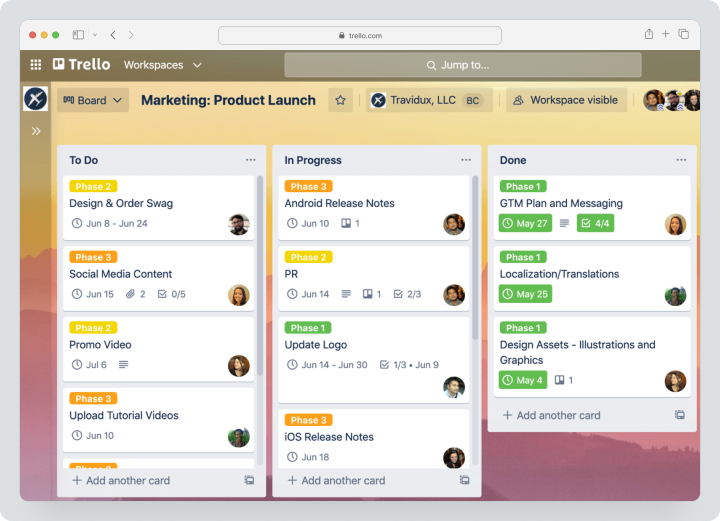
Jira
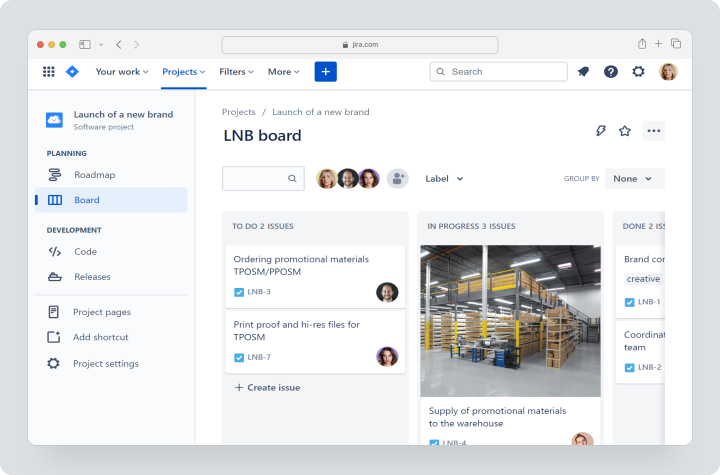
Jira is a powerful tool specifically designed for software development and IT teams. It excels in issue tracking and agile project management, making it a critical tool for managing workflows in tech environments. Jira’s robust reporting features allow teams to monitor progress and identify bottlenecks quickly. With a starting price of $8.15 per user per month, Jira offers a comprehensive solution for teams that need to manage complex workflows and software development projects effectively.
Monday.com
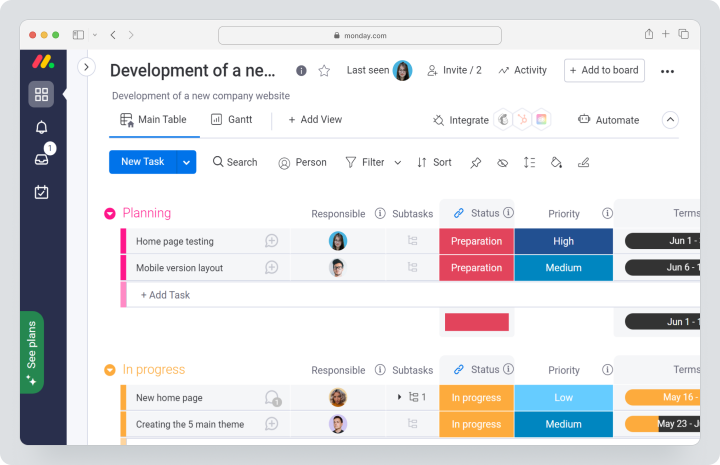
Monday.com offers a flexible workflow management platform with customizable workflows, time tracking, and extensive integrations with other tools. Its visual project tracking tools allow teams to create detailed timelines, assign tasks, and monitor progress efficiently. Monday.com is particularly well-suited for startups and growing businesses looking for a scalable solution. Pricing starts at $12 per user per month, making it an affordable option for small to medium-sized teams.
Airtable
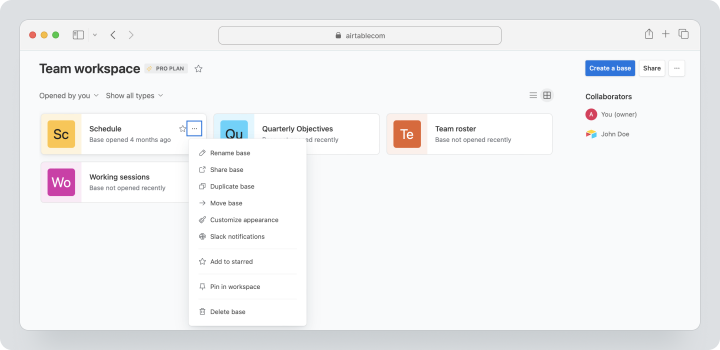
Airtable is a versatile workflow management tool that blends the power of a database with the simplicity of a spreadsheet. It offers customizable views, robust collaboration features, and a wide range of integrations, making it ideal for teams that need flexibility in managing their workflows. Airtable’s interface is highly intuitive, allowing users to create custom workflows that suit their specific needs. The tool also supports real-time collaboration, making it easy for team members to stay connected. Pricing starts at $24 per seat per month, making it an affordable option for businesses of all sizes.
Notion
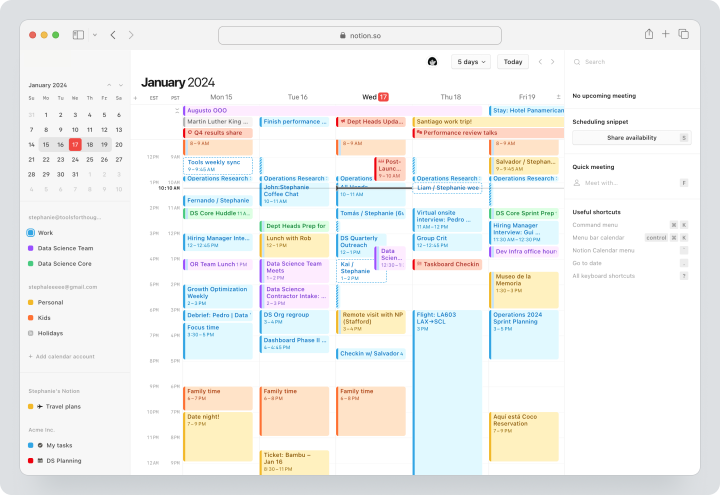
Notion is an all-in-one workspace that combines note-taking, task management, and database functionality into a single platform. It is highly adaptable, allowing teams to manage projects, create knowledge bases, and collaborate seamlessly. Notion’s flexibility makes it a great choice for businesses looking to manage both workflows and information in one place. The platform’s interface is easy to navigate, with customizable templates that help streamline setup. Pricing starts at $12 per user per month, providing great value for teams that need a multifunctional tool.
Pipefy
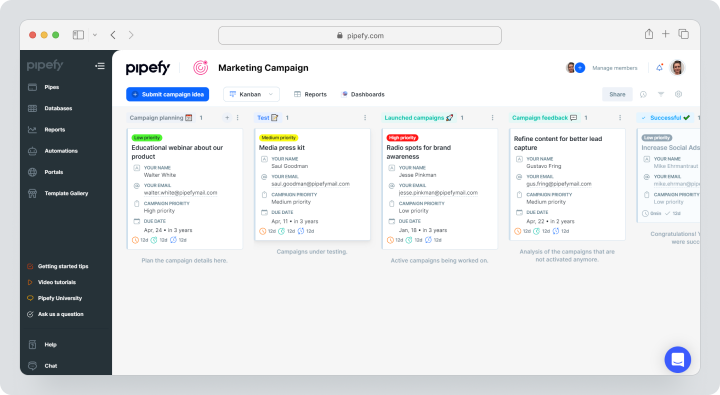
Pipefy is a powerful workflow management tool designed to help businesses automate their processes and manage tasks efficiently. It offers features like workflow automation, custom forms, and task management, making it suitable for businesses that need to streamline repetitive processes. Pipefy’s drag-and-drop interface allows users to build and customize workflows quickly, while its automation capabilities reduce the need for manual intervention. Pricing is available upon request. It is positioned as a premium solution for organizations that require robust workflow automation.
Smartsheet
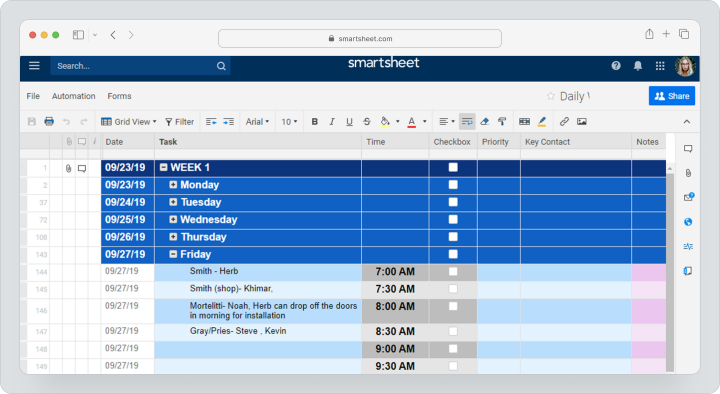
Smartsheet combines the familiar feel of a spreadsheet with powerful workflow management features. It is ideal for teams that handle complex projects and require a tool that supports detailed tracking and reporting. Smartsheet offers features like Gantt charts, resource management, and real-time collaboration, making it a versatile tool for various industries. The platform’s grid-based interface makes it easy to organize data and manage tasks, while its automation features help streamline workflows. Pricing starts at $12 per user per month, making it an affordable option for teams with complex workflow needs.
Who Should Use Workflow Management Software?
Workflow management software is highly beneficial across a wide range of industries:- IT Departments: Streamline software development, ensure team alignment, and manage project workflows efficiently.
- Marketing Teams: Coordinate campaigns, manage content creation, and track performance metrics to optimize marketing efforts.
- Operations Teams: In manufacturing or logistics, optimize production workflows, reduce bottlenecks, and enhance overall efficiency.
- Legal Firms: Manage case processes, track deadlines, and ensure compliance with regulatory requirements.
- Educational Institutions: Coordinate administrative tasks, manage student records, and facilitate communication between departments.
- Finance Departments: Oversee financial operations, ensure timely approvals, and maintain accurate accounting records.
- Healthcare Providers: Streamline patient management, maintain accurate records, and ensure compliance with healthcare regulations.
Real-world Applications of Workflow Management Software
Workflow management software is widely used in a variety of industries to improve operational efficiency and effectiveness. In the legal industry, for example, these tools are invaluable for managing complex case processes, tracking critical deadlines, and ensuring compliance with strict regulatory requirements. Legal professionals rely on workflow management software to organize documentation, streamline client communications, and maintain accurate records, all of which contribute to more efficient case handling and better client outcomes.
In education, workflow management software plays a critical role in coordinating administrative processes, managing student records and facilitating seamless communication between departments. Schools and universities use these tools to automate routine tasks such as enrollment management and grade reporting, allowing staff to focus on more strategic educational goals. The software also enhances collaboration among faculty, staff and students, improving overall institutional efficiency.
In the financial sector, workflow management software is essential for overseeing financial operations, ensuring timely approvals, and maintaining accurate accounting records. Banks and financial institutions use these tools to automate transaction processing, manage compliance workflows, and monitor financial performance in real time. This not only improves operational efficiency, but also reduces the risk of errors and improves decision-making.
FAQ
What makes workflow management software different from project management software?
Workflow management software focuses on optimizing and automating ongoing business processes, while project management software is more about planning, executing, and tracking specific projects.
How can workflow management software improve team collaboration?
Workflow management software enhances team collaboration by providing shared workspaces, facilitating real-time communication, and maintaining an organized record of all activities, ensuring everyone is aligned with the project goals.