Solutions
worksection
beta
help
How to create a new project?
Creating a new project is a very simple task. On the system's Main page or on the Projects page, click on the «Create new project» button.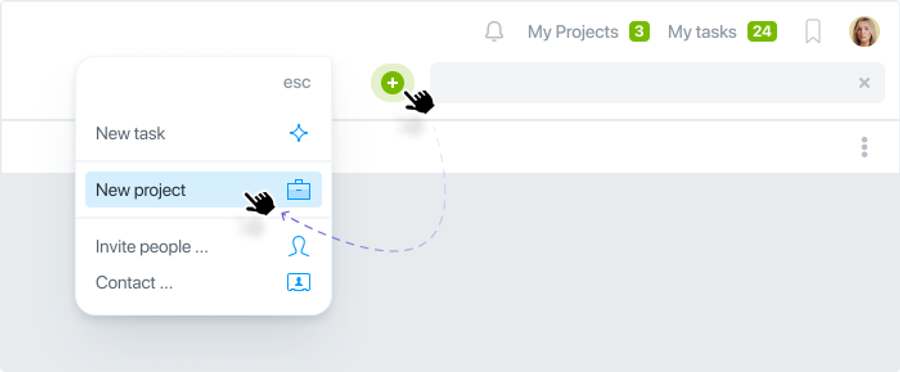
In the next window, fill the main fields: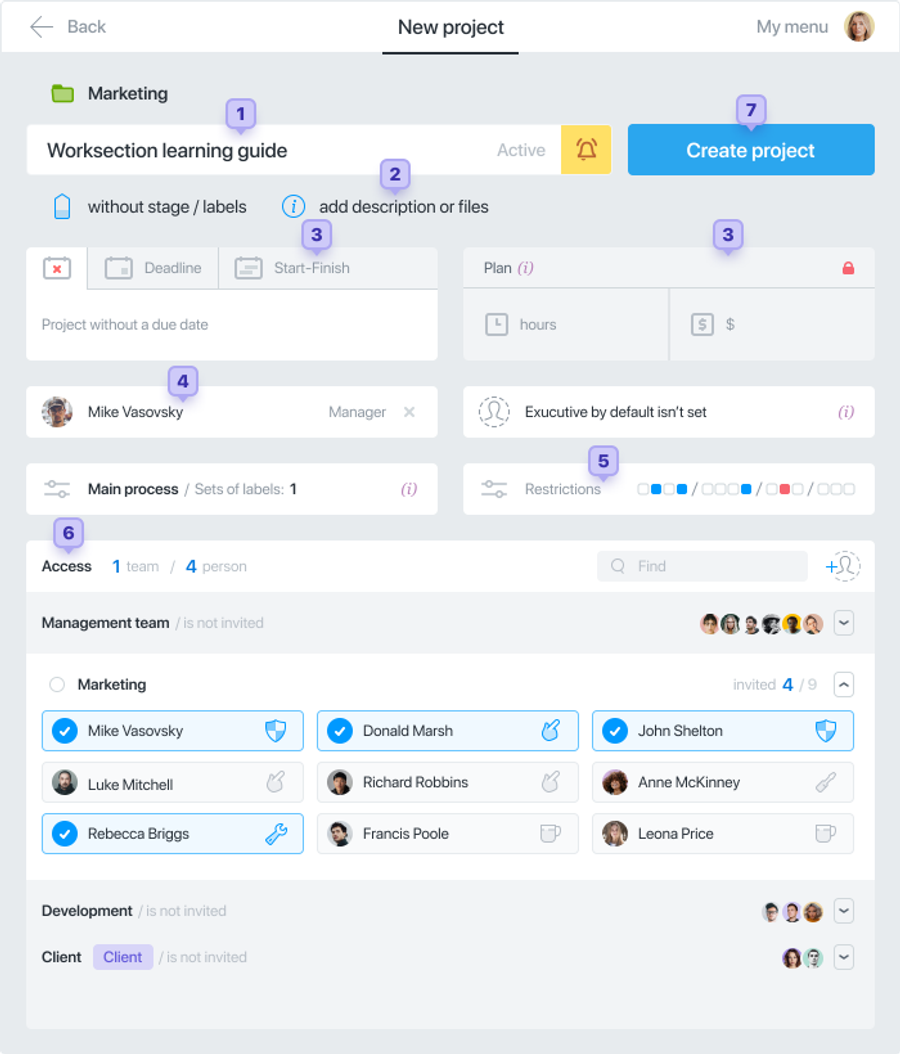
- Specify the name of the project.
- If necessary, add a description (wiki) of the project and attach the necessary files.
- Deadlines and budget can be left blank for now.
- Choose the manager, the one who will be responsible for the result of the project.
- In the Restrictions section of the project you can choose who will close, transfer tasks, etc.
- The project team is the people involved in the project. By default, they see all project tasks. You can add participants from different teams.
- And click Create project.
If there's any data that you do not know, you can easily add or edit it later.
Leave your review
Did this article help you?
Glad we could help! What was helpful?
Sorry this didn't help. What went wrong?

