Solutions
worksection
beta
help
Connecting KeyCRM
Step 1️⃣ —Get the API Key in KeyCRM:
Go to the Settings panel - Basic section - API Key field.
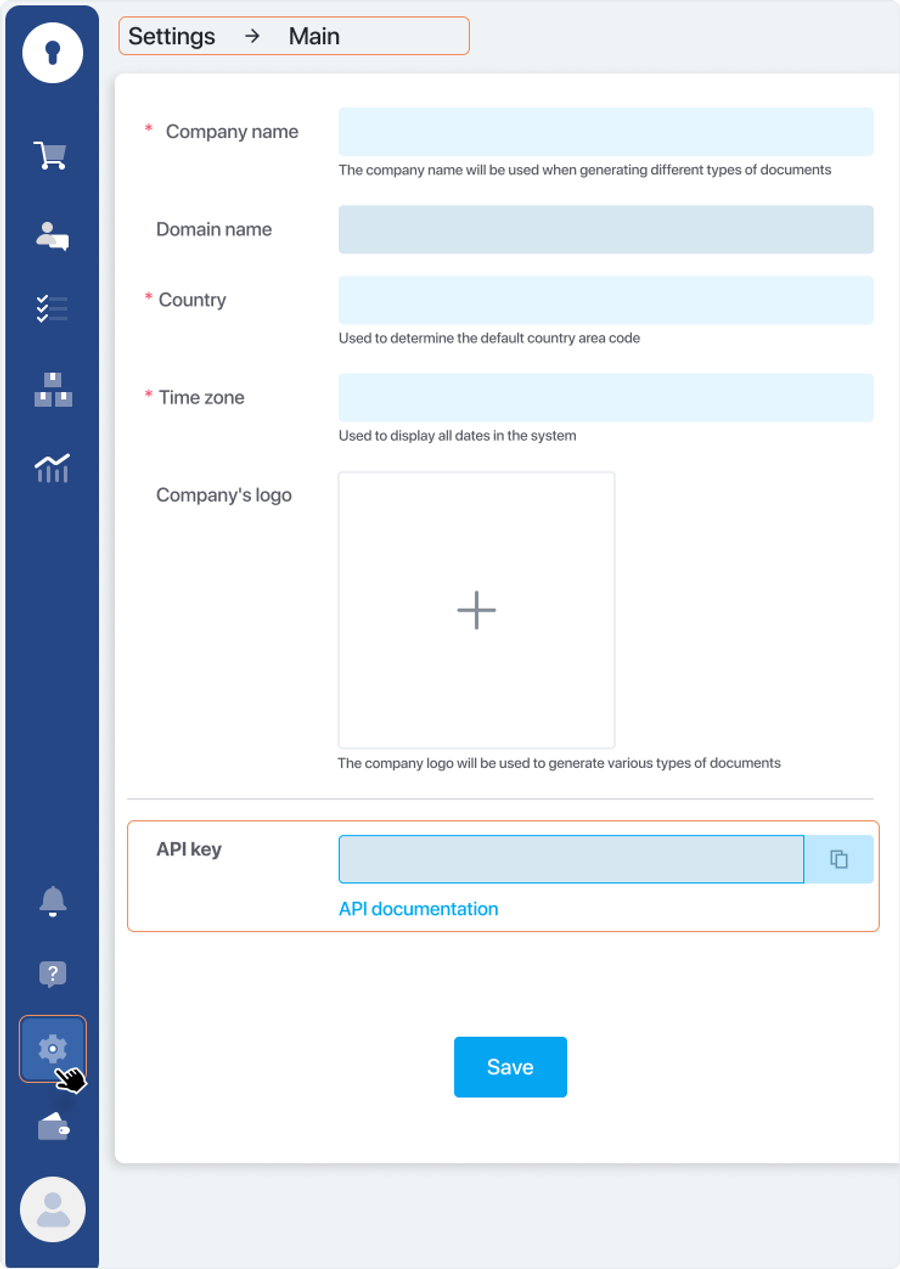
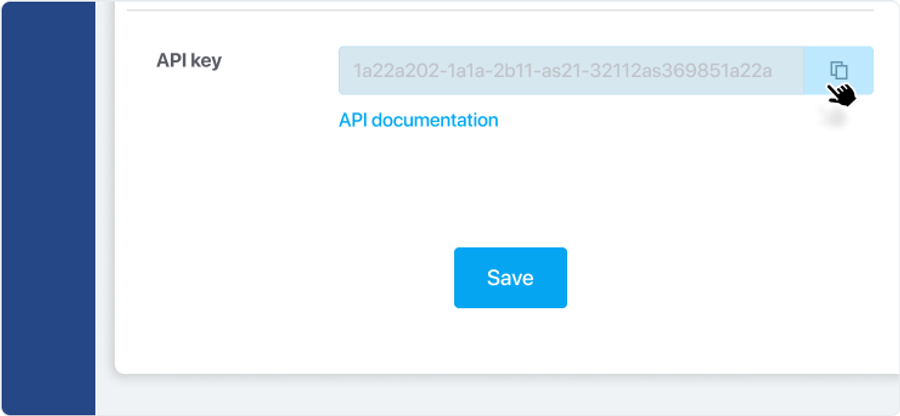
Generate and copy the API key.
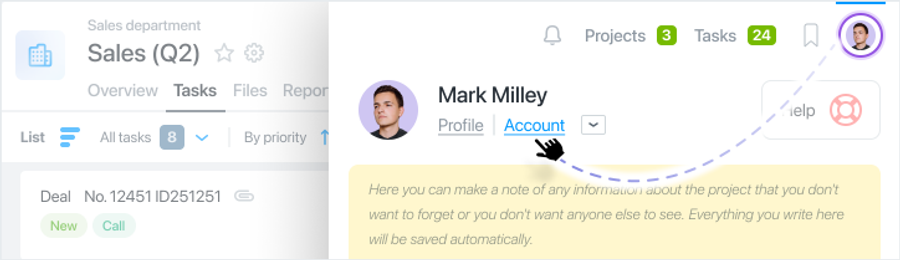
Step 2️⃣ — Go to the Worksection account settings.
Step 3️⃣ — Activate integration with KeyCRM.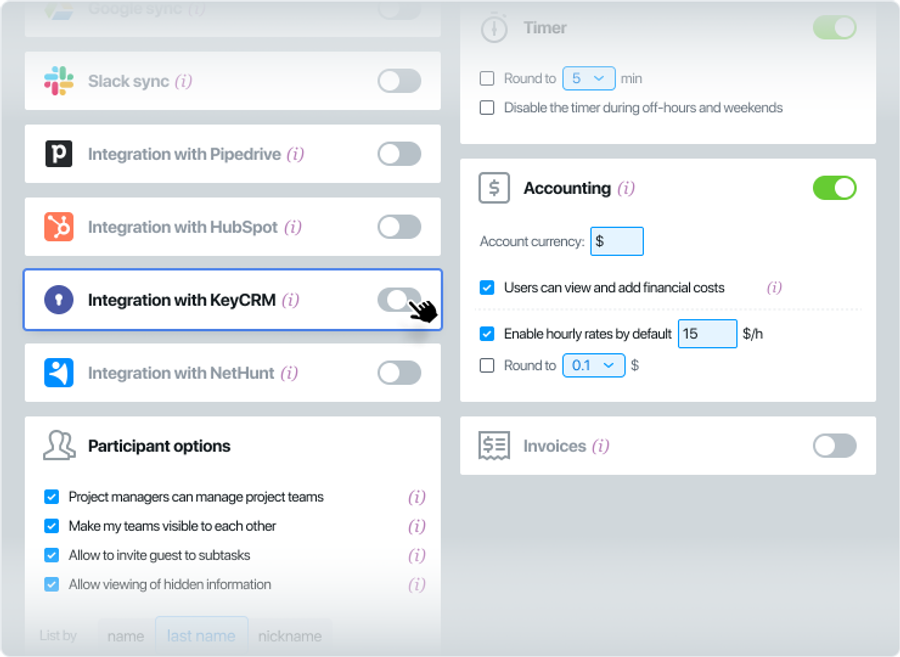
Step 4️⃣ — Paste the KeyCRM account domain and API key into the respective fields.
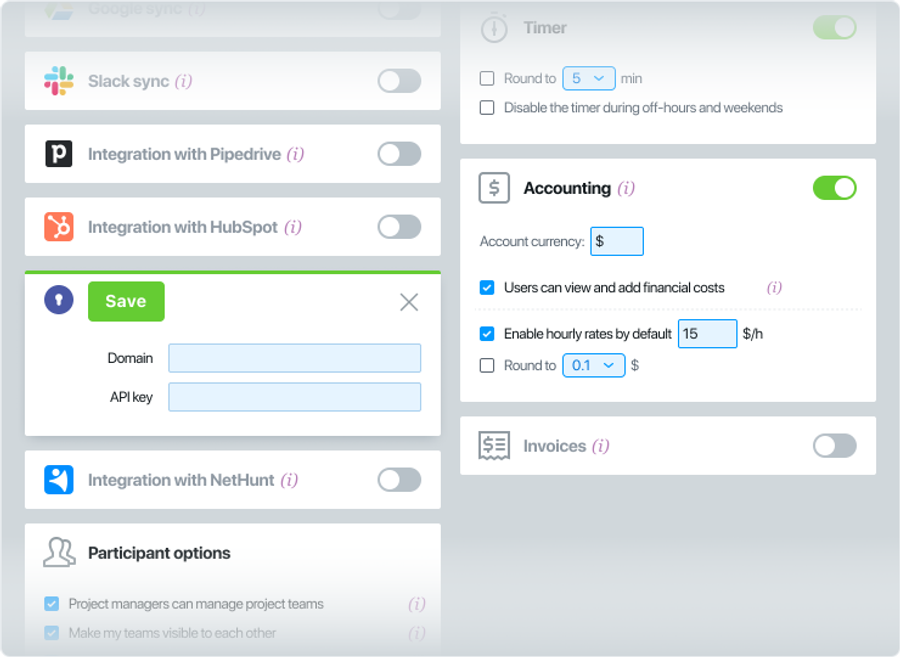
Step 5️⃣ — Create a new automation by clicking the "+ Automation" button.
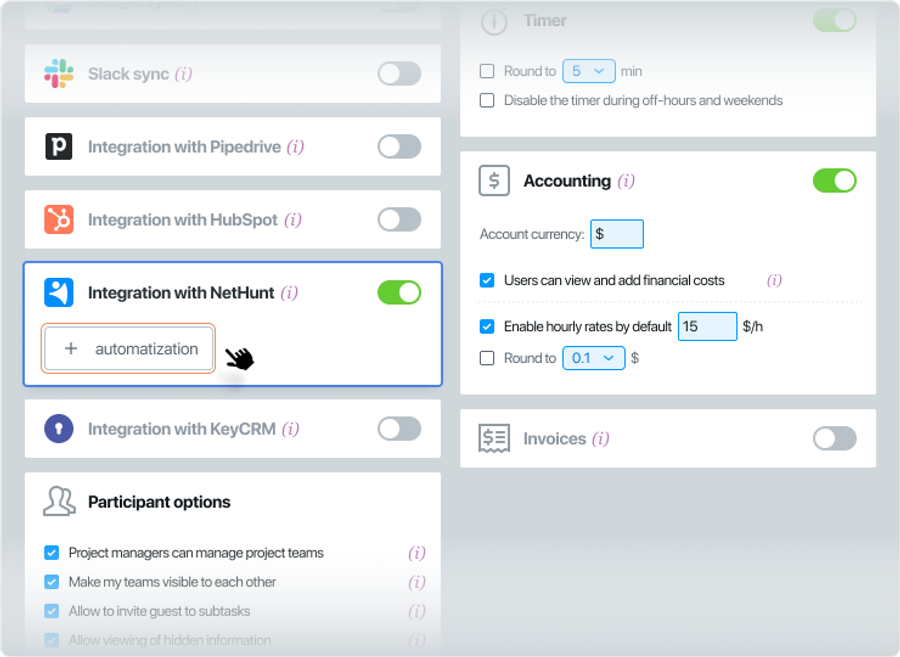
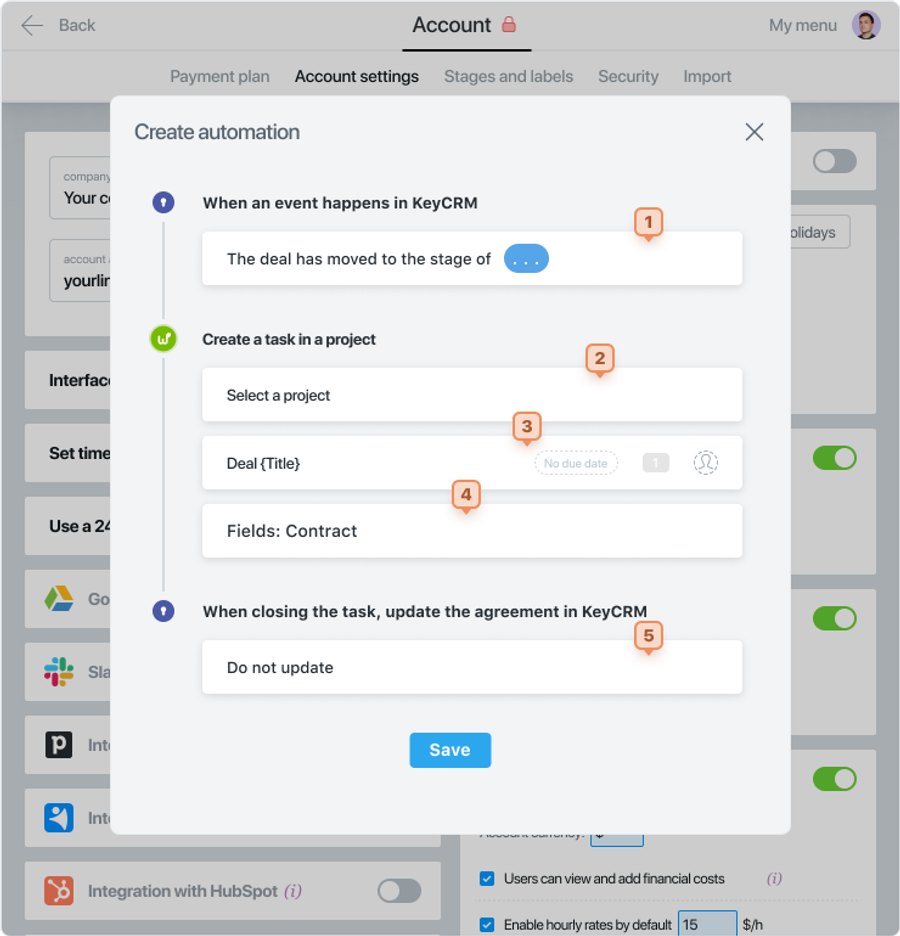
Fill in the following fields:
- Configure the event for which the automation is set up.
- Select the Worksection project where the task will be created.
- Specify a name for the task. Optionally, provide the task duration, priority, and assignee.
- Additionally, select the information to be imported from CRM.
- Specify the update parameter for the KeyCRM deal when the task is closed in Worksection.
Step 6️⃣ —Further automations can be added if necessary.
Leave your review
Did this article help you?
Glad we could help! What was helpful?
Sorry this didn't help. What went wrong?
Previous
Integration with KeyCRM

