Solutions
worksection
beta
help
How to add costs to the task?
You can enter estimates to the task editing window.
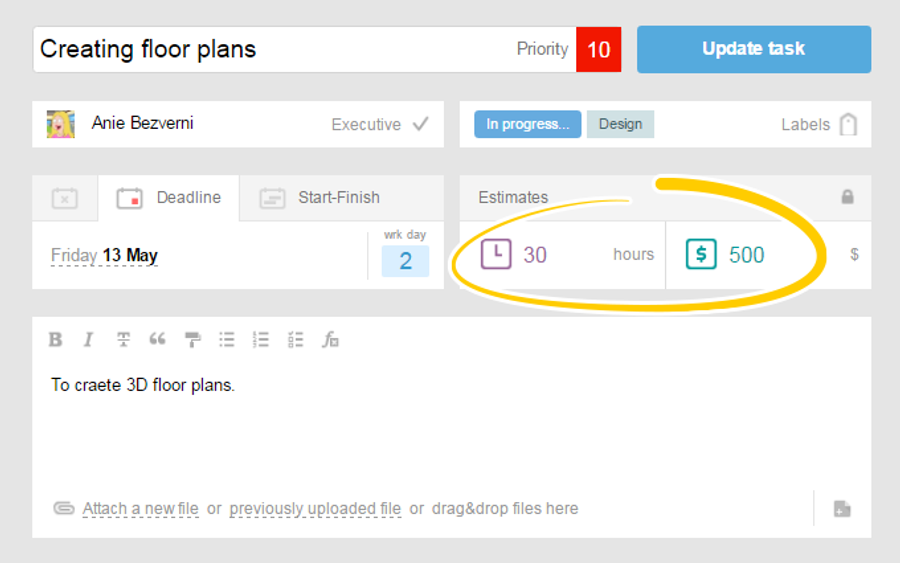
Also, you can add costs by clicking on «Costs»1 icon in the top part of the task description.
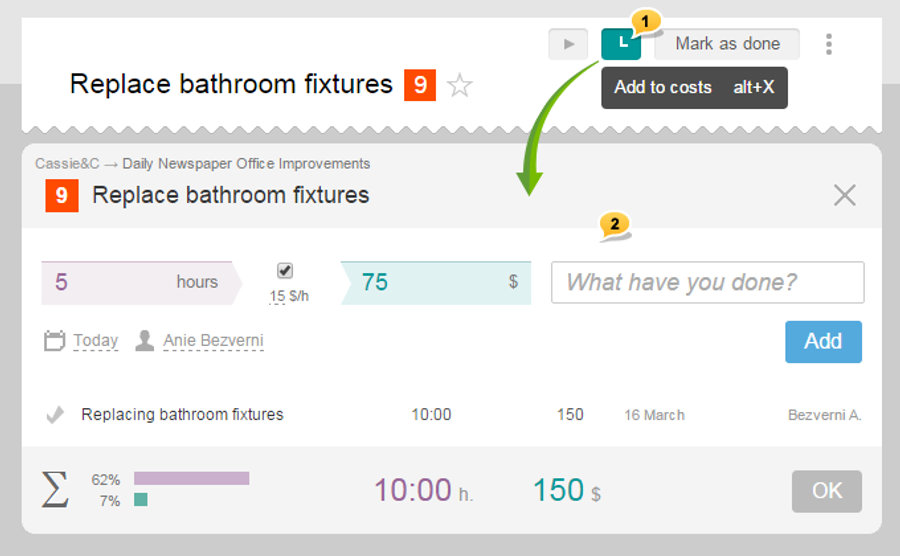
In the appeared window, fill in the appropriate fields for time and (/ or) money2, and click on the «Add» button. If necessary, add a few records. After you are done with entering costs, click «OK», and the changes will be saved.
Leave your review
Did this article help you?
Glad we could help! What was helpful?
Sorry this didn't help. What went wrong?

