Creating the team project. Roles of users and a company
Creating the team project. Roles of users and a company
For each project, it is necessary to form a team. The project can be an «inside» one, and then its team will consist only of employees of your company. It can also be «the client's» one, which allows the client to be present in the project. In this case, the client is best to be added as a separate company.
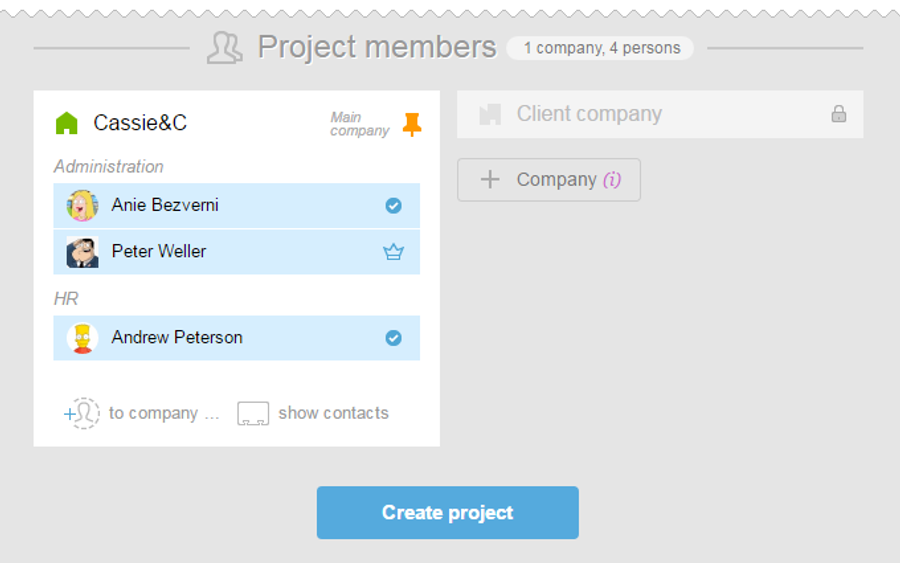
The structure of the «inside» project's participants may look like this:
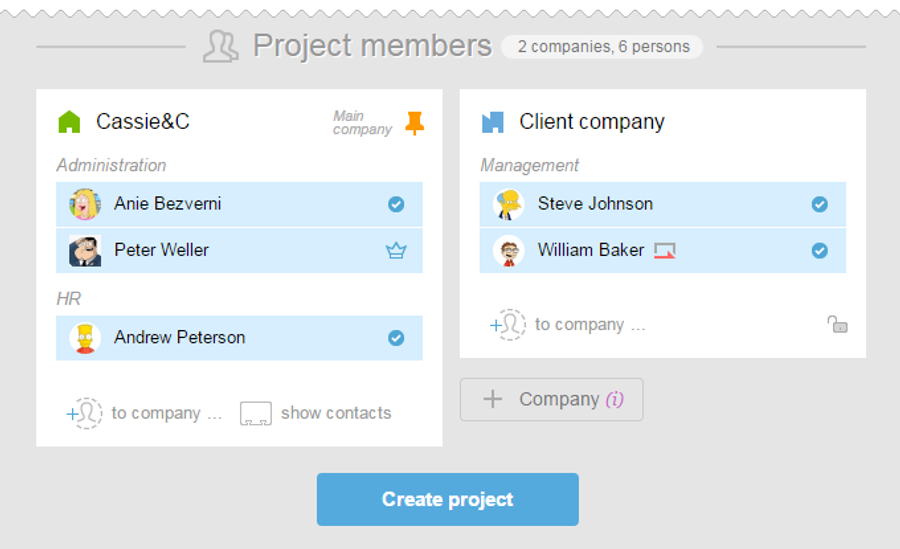
If you create a project with a client or subcontractor, the project structure might look like this:
In this case, when you create a project, you need to create a client's company or a subcontractor's company, and invite participants in there. You can do this directly on the stage of the project creation or in the People section.
If these companies were created previously and their users are already in the system, just check their names in the checkbox to «add» them to the project team.
The following roles are possible in the project:
Administrator is a role with customizable access to users, projects, tasks, hidden information, reports, and timers. It may be an «account administrator» or «company administrator» or «department administrator» Project Manager is a person responsible for the outcome of the project. Project Manager has extended permission in the project and may change the terms and closing tasks. This can be whether a regular user or an administrator. Regular users are people who see all the usual (not «private») project tasks to which they are included. A member of the client's company is the person taking the job. This person does not see the «inside» of the account. Guest is a person with the guest access only to the task for which he or she is responsible.
A more detailed description of roles can be found here.