Solutions
worksection
beta
help
How to add a new company?
You can create additional companies to organize people in the account. Typically, clients and subcontractors are added to different companies for information visibility to be divided. You can also create a separate company for your branch company if it is working on its own individual projects.
You can add a new company at the stage of project creation or at any other time convenient for you.
In order to add a new company on the project creation page, in the «Project Participants» section click on the «Company» button. Choose the type of company (client's or your company's branch), enter the name, and click «ОК».
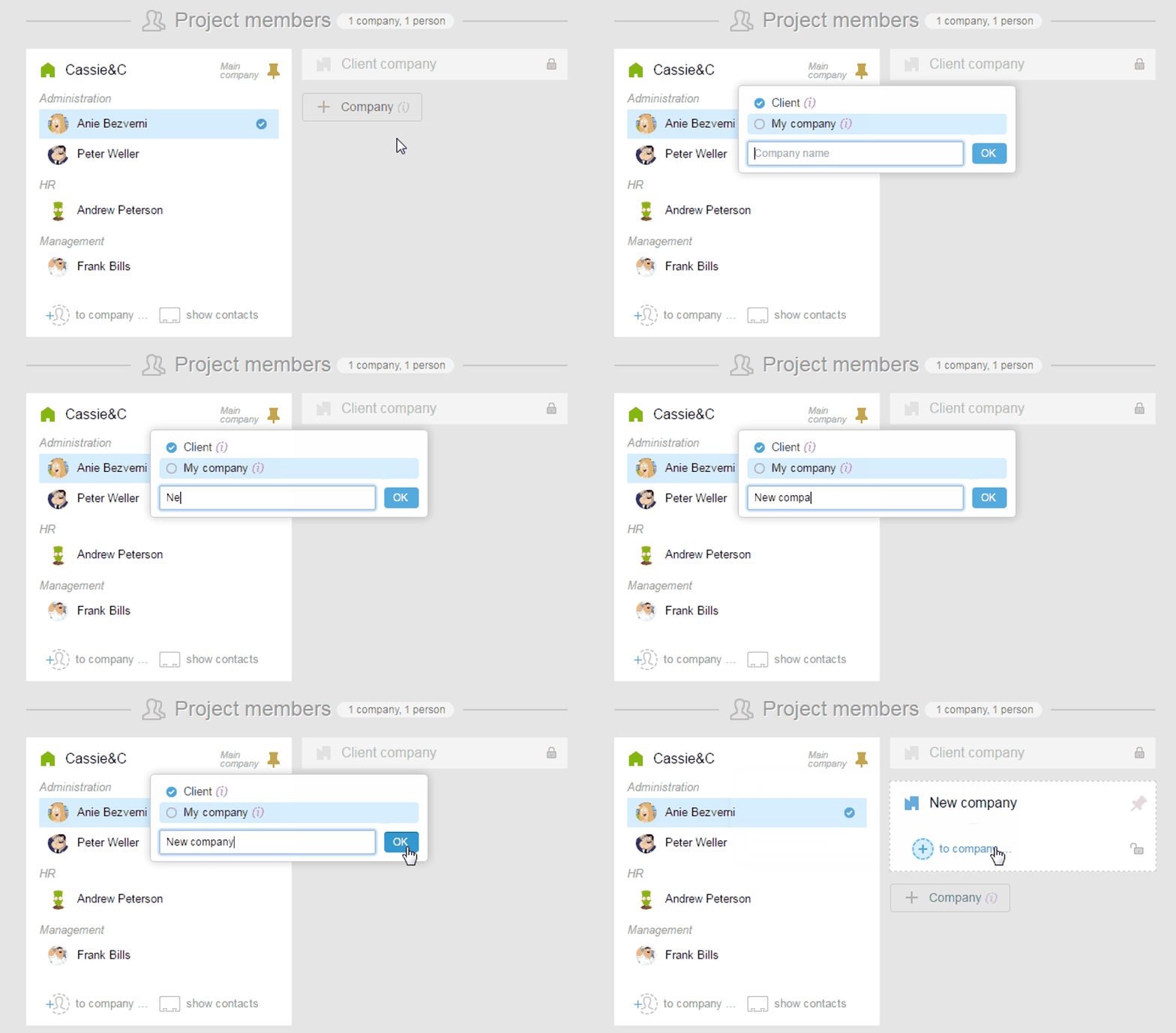
Right here, after you have added a new company, you can invite new participants to it and create a new section.
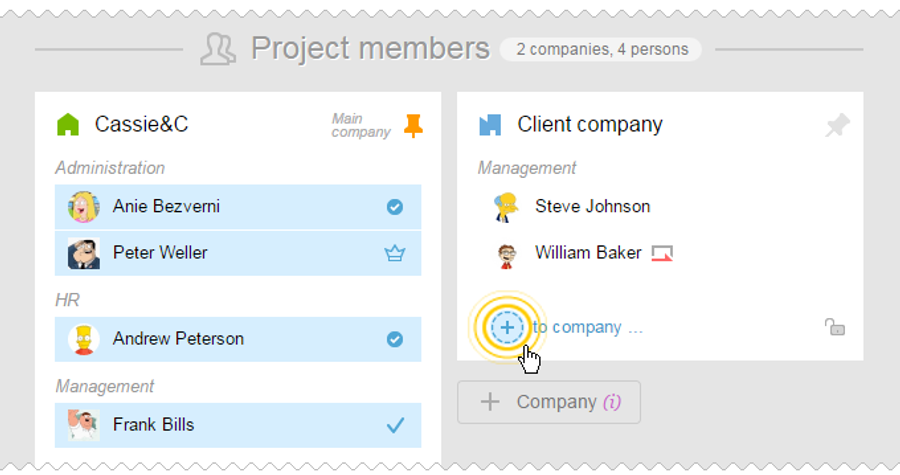
To add a company after creating a project, you need to invite at least one employee in there.
Jump to People section. Click on «Invite», enter the necessary data and in the «To the Company» click «Add Company». Enter the name of the new company (if necessary, create a section as well) and click «Invite».
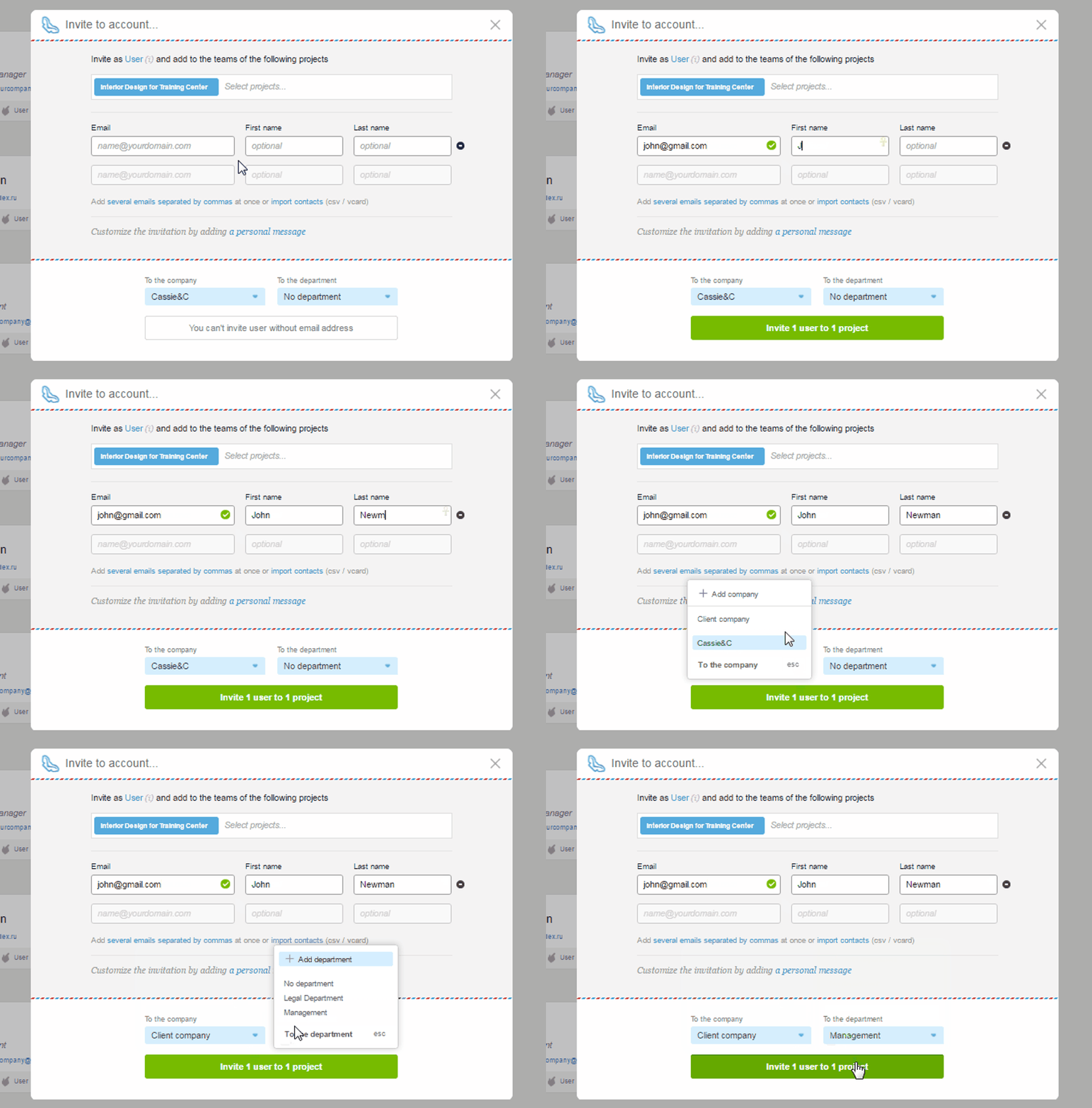
There is no limit to the number of companies.
Leave your review
Did this article help you?
Glad we could help! What was helpful?
Sorry this didn't help. What went wrong?

