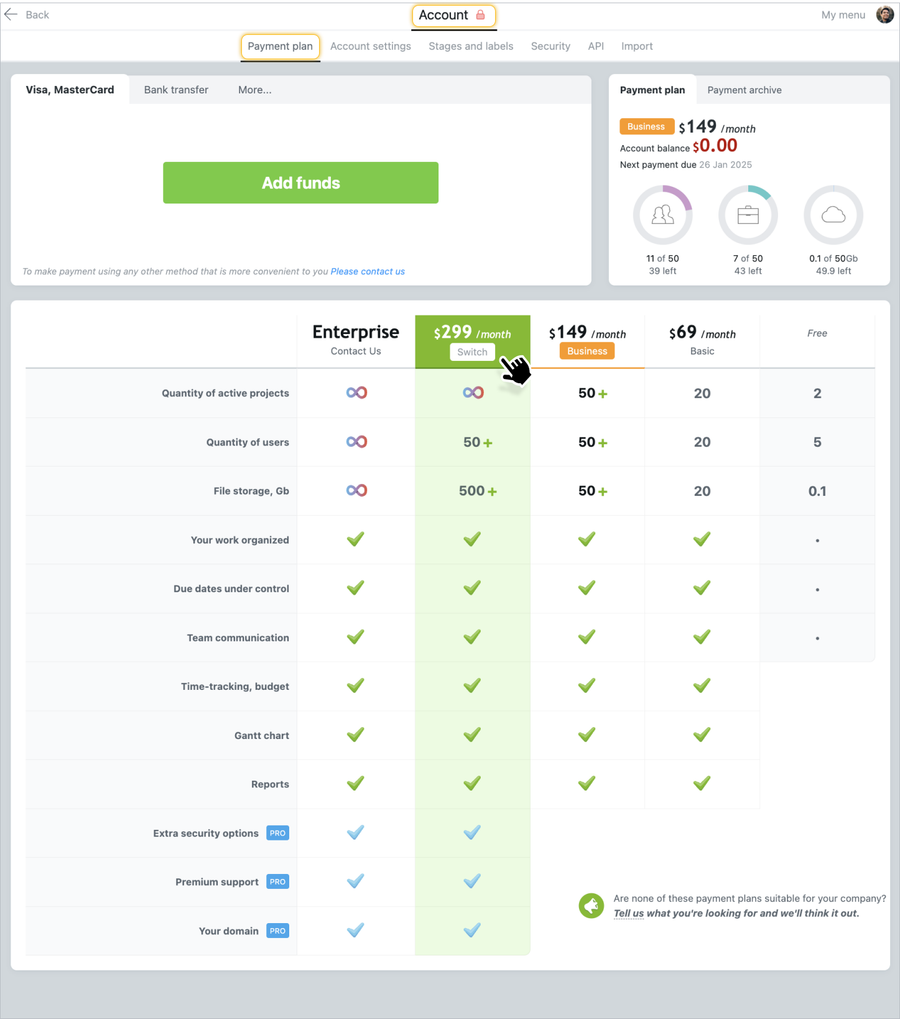
Only the Account Owner and the Account Administrator can change the tariff plan.
To change the payment plan, you need to go to Account settings - Payment plan and, when you move the cursor over the plan, you will be offered to "switch" to it. After clicking on the selected plan, you will be prompted to confirm your actions. After confirmation, you will be provided with a new payment plan.
Note: During the trial period (which lasts 14 days from the date of account registration), you can switch to any payment plan without any restrictions.
Attention: When you upgrade to a plan with less functionality, make sure that the number of projects and files you have meets the quota of the chosen plan. Otherwise, you will need to archive some projects, as well as download and delete some files that exceed the quota of the new plan.